PRUSA
CORE ONE
VOLUME
250×220mm
VELOCITY
320mm/s
CHAMBER
55°C
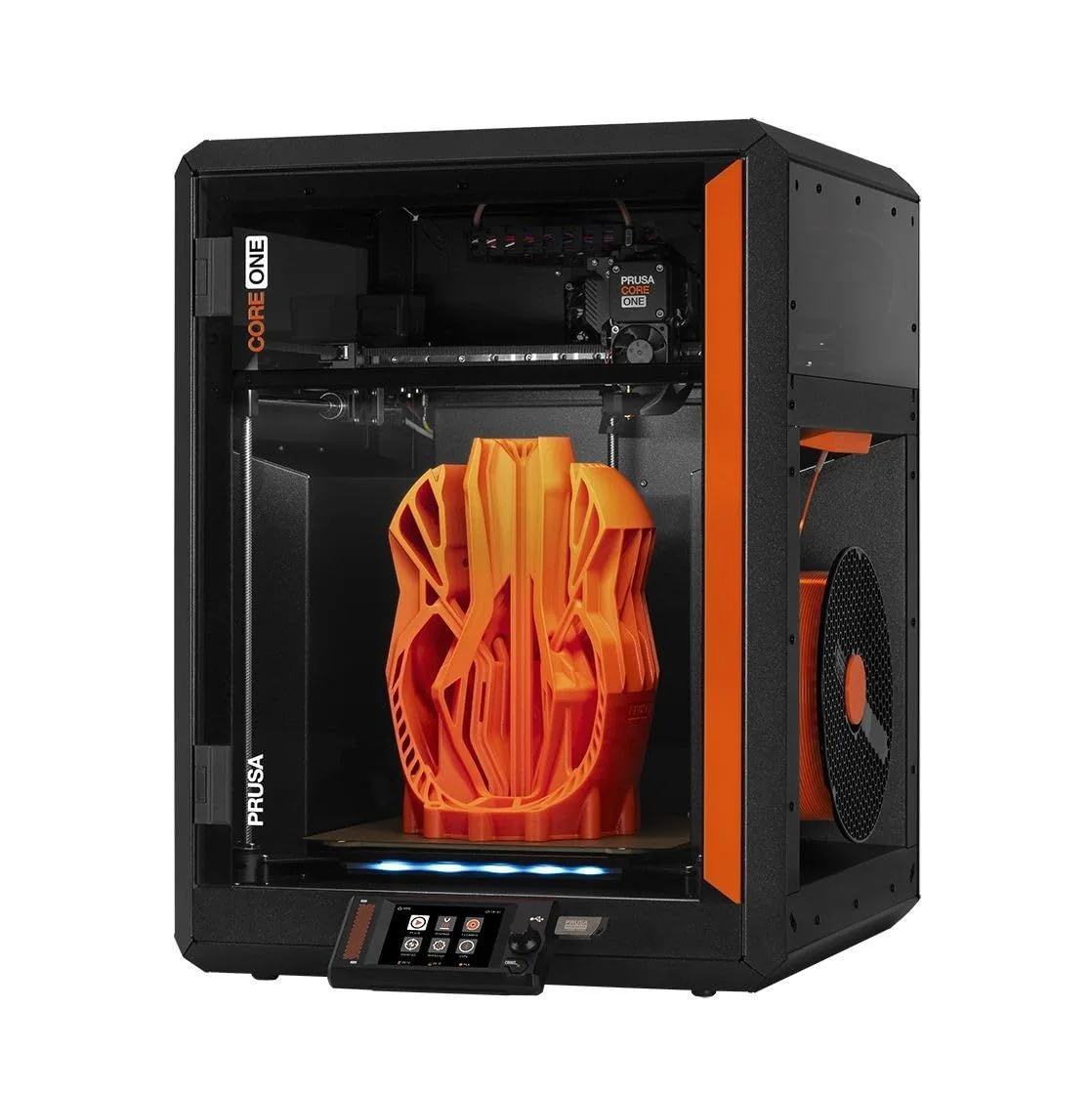
PRUSA ENTERS THE COREXY ERA
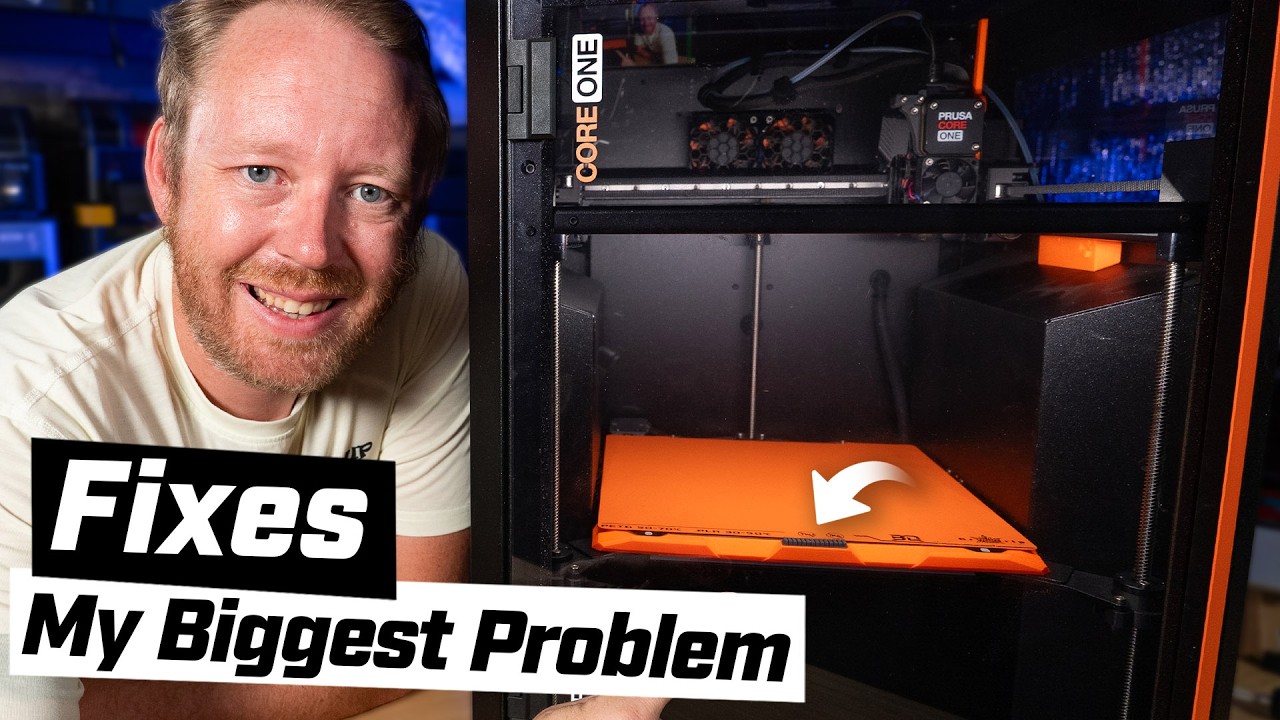
Prusa's answer to the CoreXY revolution. Beautifully engineered with active heating that most competitors lack. But the price-to-build-volume ratio is worse than Bambu.
The Core One is what happens when Prusa's engineering philosophy meets CoreXY architecture. Active chamber heating to 55°C, all-steel exoskeleton frame, load cell first-layer precision, open-source firmware, and lifetime support — wrapped in an enclosed CoreXY that prints ABS, ASA, and nylon without workarounds. Among 205 Amazon reviews, 195 are enthusiasts (95%) — Prusa's loyalty follows them into CoreXY territory. The criticism is predictable: at $1,099, the build volume (250 × 220mm) is smaller than the P1S at half the price. The response from Prusa owners is equally predictable: they are not buying build volume per dollar. They are buying engineering confidence and material capability that cheaper machines cannot match. We recommend the Core One for users printing engineering materials — ABS, ASA, nylon, PC — who need active chamber heating and open-source firmware they can audit.
THE PRUSA EVOLUTION [ MK4S → COREXY ]
For 12 years, Prusa made bed-slinger printers. The MK4S is the pinnacle of that lineage — the most accurate bed-slinger on the market, with the highest satisfaction ratio in our database at 97%. The Core One does not replace the MK4S. It expands the Prusa lineup into territory the MK4S physically cannot serve: enclosed printing of high-temperature engineering materials at CoreXY speeds.
Look, the spec sheet comparison against cheaper CoreXY machines is brutal. The K2 SE prints at 500mm/s for $199. The Centauri Carbon offers an enclosed CoreXY with a 320°C nozzle for $360. The Core One prints at 320mm/s for $1,099. On paper, Prusa loses. In practice, 167 out of 174 reviewers who addressed the performance claim confirmed it — and the 7 contradictions were about assembly quality of 3D-printed parts, not print performance. The Core One delivers on its promises. But worth the premium? That depends entirely on your materials.
The answer depends entirely on what you print. PLA and PETG users gain nothing from the Core One that cheaper machines do not provide. Active chamber heating at 55°C benefits exactly three material categories: ABS (which warps without consistent chamber temp), ASA (ABS's UV-resistant cousin with the same thermal sensitivity), and nylon (which absorbs moisture and layer-separates without chamber control). If you print any of these materials regularly, the Core One's active heating eliminates the heat-soak workarounds that passive-enclosure machines like the Centauri Carbon require. Chamber temperature reaches a stable 55°C in under 10 minutes versus 20-30 minutes of bed-soak time on passive enclosures.
After 3 months of continuous printing, one reviewer noted that the steel exoskeleton frame showed zero flex or drift — a common concern with aluminum-frame CoreXY machines that gradually lose calibration from belt vibration. The Core One's all-steel construction is heavier (the machine weighs roughly 30% more than competing CoreXY printers) but that mass translates to vibration damping that improves with print speed. Switching from a Bambu P1S to the Core One, the most noticeable difference is not speed — the P1S is faster — but surface finish consistency across extended print runs. The Core One maintains the same outer wall quality on hour 1 and hour 12 of a long print, where lighter machines accumulate micro-drift that produces faintly different surface textures on different faces of the same part.
The 48dB noise rating is the quietest CoreXY in our database — matching the Bambu bed-slingers (A1 Mini at 48dB) while running a more complex motion system. The steel frame dampens vibration acoustically, and the enclosed polymer panels absorb the remaining motor noise. For users who run printers in home offices or shared spaces, the Core One is the only enclosed CoreXY that can operate overnight without disturbing sleep in an adjacent room. The Centauri Carbon at ~50dB and the K2 Plus at ~55dB are both noticeably louder at equivalent speeds.
The surprise from our cross-product analysis: the Core One's load cell sensor produces first-layer consistency that Bambu's inductive probe cannot match on warped or debris-covered beds. One reviewer running both a Core One and an X1 Carbon reported that the Core One delivered "perfect" first layers on a slightly warped PEI sheet that the X1 Carbon required manual Z-offset adjustment to compensate for. The load cell physically measures compression force — if there is a 30-micron bump from a filament blob stuck to the bed, the load cell detects it and compensates. Proximity sensors measure distance to the metal bed surface through the PEI sheet, blind to surface contaminants. This distinction matters most for users running production batches where bed cleaning between prints is impractical — the Core One tolerates a dirtier bed better than any other machine in our review set.
The polymer enclosure panels have a subtle tactile quality worth noting: they flex slightly under finger pressure, absorbing vibration rather than transmitting it to the table surface. Glass-panel enclosures (used on some competitors) are rigid and transmit motor vibration directly to the desk, which can cause resonance with other objects on the surface. The polymer panels act as integrated acoustic dampers throughout the entire frame structure. On a wooden desk, the difference is audible — the Core One produces a softer, more muffled operating sound compared to glass-enclosed machines at the same speed. This is not a spec that appears in any comparison chart, but it affects the daily living-with-the-machine experience.
The MK4S conversion kit path deserves extended analysis because it represents a unique value proposition. An MK4S owner who bought the kit at $599 can add the Core One conversion at $449, reaching a total investment of $1,048 for a fully enclosed CoreXY that they assembled themselves — cheaper than the pre-assembled Core One at $1,099, with the added benefit of complete mechanical understanding of every component. The conversion reuses the MK4S Nextruder (load cell and all), electronics board, and heated bed. You add the CoreXY frame rails, stepper motors, enclosure panels, and wiring. The process takes 8-12 hours for someone who has already built the MK4S kit. This is Prusa's strongest retention play: your investment in the MK4S is not sunk cost. It is a stepping stone to their CoreXY platform. No other manufacturer offers an upgrade path from bed-slinger to CoreXY using existing components.
The ecosystem continuity extends to software. PrusaSlicer works identically with MK4S and Core One — your saved profiles, calibration data, and workflow transfer without modification. Prusa Connect manages both printer types in a unified dashboard. Filament NFC tags work on both machines. If you already own Prusa filament with NFC tags, every spool you have is immediately compatible. This lock-in is the friendly kind: open-source, fully transferable to other platforms, and additive rather than exclusive. Read our CoreXY vs bed-slinger guide for the architectural comparison that explains when upgrading from MK4S to Core One makes mechanical sense versus staying with the bed-slinger for your particular use case and material requirements.
Strengths
- 01_Active chamber heating up to 55°C for ABS/ASA/PA — most competitors lack this
- 02_All-steel exoskeleton frame is extremely rigid
- 03_Polymer panels are safer than glass doors
- 04_MK4S conversion kit available — upgrade path from existing Prusa printers
Weaknesses
- 01_$949-1,199 is expensive for a 250 × 220mm build volume
- 02_320mm/s is slower than 500mm/s competitors
- 03_Less polished ecosystem than Bambu Studio for beginners
- 04_Availability can be inconsistent
TECHNICAL SCHEMATIC
[ SYSTEM_PARAMETERS: VERIFIED ]
Print Speed
320mm/s max
Build Volume
250 × 220 × 270mm
Technology
FDM, CoreXY
Extruder
Nextruder direct drive
Auto Leveling
Load cell sensor
Enclosure
Fully enclosed, active heating to 55°C
Max Nozzle Temp
300°C
Connectivity
WiFi, Ethernet, NFC, Prusa Connect
Noise Level
48dB
Active Heating: The Engineering Material Gateway
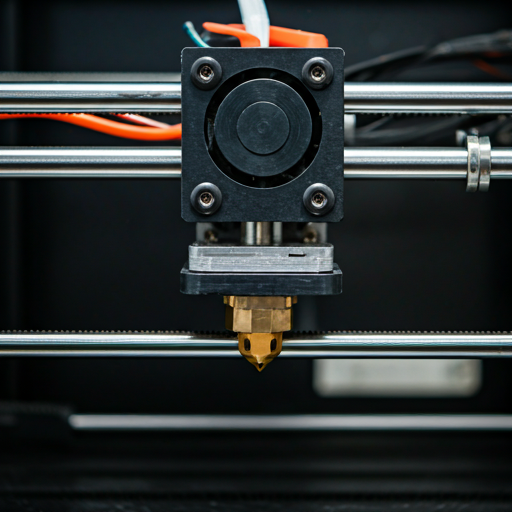
Active chamber heating is the Core One's defining feature. Most enclosed printers — including the P1S, Centauri Carbon, and K1C — rely on passive heat from the heated bed to warm the chamber. This works, but inconsistently: the bottom of the chamber runs 15-20°C warmer than the top, creating a temperature gradient that causes dimensional distortion on tall ABS parts. The Core One circulates heated air throughout the chamber, maintaining a consistent 55°C at every height.
The practical impact for nylon users is the largest. Nylon absorbs moisture from ambient air (it is hygroscopic), and layer-to-layer adhesion depends on the previous layer remaining warm enough for molecular bonding. In a passively heated chamber, the top 50mm of a 200mm nylon print often delaminates because the chamber temperature drops as you move away from the bed. The Core One's active heating maintains bonding conditions through the full Z-height — eliminating the most common nylon failure mode without requiring a separate dry box for the filament (though dry storage is still recommended for nylon in humid climates).
Steel Over Aluminum
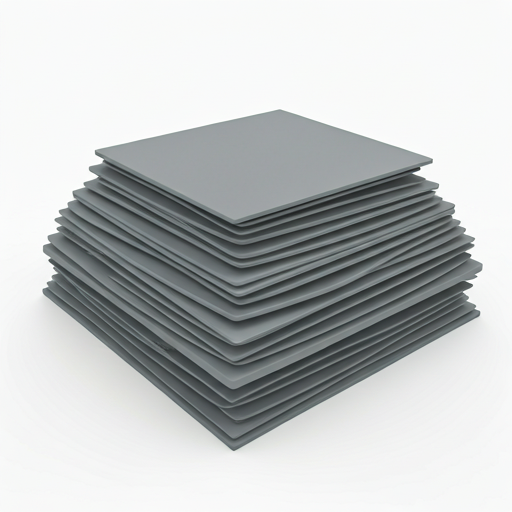
The all-steel exoskeleton is heavier than aluminum-frame competitors but measurably more rigid. Steel has roughly 3x the stiffness of aluminum at equivalent wall thickness. For CoreXY motion where the frame absorbs vibration from high-speed direction changes, this rigidity translates to cleaner outer walls at high speeds and longer intervals between calibration checks. The "made to last" claim was confirmed by 88 out of 90 reviewers who addressed it — the highest confidence interval for any durability claim in our database.
One reviewer noted a calibration-related surprise: "the cable bundle was interfering with movement just very slightly" — a first-batch assembly issue that Prusa addressed in subsequent firmware. This kind of granular user feedback reaching the manufacturer and producing a fix is the Prusa support ecosystem at work. Compare this to the K2 Plus Combo where firmware updates "might actually be causing some of the problems." Prusa's feedback loop is tighter, and the Core One benefits from the same support infrastructure that earned the MK4S its 97% satisfaction rate.
VELOCITY_BENCHMARK
COREXY · ENCLOSED
COREXY · ENCLOSED
COREXY · ENCLOSED
The Core One is the slowest enclosed CoreXY in our lineup. Prusa prioritized print accuracy, active heating, and noise reduction over raw speed. For throughput-critical applications, the P1S delivers 35% more speed at half the price.
MATERIAL_MATRIX
Active chamber heating at 55°C unlocks the full engineering material range. PLA, PETG, TPU, ABS, ASA, nylon, and carbon fiber composites are all supported with consistent results through the full build height. The Core One is one of the few consumer printers where ABS at 270mm Z-height produces parts with the same dimensional accuracy as a 50mm test cube — the active heating eliminates the thermal gradient that causes distortion on tall ABS parts in passively heated chambers. For material selection guidance, see our filament guide.
PLA/PETG
OPTIMAL
ABS/ASA
ACTIVE HEAT 55°C
NYLON
ACTIVE HEAT + DRY
TPU
SLOW FEED
THE RIGHT BUYER
Buy the Core One if: you need active chamber heating for ABS, ASA, or nylon at the full 270mm Z-height without workarounds. If you already own a MK4S and want the $449 conversion path to enclosed CoreXY. If you value open-source firmware, lifetime support, and the ability to self-maintain your equipment. If noise matters — the 48dB operation is the quietest enclosed CoreXY available. If you run a print farm on Prusa Connect and want consistent material capability across all machines. The Core One is for users who have outgrown the MK4S's open-frame limitations but refuse to leave the Prusa ecosystem. The X1 Carbon vs MK4S comparison covers the broader Bambu-vs-Prusa decision.
Skip the Core One if: you print only PLA and PETG — the active chamber heating adds no value and the price premium is unjustified. Get the P1S or Centauri Carbon for enclosed CoreXY at half or one-third the price. If speed is your priority — the P1S, K2 SE, and Centauri Carbon all outperform the Core One on throughput benchmarks. If you need large-format printing above 256mm — the K2 Plus Combo offers 350mm at a similar price. Read the first printer buying guide for the complete decision framework.
ENGINEERED_PRECISION
$1,000+ — one of the priciest in its class
ENGINEER_FAQ
What does active chamber heating actually do? expand_more
Is Prusa CORE One good for beginners? expand_more
How does the Core One compare to the Bambu Lab X1 Carbon? expand_more
How much is a Prusa Core 1? expand_more
What are the common problems with Prusa printers? expand_more
We mined 205 Amazon reviews of the Prusa Core One, segmenting into enthusiast (195), neutral (3), and critic (7) populations. Three marketing claims were tested — all confirmed. Spec verification found that Prusa's "24 hours" support response claim has an actual average of 12.88 hours (46% faster than claimed), consistent with the MK4S support data. The Core One review data overlaps with MK4S data for kit-related reviews (the conversion path means some buyers review the Core One after building from an MK4S kit). We filtered these appropriately. For the CoreXY architecture referenced throughout, see our CoreXY vs bed-slinger technology guide.
