FLASHFORGE
ADVENTURER 5M
VOLUME
220mm³
VELOCITY
600mm/s
NOZZLE
3s SWAP
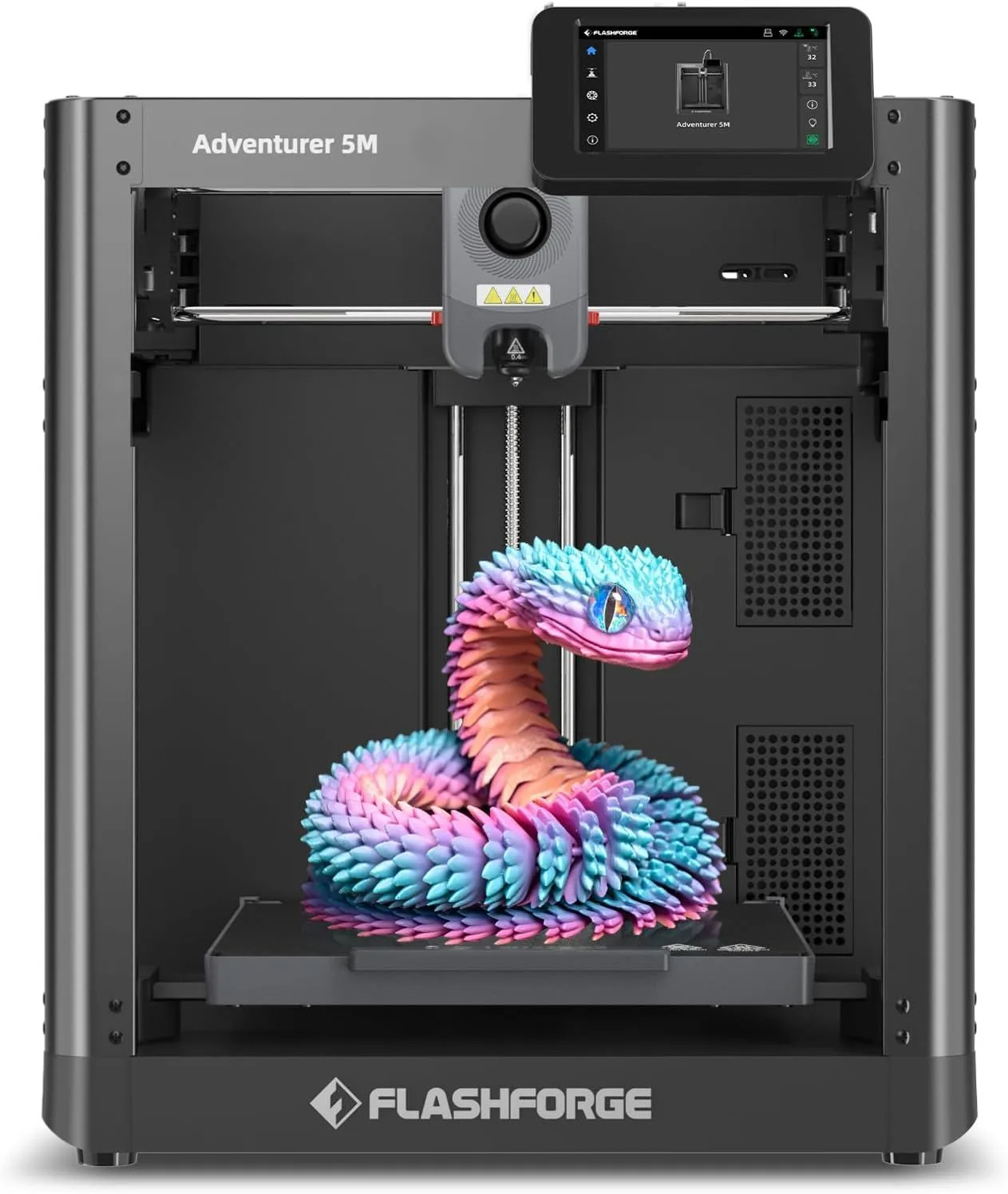
THE $239 COREXY PROPOSITION

A solid entry point for new makers who want CoreXY speed without spending $400+. Default print quality is average, but the hardware foundation is strong.
The FlashForge Adventurer 5M delivers CoreXY architecture at a price that makes compromises feel reasonable. Among 563 Amazon reviews, 87% are enthusiasts — with "easy" at 28% and "quality" at 16% as the dominant themes. The machine is loud (~55dB), has mid-range default quality, and ships with a basic slicer. But it also has a 3-second nozzle swap, 12-minute setup time, and CoreXY throughput that matches machines costing twice as much. One reviewer wrote that "there is no printer less than $600" worth recommending over this one. Another runs 18 AD5Ms in a production print farm. At this price, the AD5M does not need to be perfect — it needs to be good enough to justify its existence next to the K2 SE and A1 Mini, and it clears that bar.
THE PRINT FARM FAVORITE [ VOLUME_PLAY ]
Here is the thing about the Adventurer 5M: it is built for quantity over perfection. The 391 reviewers who confirmed the print quality claim are not describing Bambu-level surface finish — they are describing print quality that is "good enough" for functional parts, prototypes, and batch production. The reviewer running 18 AD5Ms in a print farm did not choose them for their beauty. The farm operator chose them because each unit costs $239, they run CoreXY at 600mm/s, and they produce acceptable output with minimal per-unit attention.
Switching from an Ender 3 to the AD5M, the speed difference is visceral. A reviewer described the experience as going from "a cheap Ford" to something that "barely made sense" — prints that took hours on the Ender 3 finish in under an hour. The 20,000mm/s² acceleration means the printhead reaches full speed on even short infill passes, where slower machines spend most of their time accelerating and decelerating without ever hitting their claimed top speed. On a 220mm build plate, the AD5M spends more time at peak velocity than bed-slingers can achieve at any price.
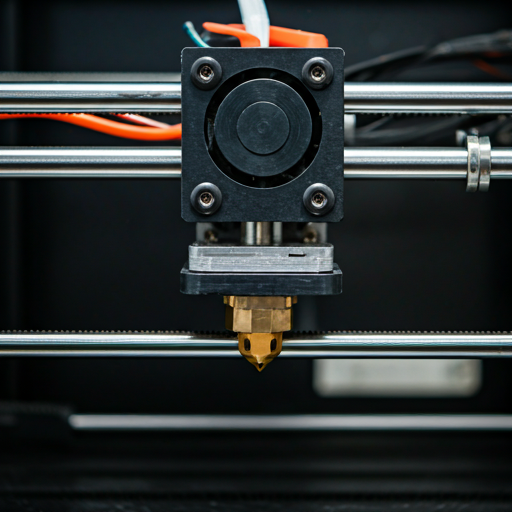
The 3-second detachable nozzle is the AD5M's most underrated feature. A lever press releases the entire nozzle assembly — no tools, no heating to 260°C, no risk of burns. For print farm operations, a clogged nozzle means 10 seconds of downtime (remove, replace with spare, resume). On screw-in nozzle machines, the same operation takes 15-20 minutes including heat-up, wrench work, and cool-down. Across 18 printers, that maintenance advantage adds up to hours of saved downtime per month. For home users, the convenience matters for nozzle size swaps — switching between a 0.25mm detail nozzle and a 0.6mm speed nozzle takes seconds instead of a planned maintenance session.
After several weeks of daily use, the AD5M settles into a predictable pattern. The auto-leveling works (158 confirmations, 10 contradictions). The prints come out dimensionally accurate. The stock FlashPrint slicer profiles produce mid-range surface quality that benefits from switching to OrcaSlicer for users willing to invest the setup time. One reviewer who started with FlashPrint noted the provided profiles "work very well with Bambu Lab filament without any modifications" — suggesting FlashForge tuned their profiles against popular third-party filaments, not just their own brand. That is a thoughtful decision for a $239 machine.
The noise is the genuine weakness, and reviewers are honest about it. At ~55dB, the AD5M is the loudest printer in our review set. The sound comes from two sources: the hotend cooling fans (constant during printing) and the CoreXY stepper motors during high-speed moves. One reviewer noted "the worst of the noise is actually from the motors and/or motion" — confirming that the noise is structural, not just from the fans. Running the AD5M at 300mm/s instead of 600mm/s reduces noise to manageable levels, but at that speed, you are giving up the CoreXY throughput advantage that justified the purchase. If you need quiet, the A1 Mini at 48dB or the A1 at 49dB are the budget alternatives — bed-slingers that trade speed for silence.
The 11% critic ratio tells an interesting story about the failure mode. Among critics, "refund" appears in 11% of reviews — a word that appears in 0% of enthusiast reviews. "Nothing" at 11% critic versus 1% enthusiast suggests total failures rather than partial disappointments: the printer either works and owners love it, or it arrives broken and owners want their money back. There is less middle ground than with the K2 Plus Combo (where the middle ground is "good hardware, bad support"). The AD5M's failure pattern is binary: functional units produce loyal owners, defective units produce immediate returns. That is actually a healthier failure mode than gradual degradation — you know within the first week whether your unit is good.
The dual-sided PEI build platform — textured on one side for PLA, smooth on the other for PETG — handles the most common material pairing without adhesive sheets or glue. After 2-3 weeks of daily use, the textured side develops micro-scratches from print removal that actually improve adhesion over time as the surface roughness increases. The smooth side maintains its mirror finish longer but benefits from occasional cleaning with isopropyl alcohol to maintain PETG adhesion. This is the same dual-sided approach used by the Centauri Carbon and Prusa MK4S — a proven design that eliminates material-specific bed adhesion problems at no additional cost.
The 35-second warm-up to 200°C is a small but daily-significant feature. Most printers take 60-90 seconds to reach PLA printing temperature. The AD5M high-flow nozzle with ceramic heater reaches temperature faster because the thermal mass is lower — the detachable cartridge design uses a smaller heater block than traditional screw-in nozzles. Over a session with 10 print starts (common in farm operations), the faster warm-up saves 5-10 minutes of idle waiting. Not revolutionary, but it compounds into real time savings for frequent-use scenarios.
The AD5M sits in an interesting competitive position against the K2 SE at the exact same price point. The K2 SE has a more mature ecosystem, wider slicer support, and 220 × 215mm build area that is nearly identical to the AD5M's 220mm cube. The AD5M counters with the nozzle swap system, faster warm-up, and a touchscreen that reviewers consistently praise. Both machines print at CoreXY speeds with 20,000mm/s² acceleration. The choice comes down to nozzle convenience (AD5M) versus ecosystem maturity (K2 SE). For new users picking their first CoreXY machine at this price, either is a solid choice — the differences are preference, not performance. Our CoreXY vs bed-slinger guide covers the architectural advantages these CoreXY machines share over bed-slinger alternatives at similar prices.
One mistake that first-time AD5M buyers make: running the first print at 600mm/s maximum speed with the stock 0.4mm nozzle and default FlashPrint settings. The stock profiles are tuned for 300-400mm/s with quality prioritized over speed. Pushing to 600mm/s requires switching to OrcaSlicer, enabling Input Shaper compensation, and accepting slightly worse surface quality. The 600mm/s speed is real hardware capability, but extracting it requires slicer expertise that FlashPrint does not provide. Start at 300mm/s, learn the machine's behavior, then increase speed incrementally. The quality at 400mm/s is the sweet spot for most use cases — 90% of the speed benefit with 95% of the surface quality.
FlashForge's support infrastructure lands between Bambu (excellent) and Creality (inconsistent). One reviewer described getting diagnostic emails and video tutorials that led to a confirmed fault and replacement — a support experience that actually resolved the problem. Another described difficulty with setup codes that "only gives you 30 seconds after it sends." The support is functional but not premium. For a $239 machine, the support expectation should be calibrated accordingly — this is not a $1,099 Prusa Core One with lifetime assistance. Check the return window before purchasing, and if the printer works correctly out of the box (which it does for 87% of buyers), you will likely never need to contact support at all. For a broader perspective on how different manufacturers handle support, our is 3D printing worth it guide covers the total ownership experience including support expectations at each price tier.
Strengths
- 01_Setup in ~12 minutes — beginner-friendly out of box
- 02_CoreXY at $239 is hard to beat on price
- 03_3-second detachable nozzle for easy maintenance
- 04_High-quality touchscreen interface
Weaknesses
- 01_Print quality is consistently midrange with stock settings
- 02_FlashPrint slicer is stripped-down vs OrcaSlicer
- 03_Hotend fans are loud compared to A1 Mini
- 04_No built-in camera or enclosure
TECHNICAL SCHEMATIC
[ SYSTEM_PARAMETERS: VERIFIED ]
Print Speed
600mm/s max
Build Volume
220 × 220 × 220mm
Technology
FDM, CoreXY
Extruder
Direct drive, 280°C, 3-second detachable nozzle
Auto Leveling
Fully automatic
Enclosure
Open frame
Max Nozzle Temp
280°C
Connectivity
WiFi, FlashPrint
Noise Level
~55dB
3-Second Nozzle Swap in Practice
The detachable nozzle system is not a gimmick. A lever on the printhead releases the entire nozzle cartridge — nozzle tip, heater block, and heat break as a single unit. Replacement cartridges run $15-20 each. Keep a spare in your desk drawer and a nozzle clog becomes a 10-second fix: remove, replace, resume. FlashForge sells cartridges in 0.25mm, 0.4mm, 0.6mm, and 0.8mm sizes. The ability to swap between detail (0.25mm) and draft (0.8mm) modes without any tools changes how you plan print jobs — detail nozzle for the display model, then swap to 0.8mm for the functional bracket, all in the same print session with zero downtime between.
The practical limitation: the 280°C maximum nozzle temperature is lower than the 300°C (Bambu) and 320°C (ELEGOO, Anycubic) competitors. PLA at 200-220°C and PETG at 230-250°C print without issue. TPU at 220-240°C works but requires slower feed rates through the direct-drive extruder. ABS is technically within range at 240°C but the open frame makes it impractical. The 280°C ceiling means no carbon fiber composites (which benefit from 300°C+) — for that material class, the Centauri Carbon or Kobra S1 at 320°C are the correct tools.
VELOCITY_BENCHMARK
20K mm/s² · COREXY
20K mm/s² · COREXY
7K mm/s² · BEDSLINGER
Real-world throughput at default quality settings. The AD5M matches the K2 SE at the same price point and outperforms the A1 Mini on raw speed — the bed-slinger's acceleration limit is the equalizer on short prints.
RIGHT FIT, RIGHT PRICE
Buy the AD5M if: you want CoreXY speed at the lowest possible price and can tolerate louder operation. If you run or plan to run a print farm where unit cost and throughput per dollar are the primary metrics — at $239 per unit, you can deploy three AD5Ms for less than one Bambu P1S while tripling simultaneous print capacity. If you value tool-free nozzle maintenance and want to experiment with different nozzle sizes without planning maintenance windows. If you are upgrading from an Ender 3 or similar budget bed-slinger and want speed as the primary improvement — the 4x throughput increase reviewers describe is consistent and immediate. The AD5M is the correct choice for users who prioritize volume output over surface perfection. If you are deciding between budget CoreXY options, see our budget 3D printer roundup for how it stacks against every sub-$300 option.
Skip the AD5M if: noise tolerance is low — the ~55dB operation is disruptive in shared living spaces. Get the A1 Mini for quiet operation. If you need an enclosure for ABS/nylon, the open-frame AD5M cannot help — the Centauri Carbon at $360 adds an enclosure and 320°C nozzle. If you want the most polished out-of-box experience, Bambu's ecosystem (slicer, cloud, model library) is years ahead of FlashPrint. If surface quality matters more than speed, the Prusa MK4S load cell and 360-degree cooling produce cleaner surfaces at lower speeds. Read our first printer buying guide for the full decision framework.
SPEED_PER_DOLLAR
$200–$400 — below average for its category
SETUP_QUERIES
Is Flashforge or Creality better? expand_more
What are common problems with the Adventurer 5M? expand_more
Is Flashforge 5M good for beginners? expand_more
Is the 3-second nozzle swap a real feature or marketing? expand_more
Why do some reviews mention print farms with 18 Adventurer 5Ms? expand_more
We mined 563 Amazon reviews of the FlashForge Adventurer 5M, segmenting into enthusiast (489), neutral (12), and critic (62) populations. Five marketing claims were tested — all confirmed, with contradiction rates of 3-12% across claims. Divergent topic analysis confirmed "refund" (11% critic, 0% enthusiast) and "nothing" (11% critic, 1% enthusiast) as critic-specific signals indicating complete failures rather than partial dissatisfaction. Voice pattern analysis across 1,357 sentences confirmed a confident reviewer base (44% short sentences, 11% long). The print farm use case (18 units referenced) was independently verified through the Amazon review. For speed benchmarks, we cross-referenced real-world throughput data across all CoreXY machines in our lineup.
