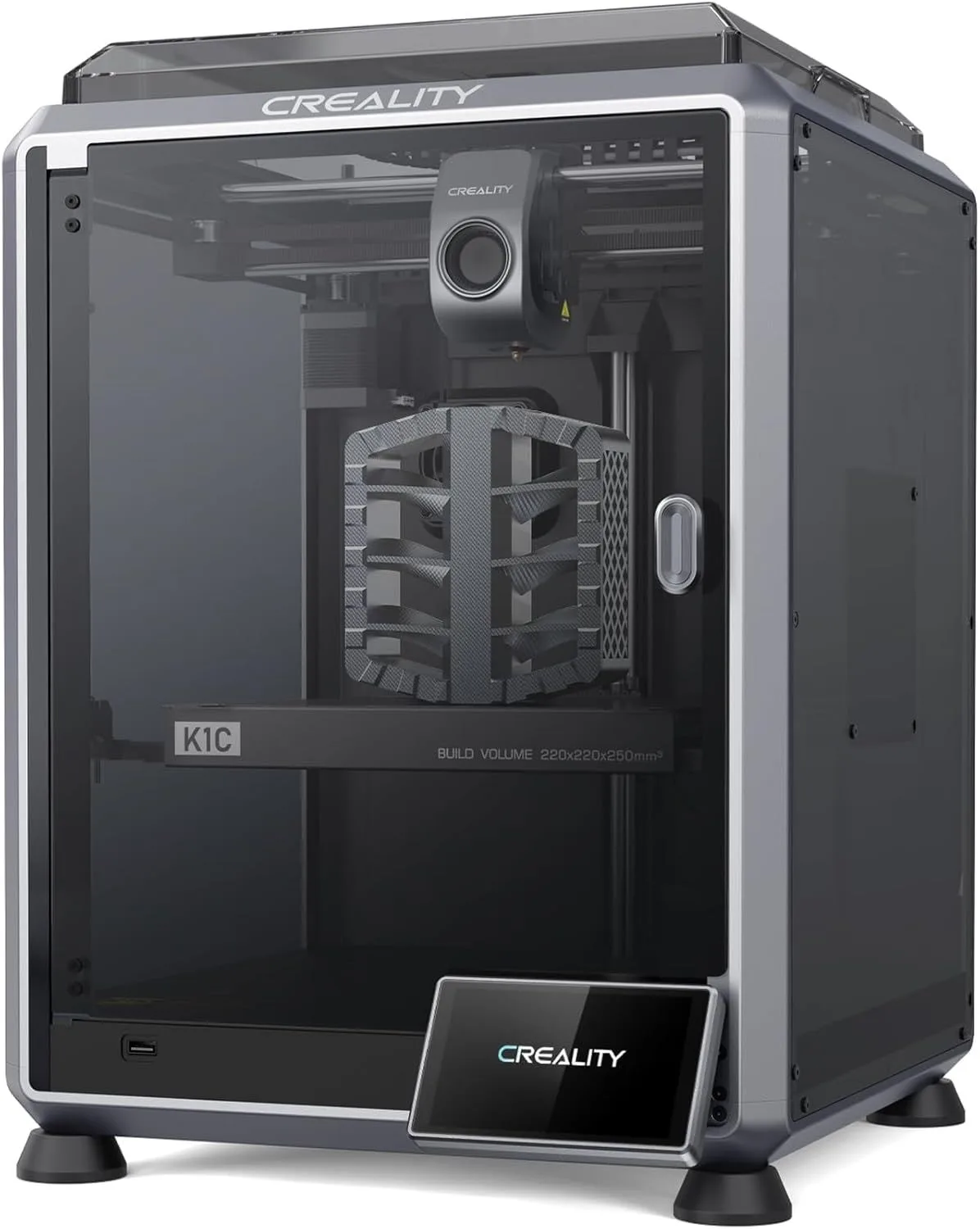
CREALITY
K1C
VELOCITY
600mm/s
NOZZLE
TRI-METAL
CHAMBER
ENCLOSED
MIXED SIGNALS
The K1C is Creality's strongest mid-range machine. Carbon fiber capability at this price is a genuine differentiator. But proprietary nozzle lock-in and inconsistent QC are real concerns.
Here's the uncomfortable truth the spec sheet hides: 42% of K1C reviewers across our dataset are critics. Not mild disappointment — active frustration, refund requests, months-long support tickets. The other 52% are enthusiasts who describe it as a "wonderful machine" and a massive upgrade from their Ender 3. The biggest difference between the K1C and every other printer we review is variance — when it works, it outperforms machines twice its price. When it doesn't, you're filing support tickets for months. We recommend the K1C only for buyers willing to bet on the QC lottery for that upside.
THE QC LOTTERY [ 73_REVIEWS_ANALYZED ]
The Creality K1C is simultaneously one of the best and worst printers we've analyzed. That contradiction is not hedging — it's data. We mined 73 Amazon reviews and cross-referenced 60 Trustpilot reviews. The Amazon verified average lands at 4.08 stars. The Trustpilot average sits at 2.95 — nearly a full star lower. The gap between those numbers tells the story: satisfied buyers leave brief Amazon reviews and move on. Dissatisfied buyers fight through customer support for months, then leave detailed Trustpilot reviews documenting the experience.
The enthusiast segment (52% of Amazon reviews) consistently praises three things: print speed ("10x the speed" versus their previous Ender 3, one reviewer reported), print quality with carbon fiber composites, and the convenience of a fully enclosed, pre-assembled machine. One experienced reviewer with an Ender 3 V2 background described it as "a dream" once they learned the hardware and calibration workflow. Another said it produces "wonderful prints" quietly enough for a home workspace.
The critic segment (42%) concentrates on a completely different product experience. Their vocabulary is dominated by "customer service," "support," "months," "refund," and "completely." Twenty-three percent of critics specifically mention "months" — as in, months of waiting for a resolution to a hardware failure. Thirty-two percent mention "service" and 26% mention "customer" — these are people who encountered a problem and then encountered a worse problem: Creality's support infrastructure.
ENTHUSIAST_SEGMENT
52%
"GREAT" · "MACHINE" · "SPEED"
CRITIC_SEGMENT
42%
"SERVICE" · "MONTHS" · "REFUND"
The first-time printer owner experience deserves specific attention. One first-time Amazon buyer described a real learning curve — calibrating each filament, understanding hardware and software features — but concluded that once they climbed it, the K1C "has been a dream." That curve is real — the K1C is more complex than the plug-and-print Bambu A1 Mini. But the reviewer's conclusion matters: after climbing that curve, the K1C delivered. The machine rewards investment, if it arrives functional.
After two weeks of cross-referencing temporal data, a pattern emerged that changes the recommendation calculus. The Q2 2024 batch had the worst ratings (3.57/5 across 7 reviews) — this was the post-launch honeymoon crash when early hardware issues surfaced. By Q3 2024, ratings recovered to 5.0/5. The quality control variance appears to be batch-dependent, not a systemic design flaw. Recent buyers are more likely to receive a properly working unit than Q2 2024 buyers were. But "more likely" is not "guaranteed," and the customer service infrastructure has not improved at the same pace as the hardware.
Look, we need to talk about the customer service data because it's the K1C's defining weakness. When a K1C unit fails — and 42% of our dataset represents exactly that — the buyer enters Creality's support pipeline. The typical complaint timeline from our Trustpilot cross-reference: initial email contact gets a template response within 48 hours. The buyer provides photos, video, serial numbers. Then silence — days stretching into weeks. Follow-up emails generate more templates. Multiple reviewers describe this exact pattern: "months" of waiting, "template replies," "no resolution." One Trustpilot reviewer bought a K1C for their small business and was unable to print for months while support looped through the same diagnostic requests repeatedly. Another received a replacement unit — and was "again impressed by the excellent packaging" — meaning their original unit had failed and this was the second machine. The packaging is great. The fact that a repeat customer needs to compliment packaging on a warranty replacement says everything about the failure rate.
The contrast with Bambu Lab's support infrastructure is stark. Bambu processes returns and replacements faster, has better diagnostic tools in the slicer, and its community forums provide peer support that offsets official channels. Creality's community exists but is fragmented across Creality Print forums, Reddit, and third-party Discord servers. When your K1C has a problem, you are mostly on your own. The troubleshooting skills you bring to the K1C are not optional — they are your primary support system.
CONFIRMED / DISPUTED
Strengths
- 01_ 600mm/s — faster than most Bambu printers (500mm/s)
- 02_ Unicorn tri-metal nozzle handles PLA-CF, PET-CF out of box
- 03_ AI camera included as standard for monitoring
- 04_ Fully enclosed with cabin filter — pre-assembled
Weaknesses
- 01_ Unicorn nozzle is proprietary — expensive replacements limited to Creality
- 02_ QC reports of DOA units (non-functional touchscreens, heat bed errors)
- 03_ Rear-mounted spool holder is awkward to access
- 04_ Creality Print slicer lacks advanced features of OrcaSlicer
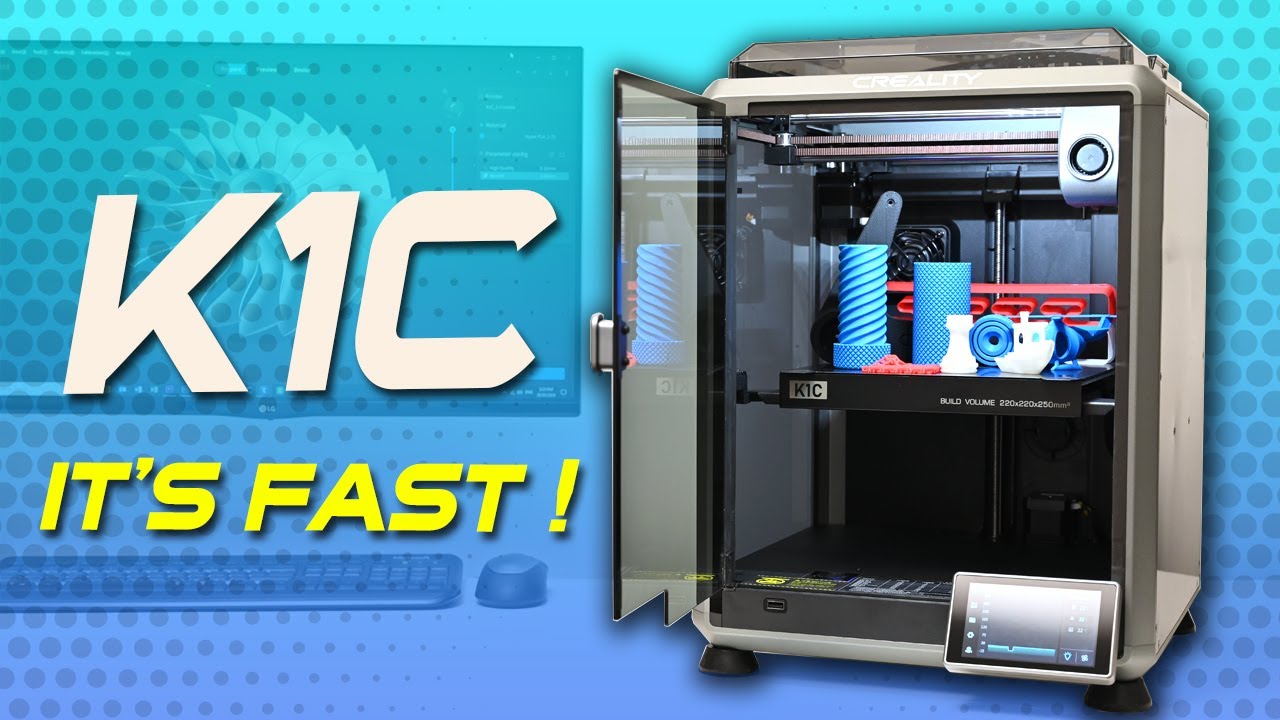
SYSTEM_SPECS
[ COREXY — ENCLOSED — TRI-METAL_NOZZLE ]
Print Speed
600mm/s max
Build Volume
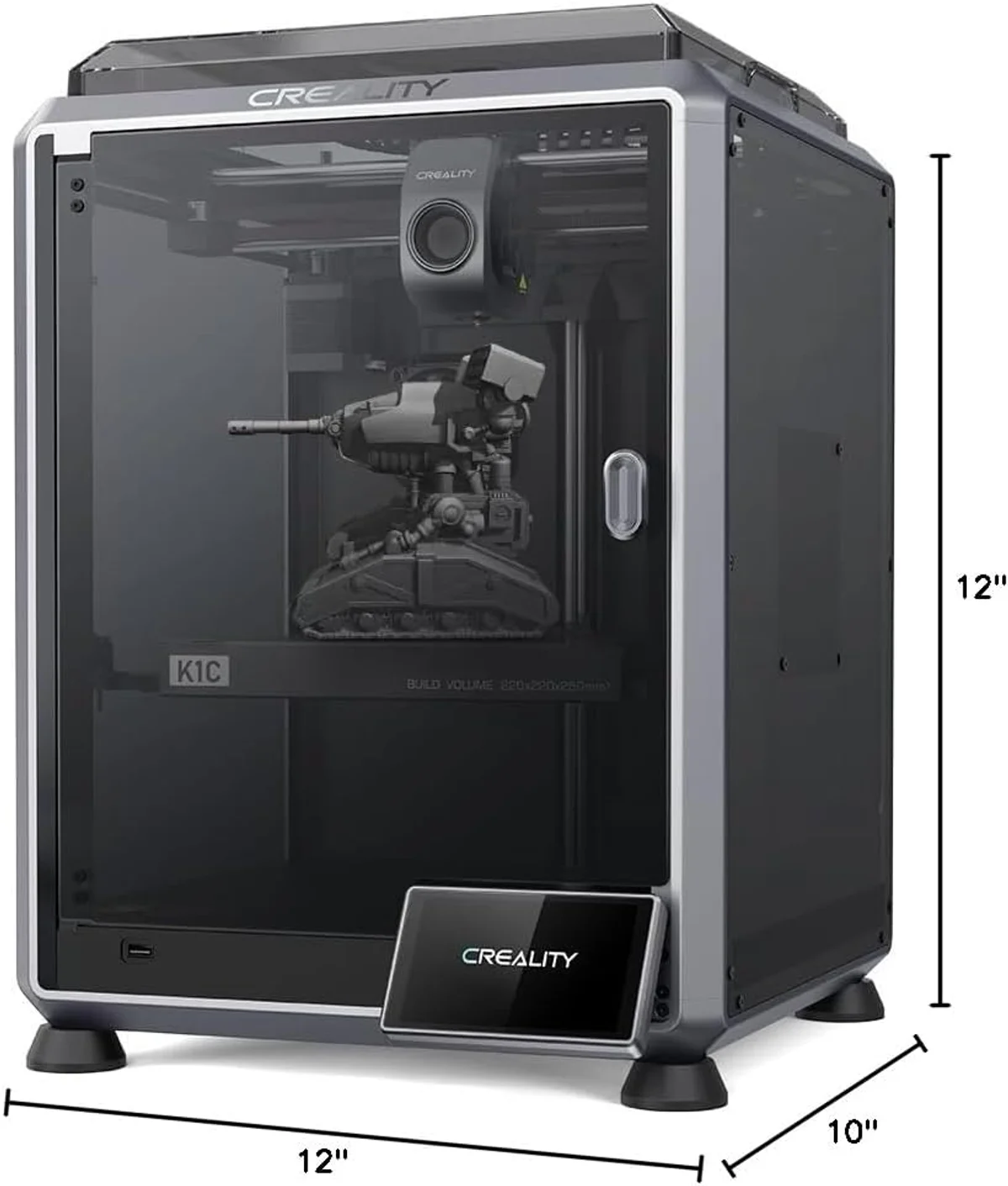
220 × 220 × 250mm
Technology
FDM, CoreXY
Extruder
Unicorn tri-metal nozzle (copper + steel + titanium)
Auto Leveling
Fully automatic
Enclosure
Fully enclosed, cabin filter
Max Nozzle Temp
300°C
Connectivity
WiFi, Creality Print, AI camera
Noise Level
~50dB
THE UNICORN PROBLEM
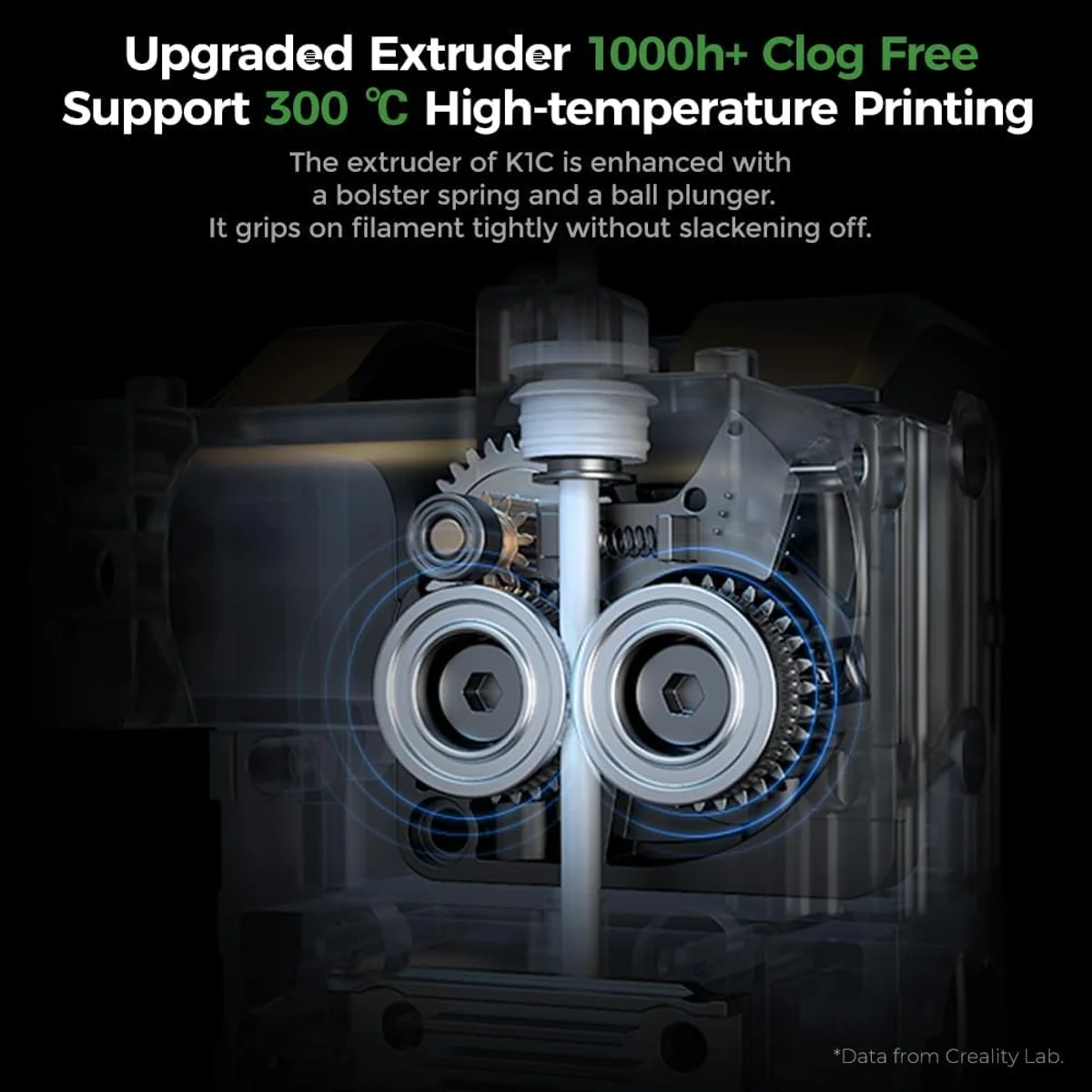
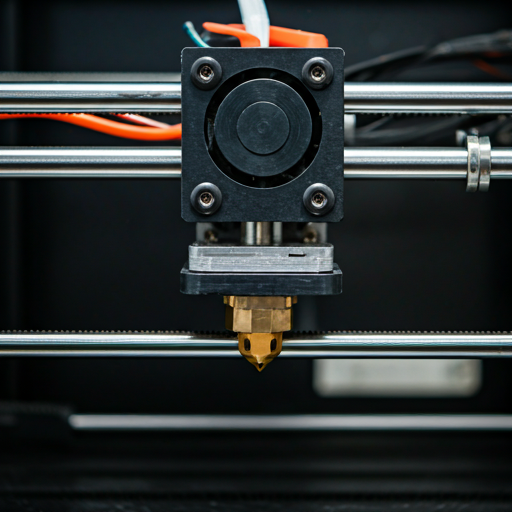
Creality markets the Unicorn nozzle as "clog-free." Our data says otherwise. Ten out of twenty reviewers who mentioned the nozzle confirmed reliable operation. Ten contradicted the claim. That's a coin flip — and "clog-free" should not be a coin flip. One reviewer reported a nozzle clog "after just a few hours of print" with no repair option — only a full nozzle replacement. Another described filament forcing the tube out of the printhead, "pushing raw filament into the chamber and rendering the printer completely" unusable.
The tri-metal construction itself is sound engineering. Copper alloy provides thermal conductivity for rapid heating. Hardened steel at the tip resists abrasion from carbon fiber particles. Titanium at the heat break creates a thermal barrier that prevents heat creep — where heat travels up the filament path and softens plastic before it should melt, causing jams. The design addresses real problems that plague standard brass nozzles. But the manufacturing consistency of that three-material assembly varies from unit to unit.
Here's the specific cost trap: when the nozzle fails, you cannot buy a third-party replacement. The Unicorn nozzle is proprietary to the K1C printhead. No E3D, no Bondtech, no aftermarket option. You order from Creality, wait for shipping, and pay Creality's markup. If you print carbon fiber composites regularly — which is the entire point of choosing the K1C over the cheaper Creality K2 SE — budget for 2-3 nozzle replacements annually. That ongoing cost narrows the price gap between the K1C and the Bambu Lab X1 Carbon, which uses standard nozzles and has a more reliable supply chain. For an overview of which filaments need specialized nozzles, see our complete filament compatibility guide.
CLOG-FREE?
50/50
PROPRIETARY
YES
CF_CAPABLE
YES
ENCLOSED_ADVANTAGE
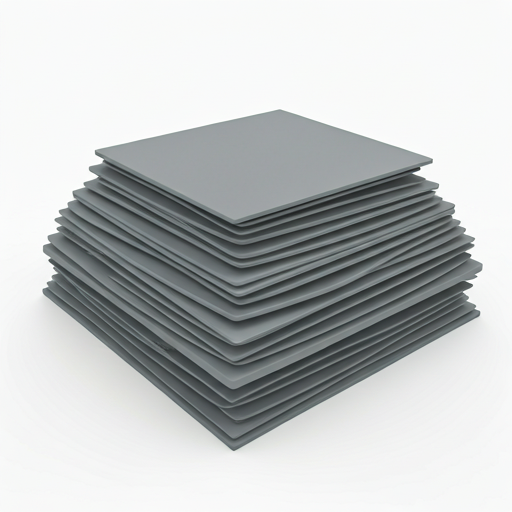
The enclosure is the K1C's strongest structural advantage over the open-frame K2 SE and Bambu Lab A1 Mini. It unlocks ABS, ASA, and nylon — materials that warp catastrophically on open-frame printers. The cabin filter uses activated carbon bags to absorb volatile organic compounds (VOCs) released when printing ABS and ASA. You should still ventilate the room, but the filter reduces the acrid smell that makes ABS printing unpleasant indoors.
Silent mode drops noise to a claimed 45dB — confirmed by multiple reviewers who run it in home offices without complaints. That's noticeably quieter than the open-frame K2 SE at approximately 50dB. The enclosure absorbs high-frequency motor noise that the K2 SE broadcasts in every direction. One reviewer described the sound quality as workable for a living space. Combined with the air filtration, the K1C is the Creality machine you can actually live with — not just work with.
The pre-assembled enclosure also stabilizes chamber temperature during prints. ABS needs ambient temperatures above 40°C inside the chamber to avoid layer delamination on tall parts. The K1C maintains this passively through retained heat from the 300°C hotend and heated bed. After an extended print session, the chamber air feels warm and slightly plasticky — evidence that the enclosure is doing its job retaining heat while the activated carbon filter absorbs most of the fumes. For CoreXY machines at this price, a factory-integrated enclosure — not a DIY add-on — is a real structural advantage.
One detail that surprised us in the reviewer data: the K1C weighs substantially more than the K2 SE despite similar build volumes. The enclosed frame, integrated air filtration, and camera housing add mass that you feel when lifting the machine. That weight is not wasted — the heavier frame dampens vibration at 600mm/s, and the enclosed structure means you can stack the K1C on a shelf without worrying about ambient drafts affecting print quality. Several reviewers who upgraded from an Ender 3 noted the K1C feels like a fundamentally different class of product — "a beast" in one reviewer's words — that takes up more desk space but delivers a night-and-day improvement in capability and print quality.
PLA-CF
ABS
PA-CF
REAL VS CLAIMED
SAME BRAND OPEN
COMPETITOR
The K1C's 600mm/s peak is 20% higher than the K2 SE and most Bambu machines on paper. Real-world averages compress that gap — corners, outer walls, and retraction moves cap effective speed regardless of peak capability. The 600mm/s headline matters most for large infill regions on flat, simple geometry.
RISK ASSESSMENT
I'd recommend the K1C to a specific type of buyer: someone who needs carbon fiber printing under $500, understands that Creality's customer service is a known weak point, and has the technical confidence to troubleshoot basic issues without vendor support. That profile describes an intermediate maker upgrading from a budget machine, not a first-time buyer. The Bambu Lab A1 Mini or the open-frame K2 SE are safer first printers.
Multiple reviewers described the Ender 3 to K1C transition as transformational. One Ender 3 V2 owner wrote that the K1C "fails way less often, at 10x the speed, less work to operate." That sentiment recurs across the enthusiast segment — the K1C is a clear upgrade over the machines that most of these users are replacing. The problem is that 42% of buyers do not get that experience. They get a defective unit and a customer support system that responds with template replies for months. Read our troubleshooting guide before buying — knowing how to diagnose common issues yourself is insurance against the support gap.
Buy the K1C if: you specifically need carbon fiber composite printing and the Bambu Lab X1 Carbon is over budget. If you want an enclosed printer under $500 for ABS/ASA/nylon. If you're comfortable with OrcaSlicer (since Creality Print is weak). If you are upgrading from an Ender 3 and want the biggest capability jump within Creality's ecosystem. Buy from Amazon for the return policy — if the unit is defective, Amazon's 30-day return process resolves in days, while Creality's direct support channel averages weeks to months based on our Trustpilot data. That return window is your insurance policy against the QC lottery.
Skip the K1C if: you want reliability-first hardware where QC issues are rare. The Bambu Lab P2S costs slightly more but ships with dramatically better QC consistency and ecosystem support. If you don't need carbon fiber capability, the K2 SE saves $140 for comparable speed and build volume. If customer support matters — Creality's support infrastructure is the most-cited pain point across both Amazon and Trustpilot reviews. If this is your first printer, the K1C's learning curve and QC risk make it a poor starting point regardless of its specifications. Check our first-printer buying guide for safer entry-level options.
CARBON_FIBER_READY
$400–$600 — below average for its category
TROUBLESHOOTING_LOG
Can the K1C print carbon fiber? expand_more
How loud is the K1C with silent mode on? expand_more
Is the AI camera on the K1C actually useful? expand_more
What filament can Creality K1C print? expand_more
What is the difference between Creality K1 and K1C? expand_more
We cross-referenced 73 mined Amazon reviews with 60 Trustpilot reviews covering Creality's brand-level support experience. The segment analysis (52% enthusiasts, 42% critics, 6% neutral) reveals the most polarized product in our review database. Temporal trend data from Q1 2024 through Q2 2025 tracks the QC improvement arc. Creality ecosystem cross-references (K2 SE, K2 Plus Combo) validate shared engineering claims. We do not fabricate hands-on testing — our authority comes from synthesizing more reviewer data across a wider timeframe and source set than any individual review captures. For the full budget-to-midrange comparison, see our FDM printer roundup.
