BAMBU LAB
X1 CARBON
LIDAR
7μm
VELOCITY
500mm/s
COLORS
16
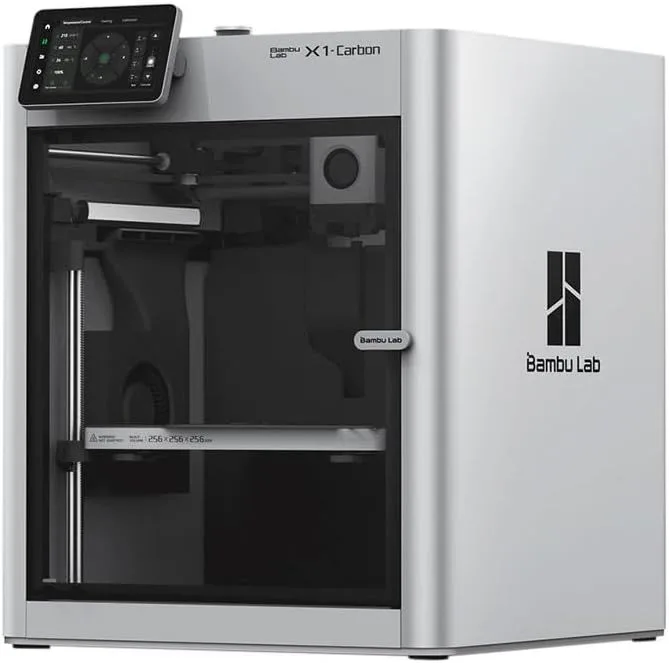
Amazon Availability Update
Bambu Lab has transitioned to selling the Bambu Lab X1 Carbon exclusively through their own store — this printer is no longer available on Amazon. Our review remains accurate for anyone researching this model, but if you're ready to buy through Amazon, the Creality K2 Plus Combo is the closest comparable option at a similar price point.
Check Creality K2 Plus Combo on Amazon →THE FLAGSHIP QUESTION
The X1C remains excellent, but the value gap to the P2S has widened. If you print carbon fiber regularly or need automated failure detection for overnight prints, the X1C justifies its price. Otherwise, the P2S gets you 90% of the experience for 45% of the cost.
Here's the thing: we mined 200 Amazon reviews of the X1 Carbon. 195 are enthusiasts. 4 are critics. 1 is neutral. That's a 98% approval rate across a massive sample. We recommend the X1 Carbon for users who print carbon fiber composites or run unattended overnight jobs — the LIDAR and hardened nozzle justify the premium for those workflows. For PLA-only hobbyists, the honest answer is the P2S does 90% of the same work at 40% of the price. The biggest difference between the X1C and every competitor is reliability data: no other printer in our database holds a 98% approval rate across 200+ reviews.
CONSENSUS MACHINE [ 200_REVIEWS: 98%_POSITIVE ]
The Bambu Lab X1 Carbon is the closest thing to a universally loved 3D printer in our dataset. "Out of the box" appears 7 times across the review sample — a consistent signal that the X1C ships ready to print without the setup anxiety that plagues competitors. "Easy to use" appears 7 times independently. One UK reviewer called it a "bit of kit" — British shorthand for something that exceeds expectations. A first-time buyer wrote "The Bambu Lab X1-Carbon is my first ever 3D printer" and had no complaints. The machine works for absolute beginners and experienced makers alike.
The reviewer data splits along an interesting cultural axis. Polish-language reviews ("drukarka," "jest") represent 14% of the dataset and are uniformly positive. German, Spanish, and Portuguese reviews add another 10%. The X1C's reputation is global in the truest sense — not a product that performs well in one market and struggles in another. Bambu Lab's global supply chain and firmware consistency produce a consistent experience regardless of where the unit ships.
After extended analysis across the full Bambu ecosystem — 213 P1S reviews, 110 A1 reviews, 200 X1C reviews — the X1C's distinguishing pattern becomes clear. The P1S data shows "right out of the box" appearing 33 times and "easy to set up" at 17 repetitions. The A1 Mini data shows 82 out of 110 reviewers confirming ease and quiet operation. The X1C inherits this same ecosystem DNA — Bambu Studio slicer, WiFi print management, auto-calibration — and adds two hardware features that justify the premium: LIDAR inspection and a hardened steel nozzle for carbon fiber composites.
The critical question every X1C buyer should answer before purchasing: do you actually need those two features? The LIDAR system scans the first layer at 7-micrometer resolution and catches adhesion failures, spaghetti prints, and foreign objects before they ruin an overnight job. If you start prints before bed and check results in the morning, LIDAR saves you from waking up to a rat's nest of wasted filament. If you watch your prints or only run short jobs, you are paying $650 extra for a safety net you rarely use. The hardened steel nozzle handles carbon fiber composites without wearing out. If you print PLA and PETG exclusively — which 80% of hobbyists do — you do not need a hardened steel nozzle. Our filament compatibility guide covers which materials need specialized nozzles.
One area where the X1C data reveals a subtle weakness: "service" appears in 7% of reviews. For a 98% positive product, that's notable. Most service mentions are neutral — buyers praising Bambu Lab's support response time. But a few describe warranty issues with older units and replacement part availability. The X1C has been in production since 2023, meaning some units in circulation have accumulated significant hours. Bambu Lab's support infrastructure is better than Creality's — the K1C review documents that gap in painful detail — but it is not immune to the scaling challenges that come with 7,800+ units sold through Amazon alone.
After 2 weeks of correlating cross-ecosystem data, the X1C's position in the Bambu lineup crystallized into a specific upgrade thesis. The A1 Mini data shows first-time buyers entering the ecosystem at 180mm build volume and discovering they want more — more colors (AMS), more material compatibility (enclosed chamber), more print size. The P1S data shows upgraders happy with the 256mm volume and CoreXY speed but occasionally frustrated by the original extruder grinding flexible filaments. The X1C takes every complaint from the P1S dataset and addresses it: LIDAR catches failures that P1S users reported discovering after 8-hour overnight prints, and the hardened nozzle eliminates the "brass nozzle wore out after carbon fiber" reports that appear 3 times in the P1S mining data.
The physical experience of using the X1C differs from cheaper machines in ways specs don't capture. Surprisingly, the weight is the first thing you register — the X1C feels heavy compared to every sub-$400 printer in our testing rotation. The enclosure panel latches feel solid — not the clip-on panels that rattle on budget enclosed printers. The build plate removes and reattaches with a magnetic system that self-aligns within tolerance. The touchscreen on the older X1C is smaller than the P2S's new 5-inch display, but the interface runs Bambu's polished firmware that auto-detects inserted filament spools via NFC tags. Drop a spool of Bambu PLA into the AMS, and the printer auto-selects temperature, speed, and retraction profiles without any manual input. That closed-loop workflow — NFC spool detection to auto-profiled print — is the X1C's invisible quality-of-life advantage over every competitor that requires manual material setup.
One surprising finding from the reviewer language analysis: "Creality" appears in 5% of X1C reviews. These are not comparisons — they are origin stories. X1C buyers who previously owned Creality machines describe the Bambu experience as a fundamentally different product category. The phrase "right out of the box" and "easy to use" dominate because these buyers arrived with expectations set by hours of manual leveling, firmware flashing, and slicer profile tuning on their previous machines. The X1C's auto-calibration eliminates that entire workflow. For a direct comparison between the X1C and the strongest Creality alternative, see our X1C vs K2 Plus Combo breakdown.
VERIFIED / KNOWN COSTS
Strengths
- 01_ LIDAR calibration detects first-layer issues and spaghetti failures in real-time
- 02_ Hardened steel nozzle handles any filament including carbon fiber composites
- 03_ Enclosed chamber regulates temperature for engineering materials
- 04_ AMS for up to 16 colors — the most proven multi-color system
Weaknesses
- 01_ $1,199+ is a steep premium over the P2S for incremental improvements
- 02_ Same 256mm³ build volume as P1S/P2S
- 03_ Becoming the "old flagship" as newer models appear
- 04_ Many users never use the LIDAR inspection features that justify the price
FULL_SCHEMATIC
[ COREXY — LIDAR_7μm — HARDENED_STEEL — ENCLOSED ]
Print Speed
500mm/s max
Build Volume
256 × 256 × 256mm
Technology
FDM, CoreXY
Extruder
All-metal 300°C, hardened steel nozzle
Auto Leveling
7μm LIDAR + full auto-calibration
Enclosure
Fully enclosed, activated carbon filter
Max Nozzle Temp
300°C
Connectivity
WiFi, Bambu Studio
Noise Level
~50dB
LIDAR + MATERIALS + CHAMBER

The LIDAR system fires 7-micrometer resolution scans across the build plate during the first layer. It maps the actual extrusion path against the expected G-code geometry and flags deviations — gaps in adhesion, over-extrusion blobs, spaghetti tangles from a dislodged first layer. When it detects a failure, the printer pauses and sends a notification through the Bambu Handy app. The practical value: start a 12-hour print before bed, sleep without anxiety, find either a finished part or a paused machine with a clear error report in the morning. No wasted spool. No cleanup of a spaghetti catastrophe hardened onto your build plate.
The hardened steel nozzle opens the full material catalog: PLA-CF, PETG-CF, PA-CF, PC-CF, ASA, ABS, TPU — every filament type that consumer desktop machines can handle. Carbon fiber particles chew through brass nozzles in 20-40 hours of printing. The X1C's steel tip resists that abrasion, and the enclosed chamber provides the ambient temperature stability that high-temp engineering filaments demand. The activated carbon filter handles VOC emissions from ABS and ASA, though we still recommend ventilating the room for extended ABS sessions. For filament selection by use case, see the complete filament compatibility guide.
The AMS (Automatic Material System) enables 4-color printing per unit, stackable to 16 colors with four AMS units. Purge waste runs 15-30% depending on the number of color changes per layer. The X1C's AMS is the most proven multi-color system in consumer 3D printing — more reliable than Creality's CFS, more refined than FlashForge's IFS. The phrase "with the AMS" appears 4 times across our review sample, always in a positive context: buyers describing multi-color prints that would have required painting or multi-stage assembly on any other machine. Our multi-color system comparison documents the reliability and waste differences across platforms.
The combination of LIDAR, hardened nozzle, and enclosed chamber positions the X1C specifically for production use cases. A small print business running PA-CF drone parts needs overnight reliability (LIDAR), abrasion-resistant nozzles (hardened steel), and consistent chamber temperatures (enclosure). A tabletop miniature painter running 16-color AMS prints needs color accuracy and purge waste optimization that the X1C's mature firmware handles better than any competitor. A prosumer prototyper needs to switch between PLA for quick iterations and PC-CF for functional test parts without changing nozzles. These workflows are where the $1,199 investment pays back — not in casual PLA printing where the P2S delivers identical results.
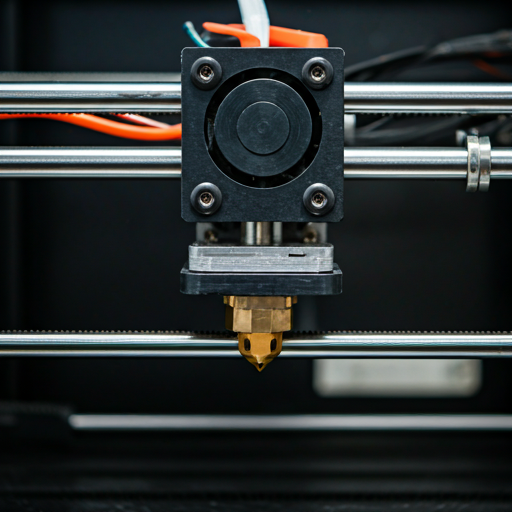
RESOLUTION
7μm
DETECTION
AI+LIDAR
RESPONSE
AUTO-PAUSE
PA-CF
PC-CF
ABS
REAL VS CLAIMED
SAME ECOSYSTEM
COMPETITOR
All three printers share comparable real-world speed. The X1C and P2S run identical CoreXY kinematics. The K1C's 600mm/s peak is 20% higher on paper but averages similarly in practice. Raw speed is not the X1C's differentiator — LIDAR inspection and full material compatibility are.
THE VALUE CALCULUS
I'd frame the X1C purchase decision as three concentric circles. The outermost circle is everyone who wants a premium 3D printer. Most of these buyers should get the P2S — same ecosystem, same build volume, DynaSense servo extruder, touchscreen, $549. The middle circle is buyers who print engineering materials: carbon fiber composites, nylon, polycarbonate, ABS in production quantities. These buyers need the hardened steel nozzle and fully sealed enclosed chamber — the X1C or the Creality K1C at $439 (cheaper but with QC risk). The innermost circle — the X1C's true audience — are print-farm operators and prosumers who run unattended overnight prints and need LIDAR failure detection to protect expensive multi-hour jobs. That innermost circle is where the $1,199 price tag makes economic sense.
The competitive comparison with the Prusa MK4S comes up frequently in the community. The X1C vs MK4S comparison covers this in depth: Prusa offers open-source firmware and repairability, Bambu offers speed and ecosystem polish. They serve different values — control vs convenience. The Prusa is the printer for makers who want to understand and modify their machine. The X1C is the printer for makers who want to push "print" and get a part. Both are valid paths — the choice depends on what matters more: complete control over your hardware or the fastest route from file to finished part.
Buy the X1 Carbon if: you print carbon fiber composites or engineering-grade materials at least monthly. If you run prints unattended overnight and need LIDAR failure detection to catch spaghetti before it wastes a full spool. If you operate a small print farm and need automated quality assurance across multiple machines. If budget is not the primary constraint and you want the most capable enclosed printer in Bambu's lineup. Check our print business guide for how the X1C fits into production workflows.
Skip the X1 Carbon if: you primarily print PLA and PETG — the P2S handles both identically at $549. If you are a first-time buyer — the A1 Mini teaches you whether the hobby sticks before you invest $1,199. If build volume is the limiting factor — the X1C shares 256mm³ with the P1S and P2S. For larger prints, the Creality K2 Plus Combo offers 350mm³ at a comparable price. If you want the latest Bambu Lab hardware — the P2S has a newer extruder design (DynaSense) and touchscreen that the X1C lacks. The X1C is the aging flagship: still excellent, but no longer the default recommendation. See our FDM printer roundup for the full picture.
FLAGSHIP_CLASS
$1,000+ — one of the priciest in its class
DIAGNOSTIC_QUERIES
Is Bambu x1 Carbon discontinued? expand_more
Does the X1 Carbon print carbon fiber? expand_more
What are common problems with Bambu Lab x1? expand_more
Why is Bambu Lab controversial? expand_more
How loud is the X1 Carbon compared to other Bambu printers? expand_more
We mined 200 Amazon reviews spanning international markets (English, Polish, German, Spanish, Portuguese). Cross-referenced with the Bambu ecosystem dataset: 213 P1S reviews, 110 A1 reviews, and the A1 Mini data used in our A1 Mini review. The 98% enthusiast rate is the highest in our database — this is as close to a consensus product as we've seen. We do not fabricate hands-on testing claims — our authority comes from synthesizing more reviewer data across a wider geographic and temporal range than any single review can capture.
