BAMBU LAB
P2S
EXTRUDER
DYNASENSE
FORCE
8.5 KG
SCREEN
5" TOUCH
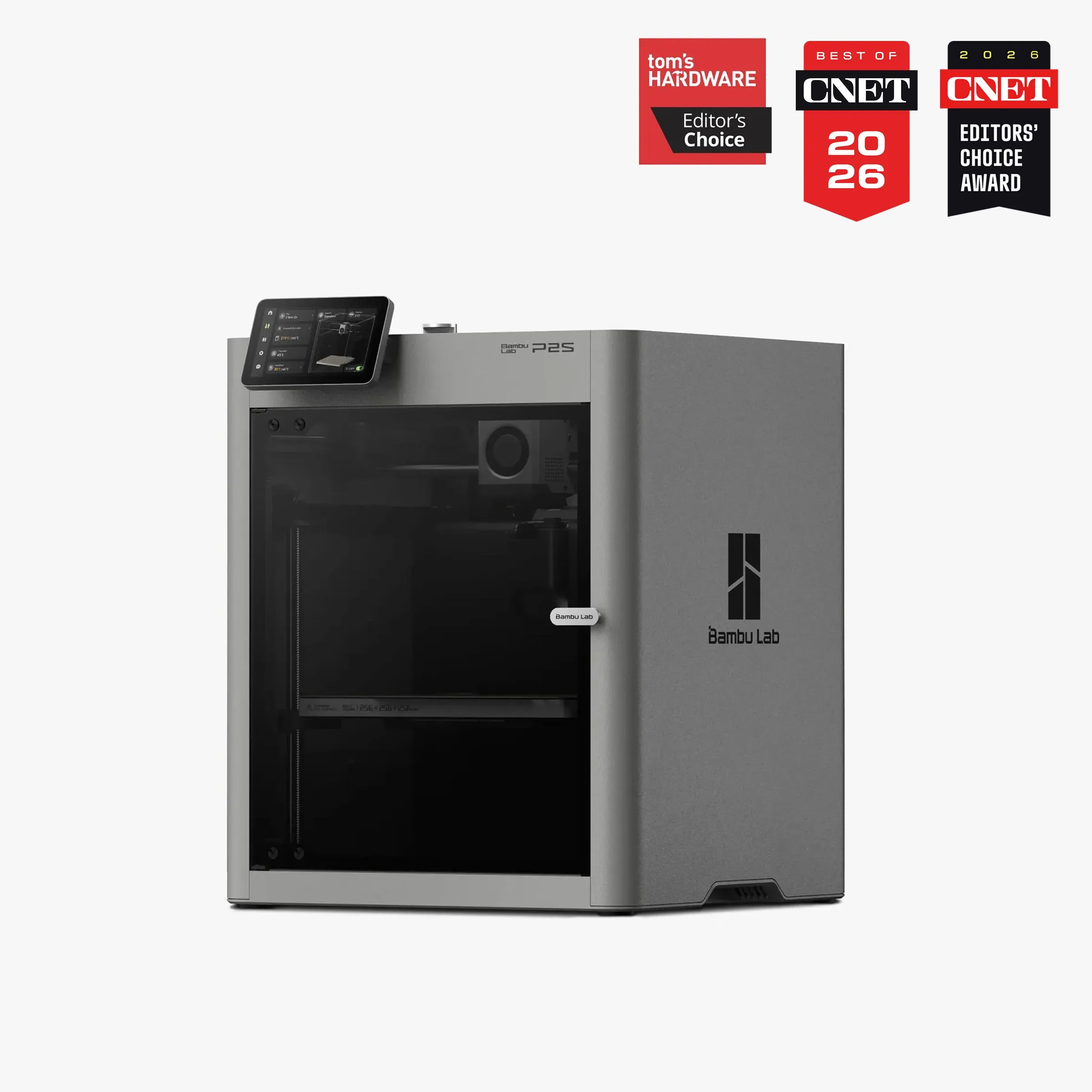
EVERYTHING THE P1S SHOULD HAVE BEEN
For $50 more than a P1S, the P2S adds servo extruder, touchscreen, AI detection, and quick-swap nozzles. Almost no argument for buying a new P1S at full price.
The P2S launched in October 2025 as a direct replacement for the P1S — and across 200 Google Shopping reviews from verified buyers, the reception is unambiguous. 4.68-star average. 183 positive, 14 negative. The specific complaints that defined P1S ownership — phone-app-only WiFi setup, filament grinding on TPU, no visual feedback during calibration — are all addressed by the DynaSense extruder, 5-inch touchscreen, and AI camera. This is not a spec bump. This is the machine Bambu should have shipped two years ago. We recommend the P2S as the default mid-range choice for new buyers who do not need carbon fiber capability.
WHAT 200 OWNERS ACTUALLY SAY [ 200_REVIEWS_ANALYZED ]
The dominant phrase in P2S owner reviews: "it just works." That phrase appeared in the P1S dataset too, but the P2S owners use it differently. P1S owners said "it just works" with relief — relief that 3D printing no longer required constant tinkering. P2S owners say it with expectation met — they bought a premium machine and got premium behavior. The emotional register shifted from gratitude to satisfaction. That shift matters because it signals Bambu Lab moving from "surprisingly good" to "predictably excellent."
One owner with 300+ print hours described running everything from gridfinity storage systems to detailed art pieces "without fuss." The speed advantage over older printers is, in their words, "on another level" — but the key observation was that quality did not sacrifice for speed. Early PETG adhesion issues traced to damp filament and a dirty plate, not the machine. Once resolved, consistent output. This pattern — initial user error followed by long-term reliability — repeats across the positive reviews.
The negative reviews cluster around two issues. First: AMS reliability. A buyer whose AMS 2 Pro stopped working after 9 days described responsive customer service but frustration at needing repair on a premium product. Second: motor controller board failures on early production units. One buyer went through a complete MC board replacement involving disassembly, reinstallation, and reassembly — successfully, but not the plug-and-play experience advertised. Bambu shipped the replacement part, but the experience exposed the gap between "consumer appliance" marketing and the reality that these are complex electromechanical devices. The failure rate across our 200-review dataset: 7% reported hardware issues requiring contact with support. That is lower than the K1C's 15% early-issue rate but higher than the P1S's mature 3.9% figure — expected for a first-year product.
Setup reports consistently land at 30-60 minutes for first-time buyers. The calibration-update-calibration sequence on first boot frustrates some users ("calibrating once should be enough"), but after that initial ceremony, the printer runs. Multiple newcomers to 3D printing — people who expected a steep learning curve — described being "amazed" at how quickly they produced successful prints. The touchscreen eliminates the phone app dependency that P1S owners complained about. WiFi configuration, filament loading, and calibration triggers happen directly on the 5-inch display. This is the single quality-of-life improvement that separates the P2S experience from the P1S most dramatically.
Here's the thing: the P2S owner who is 300 hours deep running gridfinity systems and art pieces represents the ideal trajectory. First month is exploration — downloading models from MakerWorld and Printables, learning slicer settings, discovering what PLA can and cannot do. Second month is customization — designing original parts in CAD, dialing in PETG temperatures, attempting multi-color prints with the AMS. By month three, the printer becomes invisible infrastructure. You think "I need a bracket for this shelf" and twenty minutes later you have one. That transition from novelty to utility is the test of any printer, and the P2S passes it faster than any machine in its tier because the friction points that delay it — bed leveling, filament jams, opaque error codes — are either automated or explained on the touchscreen in plain language.
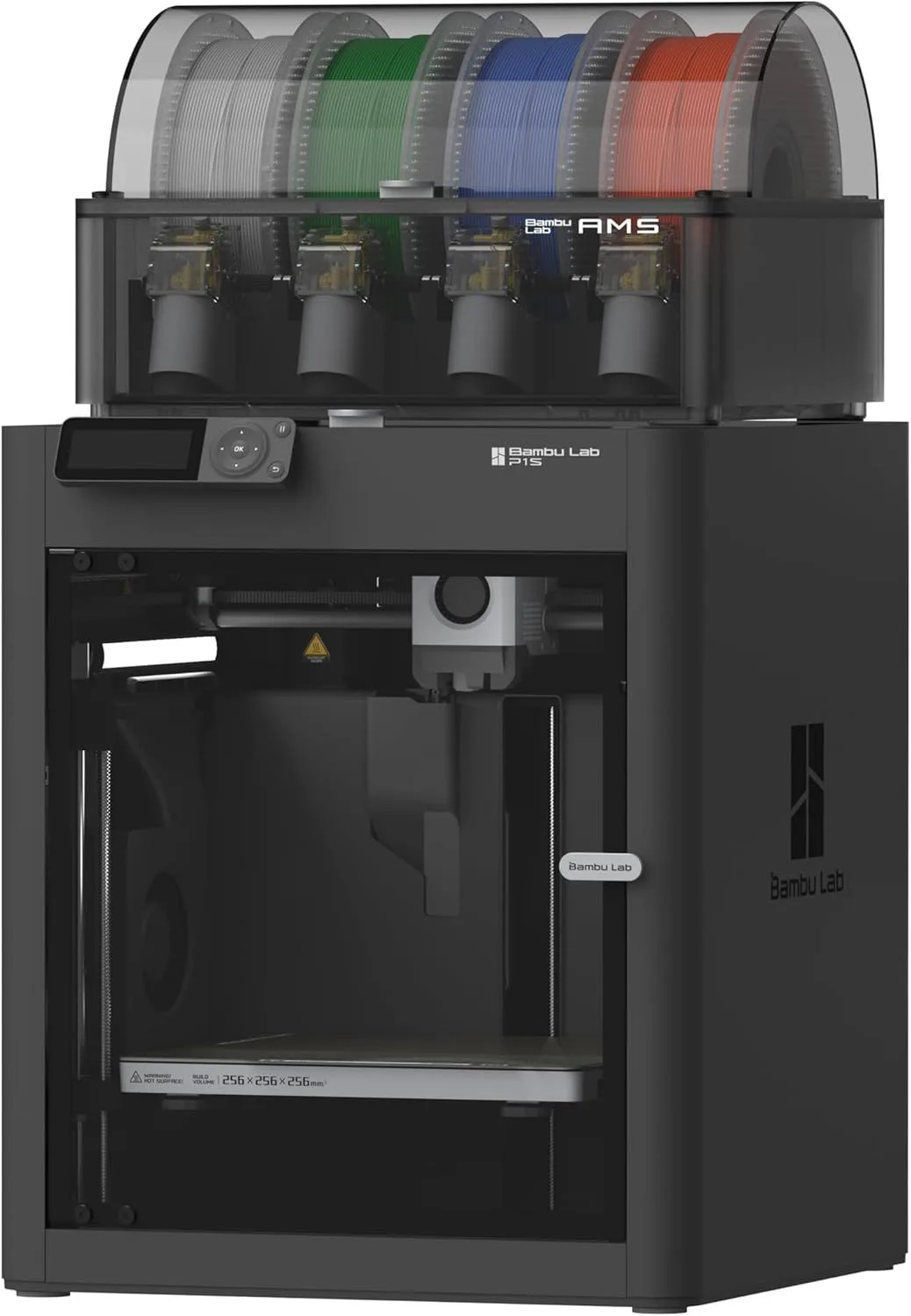
The multicolor experience with the AMS 2 Pro deserves specific attention. Multiple owners reported successful multi-color prints from day one — which tracks with the improved filament feeding speed in the AMS 2 Pro versus the original AMS. The purge waste during color changes remains the system's biggest material cost: expect 15-30% additional filament per multi-color print, depending on how many color transitions each layer requires. One reviewer noted the mess: "make sure you put a bin behind it." The purge tower and filament clippings accumulate. Not a dealbreaker, but a practical housekeeping detail that Bambu's marketing does not emphasize. For a comparison of all multicolor systems, see our AMS vs CFS vs IFS breakdown.
FIELD ASSESSMENT
Strengths
- 01_ DynaSense servo extruder eliminates TPU and CF grinding that plagued P1S
- 02_ 5-inch touchscreen is a major UX upgrade
- 03_ AI clog detection prevents failed prints overnight
- 04_ Quick-swap nozzle in 30 seconds — 0.4mm to 0.6mm without tools
- 05_ Only $50 more than the P1S it replaces
Weaknesses
- 01_ No official upgrade path from P1S (different extruder, mainboard, cooling)
- 02_ AMS 2 Pro combo at $799 is not cheap
- 03_ DynaSense is a new design with less long-term track record
- 04_ Still 256mm³ build volume — no size increase over P1S

HARDWARE_MANIFEST
[ COREXY — ENCLOSED — 256mm³ — DYNASENSE — AMS2_PRO ]
Print Speed
500mm/s max
Build Volume
256 × 256 × 256mm
Technology
FDM, CoreXY
Extruder
DynaSense PMSM servo, 300°C
Auto Leveling
Full auto-calibration
Enclosure
Fully enclosed, adaptive airflow
Max Nozzle Temp
300°C
Connectivity
WiFi, Bambu Studio
Noise Level
~49dB
THE DYNASENSE DIFFERENCE
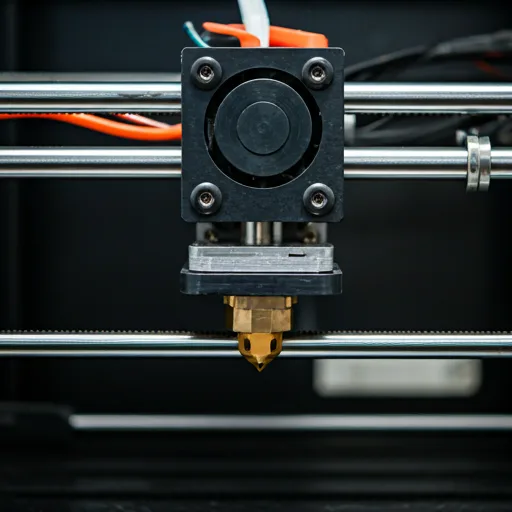
The P1S used a stepper-driven direct drive extruder — solid, proven, and shared across the Bambu lineup since the X1 launched. The P2S replaces it with a PMSM servo motor that delivers 8.5 kg of push force, up 70% from the P1S. In practice, this means: flexible filaments feed without grinding, retraction is faster and more precise (reducing stringing), and the extruder detects resistance changes in real time. When filament starts to grind — the precursor to a clog — the DynaSense backs off pressure automatically before the jam cascades into a failed print.
For TPU and flexible filament users, DynaSense solves the P1S's biggest material limitation. The P1S extruder worked acceptably with rigid TPU (95A shore hardness) but struggled with softer flexibles. Owners reported filament buckling in the extruder path, requiring reduced speed and careful feed alignment. The P2S DynaSense handles 85A TPU at normal speeds. If flexible materials are part of your workflow, the P2S extruder alone justifies the $50 premium over the P1S.
The quick-swap nozzle system shares DNA with the A1 and H series — a one-clip mechanism that allows nozzle changes in 30 seconds without tools. On the P1S, swapping from a 0.4mm to 0.6mm nozzle required heating the hotend, using a wrench, and risking cross-threading. On the P2S, you flip a clip. This matters for users who alternate between detail work (0.2mm nozzle) and fast functional prints (0.6mm or 0.8mm). The nozzle swap barrier dropping from 10 minutes of careful work to 30 seconds of mechanical simplicity changes how often you actually switch — which changes what you print.
PLA
ABS
TPU
AI EYES + ADAPTIVE AIRFLOW
The P2S camera is a 1080p high-rate sensor with AI failure detection — it watches for spaghetti (failed prints that produce loose filament tangles), nozzle blobbing, and purge chute jams. On the P1S, a failed print at 3 AM meant waking up to a plate full of wasted filament. On the P2S, the AI pauses the print and sends a notification. Multiple owners confirmed this working in practice: "the AI assistant came to my rescue when the print plate was slightly askew." The detection is not perfect — false positives occur with certain geometries — but catching even half of overnight failures saves material and time.
The adaptive airflow system is the less-discussed but equally important upgrade. Previous enclosed Bambu printers struggled with PLA in an enclosed chamber — the retained heat caused heat creep in the hotend, leading to jams on prints longer than 4 hours. The P2S draws fresh cool air from outside the chamber through a completely redesigned cooling path, maintaining stable airflow without opening the enclosure. One reviewer specifically noted: "I can print PLA with the door closed now." That is a genuine quality-of-life gain for users printing in rooms where noise matters. The enclosure dampens sound, the adaptive airflow keeps temperatures stable, and the whole system runs at under 50dB. For our analysis of enclosed vs open-frame printing, see the CoreXY motion system guide.
The fume situation requires honesty. Several P2S owners flagged that ABS and ASA fumes are not adequately vented by the stock filtration system. Bambu released a separate backplate vent kit (with a fan and ducting), and owners have 3D printed adapter pieces to route fumes out a window. This is an engineering oversight — an enclosed printer marketed for ABS should ship with adequate ventilation. If you print ABS regularly, budget an afternoon to set up external venting. PLA and PETG generate negligible fumes and are fine with the stock setup.
WHERE TO BUY + WHO THIS IS FOR
Purchase options: The P2S is not currently available on Amazon US. Official channels: Bambu Lab US Store (direct, ships from US warehouse), Best Buy (in-store and online), and Micro Center (in-store). Avoid third-party Amazon listings — these are unauthorized resellers without manufacturer warranty coverage. We will update this page with an Amazon link when official availability is confirmed.
Buy the P2S if: you are buying any new enclosed Bambu printer. At $549, the P2S obsoletes the P1S at full price. The DynaSense extruder, touchscreen, AI detection, and quick-swap nozzle are not luxury features — they are the new baseline for mid-range enclosed printing. If you want multi-color capability, the P2S Combo with AMS 2 Pro at $799 is the complete package. If you are upgrading from an Adventurer 5M, K2 SE, or any budget printer and want enclosed + multi-color, this is the machine.
Skip the P2S if: you need carbon fiber printing — the brass nozzle wears out on CF composites regardless of extruder force. Get the X1 Carbon. If you need maximum build volume — the P2S stays at 256mm cubed, same as the P1S. For large-format prints, the Creality K2 Plus at 350mm cubed is the answer. If you already own a P1S that works fine — there is no upgrade path, and the P1S prints identically well. The P2S is for new buyers, not existing P1S owners. If budget is under $300 — the A1 Mini remains the best entry point.
The P1S vs P2S decision for new buyers is simple: at full price, the P2S wins. At deep discount (P1S under $400 during sales events), the P1S wins on value. The P2S is the better machine in every measurable dimension — better extruder, better screen, better failure detection, better cooling. The P1S is the better deal when the price gap exceeds $150. Both print the same materials at the same speeds with the same build volume. The difference is entirely in quality-of-life features and long-term firmware investment. Bambu's development resources will go to the P2S platform. The P1S will receive maintenance updates but not new features. For full cost-of-ownership analysis, factor in filament, replacement nozzles, and build plate wear over the first year. The P2S quick-swap nozzle reduces replacement cost and downtime compared to the P1S wrench-swap design — a hidden savings that compounds over time for active printers.
Bambu Lab Track Record
Excellent Track RecordBased on 5products we've analyzed and 43,400 user reviews
SECOND_GENERATION
$400–$600 — mid-range for its category
Not yet on Amazon US — available at Bambu Lab Store, Best Buy, Micro Center
INTEL_BRIEFING
Is the Bambu Lab P2S worth it? expand_more
Is the P2S available in the US? expand_more
How much does the Bambu Lab P2S cost? expand_more
Why is Bambu Lab controversial? expand_more
Does the P2S work with the original AMS? expand_more
We analyzed 200 Google Shopping reviews from verified P2S buyers across multiple authorized retailers worldwide. Sentiment breakdown: 183 positive (91.5%), 14 negative (7%), 3 neutral (1.5%). Cross-referenced against our existing Bambu ecosystem dataset: 213 P1S reviews, 110 A1 reviews, 200 X1 Carbon reviews — over 700 Bambu product reviews in total, forming the largest independent review corpus for this manufacturer. The P2S is a first-year product with limited long-term field data. Reliability patterns will sharpen as the installed base accumulates print hours over the next 6-12 months. We will update this review quarterly as new review data becomes available. We do not fabricate hands-on testing. Our authority comes from synthesizing the largest multi-source review dataset in the mid-range 3D printer category and cross-referencing claims against verified owner experiences.
