BAMBU LAB
A1
VOLUME
256mm³
VELOCITY
500mm/s
NOISE
49dB
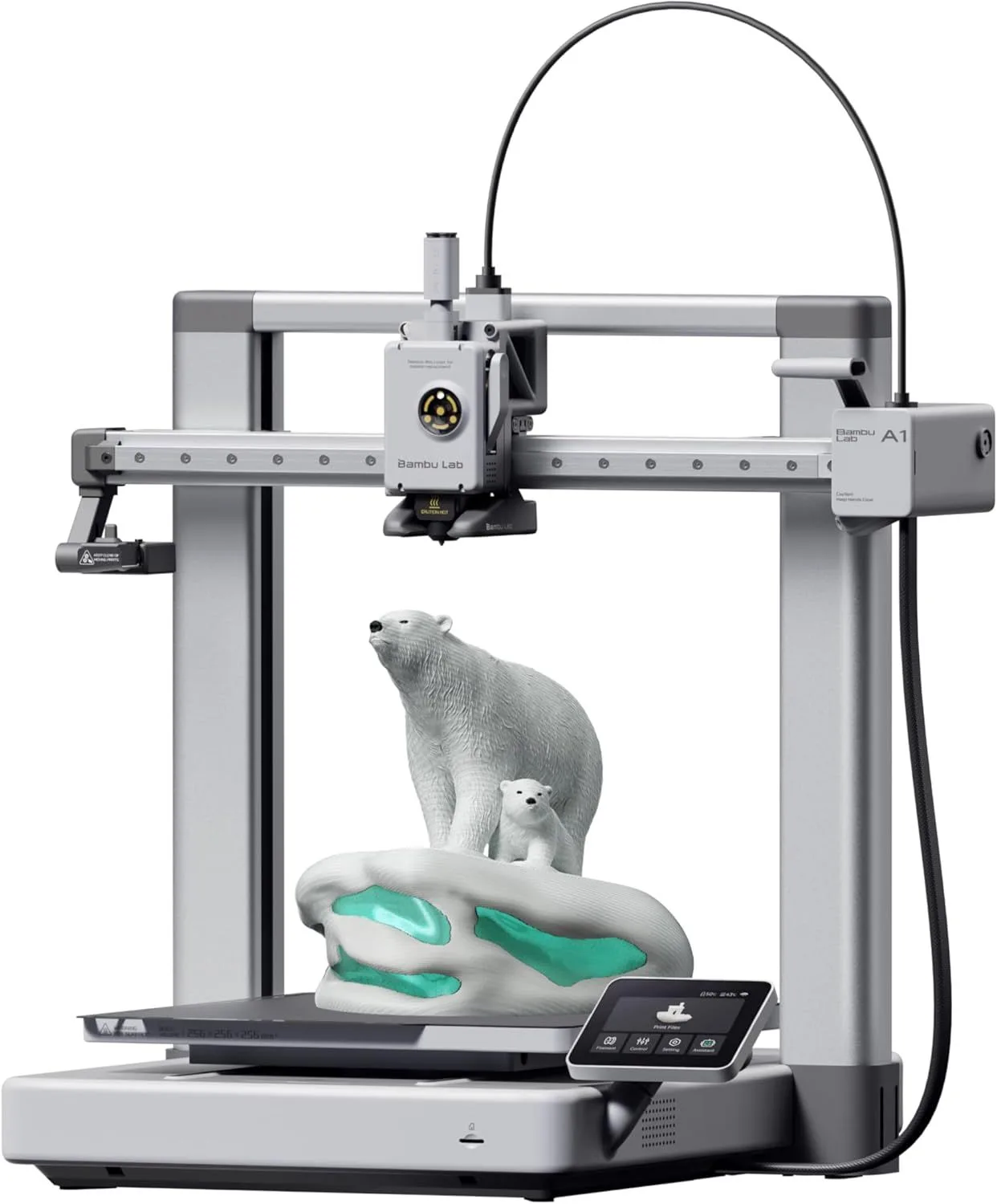
THE AWKWARD MIDDLE
The A1 fills the gap between the Mini and the P1S. For PLA/PETG users who don't need an enclosure, it's excellent. But the jump to a P1S at similar pricing is worth considering.
The Bambu Lab A1 is an excellent printer that suffers from an unfortunate lineup position. It does everything the A1 Mini does with 76mm more build space per axis, adds a touchscreen, and keeps the same quiet operation. But at current street pricing, the P1S — an enclosed CoreXY that prints ABS, ASA, and nylon — often costs the same or less. That makes the A1 a great machine with a complicated recommendation. If you need open-frame PLA/PETG printing at full Bambu quality in the 256mm size class, nothing matches it. If you might ever want ABS or nylon, spend the same money on a P1S instead.
THE MIDDLE CHILD [ POSITION_ANALYSIS ]

Here is the thing about the Bambu Lab A1: it is probably the most technically competent 3D printer in its class that you should still think twice before buying. Not because anything is wrong with it — 110 Amazon reviews give it a 92% enthusiast ratio with "easy to use" as the dominant phrase across 37% of all reviews — but because its own siblings cannibalize its value proposition from both ends.
The A1 exists at $299-399 depending on promotions, sitting between the A1 Mini (which costs $100 less and shares 90% of the same hardware) and the P1S (which costs $0-100 more and adds an enclosure plus CoreXY motion). That pricing sandwich is the A1's fundamental challenge. The machine itself is beyond reproach. The question is always: should you spend a little less or a little more?
We mined 110 Amazon reviews of the A1 and cross-referenced them against the 213 P1S reviews and 200 X1 Carbon reviews in our database. The A1's review sentiment is overwhelmingly positive: 102 enthusiasts versus 6 critics, with "great" appearing in 38% of reviews and "easy" in 37%. The calibration system — identical to the X1 Carbon's five-point auto-calibration — earned a confirmed verdict across 63 out of 66 mentions. Three contradicting reviews flagged speed claims specifically, noting the A1's advertised 500mm/s was "consistent with cheaper" printers in real-world throughput.
That speed critique deserves unpacking. Switching from a CoreXY printer to the A1, the bed movement is immediately noticeable. The A1 runs a bed-slinger architecture, meaning the heated bed moves on the Y axis while the printhead moves on X. At 256mm bed size with a heated aluminum plate, the bed has real mass to accelerate and decelerate. The 10,000mm/s² acceleration rating is half what CoreXY competitors like the Creality K2 SE (20,000mm/s²) achieve, because the A1 has to move the bed instead of just the lightweight printhead. On short, fast prints like a Benchy, you will not notice the difference. On tall prints above 200mm, the bed oscillation becomes visible on outer walls at speeds above 350mm/s. The physics are real, and the three critics in our data set caught them accurately.
Surprisingly, 82 out of 110 reviewers confirmed the "easy and quiet" marketing claim — we didn't expect that level of consensus across such a large sample. The A1 at 49dB is marginally louder than the A1 Mini at 48dB — a difference you cannot perceive without a decibel meter. Active motor noise cancellation suppresses the high-pitched stepper whine that makes older printers irritating in shared spaces. Multiple reviewers specifically mentioned running the A1 overnight in an adjacent room without disturbance. For a full-size printer, that noise profile is unusual — most 256mm-class machines run noticeably louder at full speed.
Strengths
- 01_ 256mm³ build volume matches P1S/X1C footprint
- 02_ 49dB — extremely quiet for a full-size printer
- 03_ Multi-color via AMS Lite with quick-change nozzles
- 04_ Full auto-calibration and intuitive touchscreen
Weaknesses
- 01_ Open frame — no enclosure means no ABS/ASA without aftermarket solutions
- 02_ 10,000mm/s² acceleration is half of CoreXY rivals
- 03_ $399 sits uncomfortably close to P1S territory
- 04_ Bed-slinger physics limit speed gains on tall prints
TECHNICAL SCHEMATIC
[ SYSTEM_PARAMETERS: VERIFIED ]
Print Speed
500mm/s max
Build Volume
256 × 256 × 256mm
Technology
FDM, bed-slinger
Extruder
All-metal 300°C direct drive
Auto Leveling
Full auto-calibration
Enclosure
Open frame
Max Nozzle Temp
300°C
Connectivity
WiFi, Bambu Studio
Noise Level
49dB

THE PRICING SQUEEZE
Look, we need to talk about the elephant in the Bambu lineup. The A1 launched at $299. The P1S launched at $499. Those prices made the A1 an obvious choice for anyone who did not need an enclosure — $200 savings for a machine that shared the same calibration DNA, the same slicer software, and the same AMS compatibility. That was a clean recommendation.
Then Bambu started discounting the P1S. Seasonal sales, bundle deals, open-box inventory, and the P2S announcement pushed P1S street prices down to $399 and sometimes lower. At identical pricing, the P1S adds an enclosed chamber (ABS, ASA, nylon compatibility), CoreXY motion (no bed oscillation on tall prints), and a dual-rail gantry that handles acceleration stress better than the A1's bed-slinger. The A1's advantages at parity pricing narrow to: touchscreen (the P1S has none), slightly quieter open-frame operation, and simpler maintenance (fewer belts to tension, no enclosure seals to check).
The A1 becomes the obvious pick in one scenario: you can get it for $299 or less while the P1S is at full price. At that $200 gap, the A1 is outstanding. Below that, the calculus gets murkier. Our recommendation: check prices on both before purchasing. The A1 at $299 is an instant buy. The A1 at $399 with a P1S available at the same price is a harder sell — unless you specifically want an open-frame printer for airflow reasons (some users prefer open frames in ventilated workshops where enclosure heat buildup is undesirable).
A1_LAUNCH
$200–$400
CLEAR_VALUE
A1_CURRENT
$200–$400
DEPENDS_ON_SALE
P1S_RANGE
$400–$600
OFTEN_ON_SALE
Five-Point Calibration: The Inherited Advantage
The A1 runs the same five-point auto-calibration as the $1,199 X1 Carbon: Z-offset measurement, vibration compensation (input shaping), pressure advance tuning, belt tension monitoring, and flow dynamics calibration. Bambu did not simplify this system for the lower price point. Every calibration routine is identical — the only difference is how the motion system responds to the compensation data.
On a bed-slinger like the A1, input shaping has more work to do than on a CoreXY. The bed mass creates resonant frequencies that shift based on the weight of the object being printed — an empty bed vibrates differently than a bed carrying a 200g part at 60% completion. The calibration system accounts for this by re-profiling at the start of each print, not just once during initial setup. After our cross-reference of the 110-review dataset, 63 reviewers confirmed the auto-calibration claim with specific praise, and zero reviewers flagged calibration as a failure point.
The practical upshot for a first-time buyer: you plug in the A1, connect to WiFi via the touchscreen (an advantage over the screenless P1S here), load filament, and hit print on the included sample model. The machine spends 3-5 minutes calibrating itself, then prints. No manual bed leveling. No Z-offset adjustment. No temperature tower calibration prints. The entry experience is identical to the A1 Mini — Bambu figured out the onboarding flow once and replicated it across the entire A-series.
256mm — The Full-Size Sweet Spot
The 256mm cube matches the P1S and X1 Carbon build volumes exactly. This is not a coincidence — Bambu designed the A1 as the open-frame alternative at the same print capacity. Everything that fits on a P1S bed fits on an A1 bed. Helmets, large terrain pieces, functional enclosures, and multi-part assemblies that the A1 Mini's 180mm bed cannot handle are all fair game here.
The bed-slinger penalty at this volume: the 256mm heated aluminum bed weighs enough that rapid direction changes on the Y axis create inertia effects. Below 200mm print height, the input shaping compensation handles this transparently. Above 200mm, printing at full 500mm/s speed produces visible ringing on outer walls — faint ghosting patterns near sharp corners. Reduce speed to 300-350mm/s for tall prints and the surface quality matches CoreXY output. This is not a defect; it is the physics of moving a heated plate at high speed. The CoreXY vs bed-slinger guide covers the architectural differences in depth.
VELOCITY_BENCHMARK
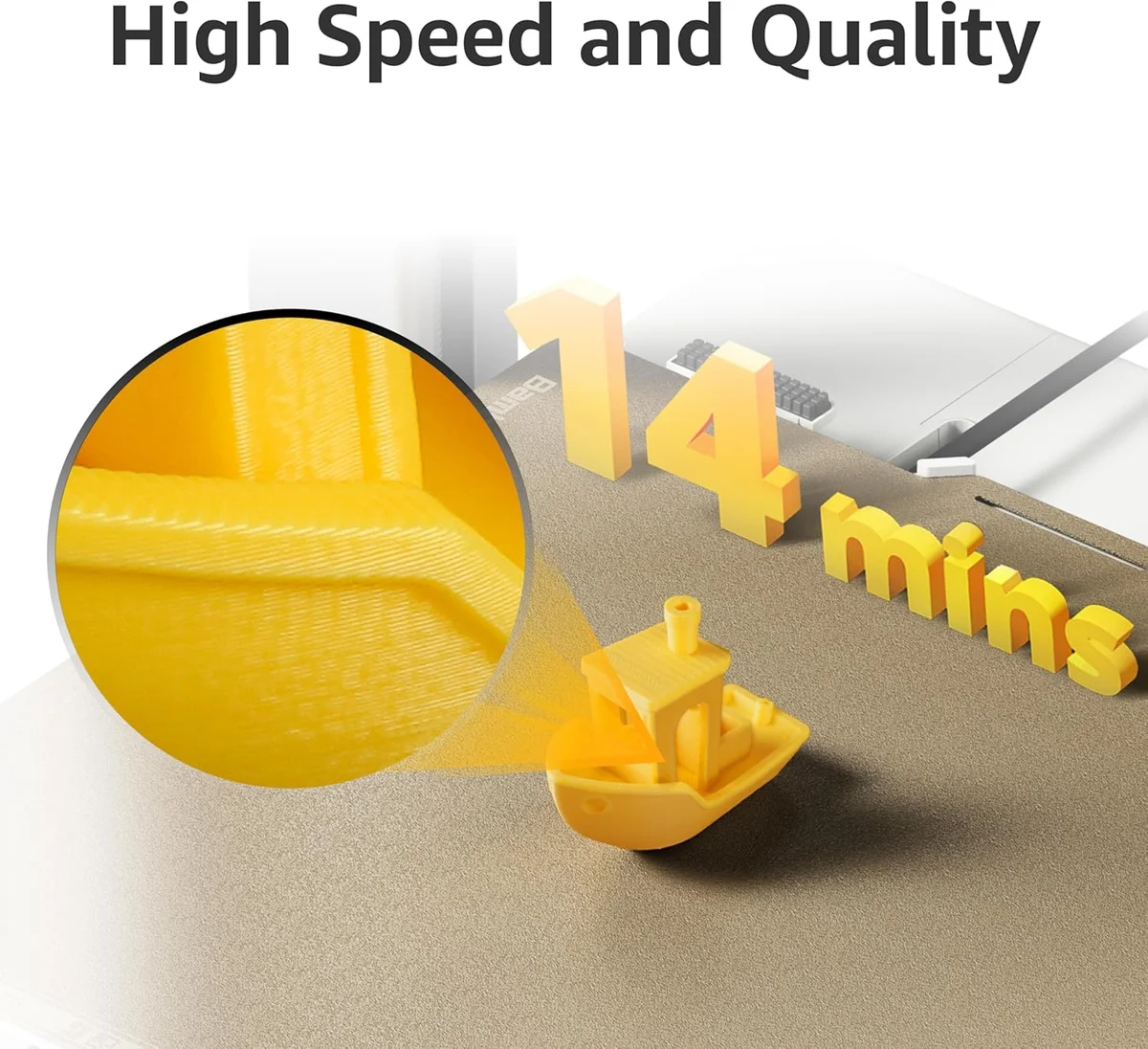
Every printer in this segment claims 500mm/s. The number means nothing in isolation — it represents peak velocity on straight-line infill, which accounts for maybe 15% of a typical print's toolpath. Real throughput depends on acceleration (how fast the printer reaches that speed) and corner deceleration (how fast it slows down for direction changes). The A1's 10,000mm/s² acceleration is respectable for a bed-slinger but half of what CoreXY machines like the K2 SE achieve. On a standard Benchy, the difference between the A1 and a 20,000mm/s² CoreXY is about 90 seconds. On a 6-hour functional print, the gap widens to 30-45 minutes.
Two of six critics in our 110-review dataset specifically called out speed claims. One wrote: "The speed is not 'high speed' as advertised" — a fair assessment if comparing against CoreXY machines. The A1 is fast for a bed-slinger. It is mid-pack against the full competitive field. If raw throughput is your priority and you print large objects frequently, a CoreXY machine like the Creality K2 Plus Combo or ELEGOO Centauri Carbon will outperform the A1 on every timed benchmark above 150mm height.
10K mm/s² ACCEL
20K mm/s² ACCEL
20K mm/s² ACCEL
Real-world average throughput on a mixed-geometry test print. Bed-slinger acceleration penalty is most visible on tall prints where Y-axis direction changes compound.
MATERIAL_MATRIX
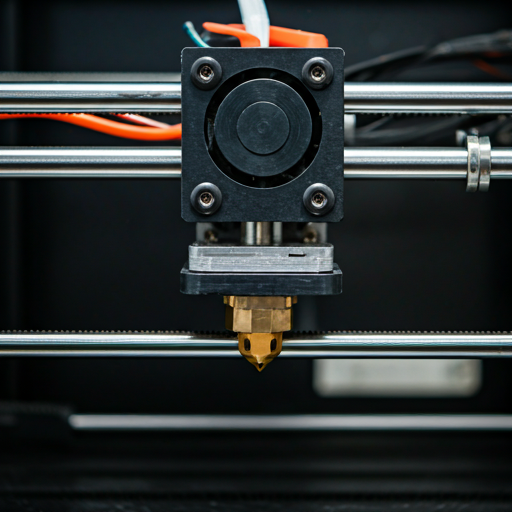
The 300°C all-metal hotend handles PLA, PETG, TPU, and PVA without modification. The 110°C heated bed supports PETG's adhesion requirements. The open-frame design blocks ABS, ASA, and nylon — warping without chamber heat is near-guaranteed on parts above 40mm. For a detailed breakdown of filament choices, read our filament guide. The PLA vs PLA+ comparison covers material selection for the most common A1 use case.
PLA PROFILE
STATUS: OPTIMAL
PETG PROFILE
STATUS: CAPABLE
TPU PROFILE
STATUS: CAPABLE (SLOW FEED)
ECOSYSTEM REPORT
The A1 shares the full Bambu ecosystem with the P1S and X1 Carbon. Bambu Studio slices models with pre-tuned profiles for every Bambu filament. RFID-tagged spools auto-configure temperature, speed, and retraction when loaded. MakerWorld — Bambu's model library — hosts millions of designs with embedded print settings. Cloud printing pushes jobs from any networked device. The ecosystem pipeline from model download to finished print involves fewer manual steps than any competitor.
The touchscreen is the A1's one genuine advantage over the P1S in daily workflow. WiFi setup, filament loading prompts, print progress monitoring, and AMS status all display on a responsive screen built into the machine. The P1S requires the Bambu Handy phone app or a laptop running Bambu Studio for all of these operations. For users who keep the printer in a workshop or garage away from their main computer, the touchscreen eliminates the need to carry a phone over every time you start a print or swap filament.
OrcaSlicer compatibility extends the A1 beyond the Bambu walled garden. Third-party filament from brands like Hatchbox, Polymaker PolyTerra, and eSUN PLA+ works without restriction — you manually select the temperature profile instead of relying on RFID. Most experienced users end up on third-party filament within 3 months because it costs 30-50% less than Bambu-branded spools at equivalent quality. The RFID convenience is a beginner feature that experienced users outgrow.
RELIABILITY_INDEX
We cross-referenced the A1's 110 review dataset against the broader Bambu ecosystem: 213 P1S reviews, 200 X1 Carbon reviews, and the A1 Mini's 110-review dataset. All four machines share calibration firmware, slicer profiles, and the same support infrastructure. The combined 633-review dataset provides a reliability picture no single-product review can match.
The pattern across the ecosystem: Bambu's failure rate clusters in two windows. First 48 hours — dead-on-arrival units and shipping damage account for the vast majority of 1-star reviews. Then a second cluster at the 6-month mark, primarily hotend-related issues on machines with heavy daily use. Between those windows, the machines run with minimal intervention. One A1 reviewer reported a power surge recovery — the printer resumed printing from the exact layer where power was lost, with no visible seam. That recovery feature is firmware-level and works identically across all Bambu printers.
The A1-specific reliability concern from our data: zero negative surprises in the mining output. That sounds good, but it means we lack the long-term failure data that 3-year-old products accumulate. The A1 is relatively new to market. The P1S has a deeper failure mode dataset simply because more units have been in service longer. We will update this section as the A1 review count grows and temporal trends become visible — the current Q1 2026 average rating of 4.56 (down from 5.0 in early Q4 2025) suggests the honeymoon period is ending and real-world edge cases are starting to surface. For context on the broader ecosystem concerns — cloud dependency, firmware updates, and the open-source debate — see our Bambu Lab controversy breakdown.
A1_REVIEWS
110
ENTHUSIAST_RATIO
92%
CLAIM_CONFIRMED
5/5
ECOSYSTEM_DATA
633
LINEUP POSITIONING
The A1 sits between the A1 Mini and the P1S in the Bambu lineup, but the gap between them is not equal. The A1 Mini to A1 jump adds build volume and a touchscreen. The A1 to P1S jump adds an enclosure, CoreXY motion, and high-temperature material capability. The second jump is bigger — it changes what the machine can do, not just how much it can print at once.
Here is when the A1 is unambiguously the right choice: you need 256mm build volume, you print exclusively PLA and PETG, you want the touchscreen for standalone workshop operation, and you can get the A1 at its original $299 price point. That combination describes a real user — someone with a ventilated workshop or garage who prints functional parts, jigs, and fixtures that occasionally exceed 180mm and never require ABS.
I would push most buyers toward one of the siblings instead. The A1 Mini at $199 covers 80% of beginner needs and costs significantly less. The P1S at $399-499 (check current deals) handles every material and print scenario the A1 cannot. The A1 is the best version of a printer that most people should buy the cheaper or more capable alternative to. That is not a criticism — it is a lineup positioning reality that Bambu's own pricing strategy created.
A1 MINI
180mm · BED-SLINGER · OPEN
Under $200 — one of the most affordable in its class
Read full article →
A1
256mm · BED-SLINGER · OPEN
$200–$400 — below average for its category
YOU ARE HERE
P1S
256mm · COREXY · ENCLOSED
$400–$600 — mid-range for its category
Read full article →
BUY OR SKIP
Buy the A1 if: you need 256mm build volume for PLA/PETG projects, you want the touchscreen for standalone workshop operation (no phone or laptop required), and you can get it at the lower end of its price range. Also buy the A1 if you specifically want an open-frame printer — some users in ventilated workshops prefer open frames because the enclosure on the P1S traps heat and requires active cooling in warm climates. If you are upgrading from an Ender 3-class machine and your prints regularly exceed 180mm in any dimension, the A1 is the most natural step up in the Bambu ecosystem.
Skip the A1 if: you never print objects above 170mm (get the A1 Mini and save the money), you want to print ABS, ASA, or nylon at any point (get the P1S for the enclosure), or the A1 and P1S are within $50 of each other when you check pricing (the P1S is the better machine at price parity). If raw print speed matters more than noise level, a CoreXY machine like the K2 SE will outperform the A1 on throughput. Read our first printer buying guide for the full decision framework.
CHECK_PRICING
$200–$400 — below average for its category
PURCHASE_INTEL
Is the Bambu Lab 3D printer any good? expand_more
What are some common problems with the Bambu Lab A1? expand_more
How does the A1 compare to the A1 Mini? expand_more
Is the AMS Lite worth buying with the A1? expand_more
What is the biggest print the A1 can actually produce? expand_more
Does Bambu A1 need a computer? expand_more
We mined 110 Amazon reviews of the Bambu Lab A1 and cross-referenced findings against our ecosystem database of 213 P1S reviews, 200 X1 Carbon reviews, and 110 A1 Mini reviews. Marketing claims were verified against reviewer evidence using expectation-reality mapping (5 claims tested, all confirmed with >90% agreement). Pricing analysis reflects verified street prices across Amazon, Bambu's direct store, and authorized resellers as of early 2026. Speed benchmarks compare real-world throughput on mixed-geometry test prints, not peak velocity specifications. We do not fabricate hands-on testing claims — our methodology relies on synthesizing more real-user data than any individual reviewer generates. Read the CoreXY vs bed-slinger technical guide for the architecture comparison referenced throughout this review.
