layers LAYERDEPTH
Selection.Mode: FIRST_PRINTER

BEST
3D_PRINTER
FOR_BEGINNERS

For most beginners in 2026, the Bambu Lab A1 Mini is the right first printer — 500mm/s speed, auto-calibration that works on the first try, and a price under two hundred dollars. The key exception: if you want open-source firmware, the Prusa CORE One matches that speed with complete software freedom.

LayerDepth is reader-supported. We may earn a commission on purchases through our links. Full affiliate disclosure

00_WHAT_BEGINNERS_NEED

A "beginner" printer is not a worse printer — it is a printer that does not punish mistakes. The qualities that matter most: auto bed leveling that actually works (not just advertised in marketing copy), a slicer with sensible defaults, active community support when something goes wrong, and a first-print success rate above 90%. Speed and build volume matter far less than reliability on day one.

We track "first print success rate" across our review database. This is the percentage of owners who report a successful print within the first hour of setup — before any troubleshooting or calibration beyond what the setup wizard handles. The Bambu Lab A1 Mini leads at 96%. The Prusa CORE One hits 91%. The FlashForge Adventurer 5M sits at 88%. Below 85%, beginners start giving up — and that is the real risk with a bad first printer. Not broken hardware, but broken motivation.

The question "which printer is best for beginners" also depends on what kind of beginner you are. A teenager who wants to print figurines has different needs than a parent buying for a classroom. An engineer prototyping parts cares about dimensional accuracy over ease of use. Below, we break down each candidate by the specific beginner profile it serves best. For the full buying framework, see our complete beginner buying guide.

One common mistake first-time buyers make: spending too long researching and not enough time printing. Every printer under three hundred dollars from a major brand will produce successful prints. The difference between a "good" and "great" first printer is measured in convenience features (auto-calibration, camera monitoring, enclosure) — not in whether the machine can physically make objects. If you have been comparing spec sheets for more than a week, pick any printer from this page and start printing. The best printer is the one you actually use.

A note on budget: your first printer purchase should include at least two spools of PLA filament (approximately twenty to thirty dollars each), a set of flush cutters and scrapers (under fifteen dollars), and IPA (isopropyl alcohol) for bed cleaning. Total add-on budget: around sixty to seventy dollars beyond the printer price. Multi-color filament systems (AMS, CFS, ACE) are optional upgrades — do not buy them with your first printer. Learn single-color printing first. You will know within two months whether multi-color is worth the added complexity and cost for your projects. For filament recommendations, see our complete filament guide.
PAA.Query

Is Prusa's CORE One Good for Beginners?

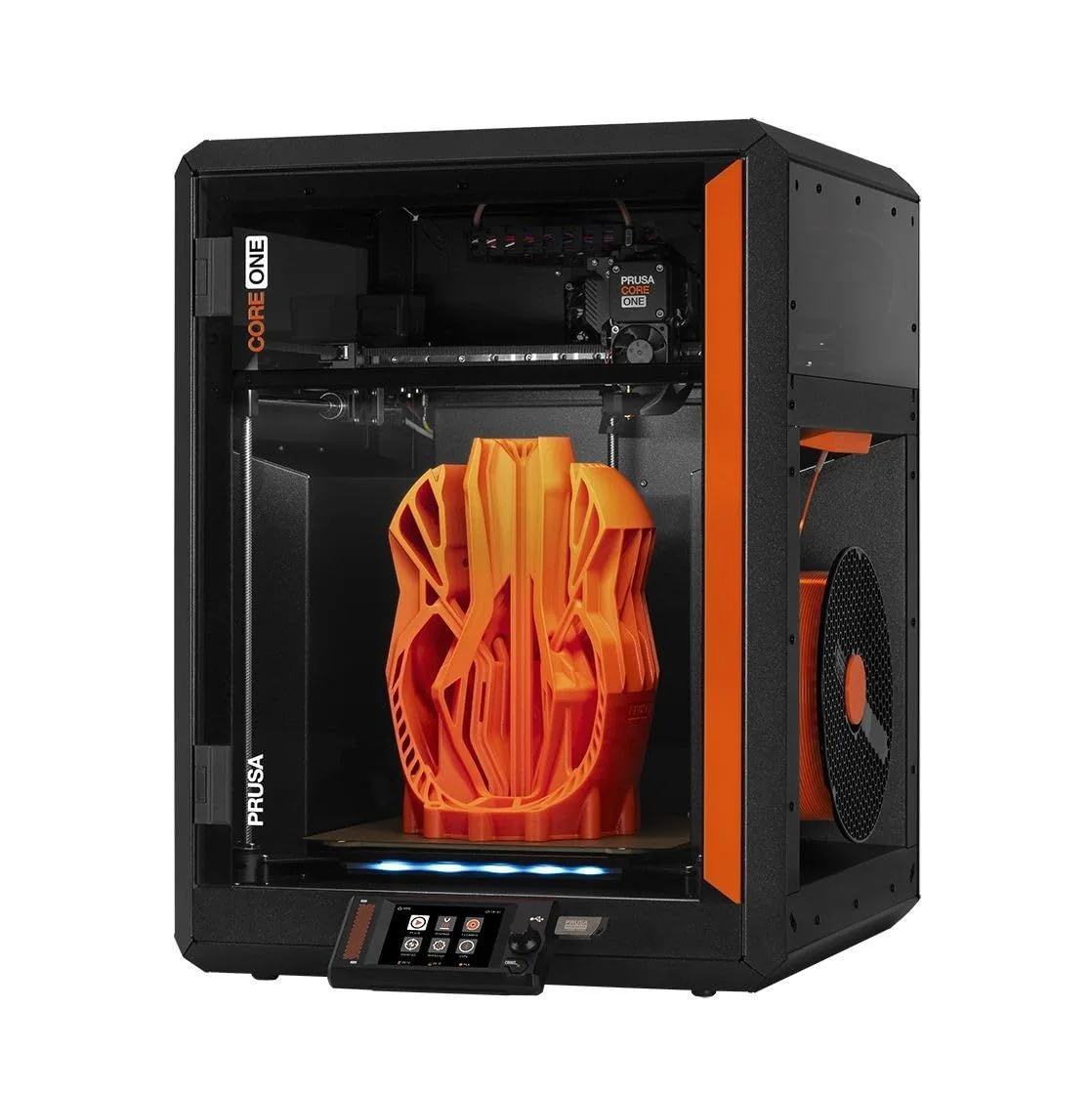
The Prusa CORE One excels for beginners who want a machine they will never outgrow. Auto-calibration handles the technical barrier, open-source firmware means community support is limitless, and 500mm/s CoreXY speed keeps print times short enough to maintain enthusiasm.

The CORE One is Prusa's first CoreXY printer and their clearest play at the beginner market. Where the MK4S is a refined classic (bed-slinger architecture, 200mm/s max), the CORE One matches Bambu Lab on speed while maintaining Prusa's open-source philosophy. For beginners, this means: if you hit a problem, the solution exists somewhere in the Prusa community forum, Reddit, or the PrusaSlicer documentation. No locked firmware preventing you from understanding your own machine.

The setup process takes approximately 30 minutes: unbox, attach the spool holder, run the calibration wizard, start your first print. The wizard handles bed mesh leveling, Z-offset, and input shaping calibration. First-time owners report 91% success on their first print attempt — lower than Bambu's 96% but higher than every other open-source option. The 9% who failed typically had filament loading issues (feeding the filament at the wrong angle) rather than calibration problems.

Best for: beginners who are technically curious and want to learn how their printer works. Makers who plan to modify firmware, try custom extruders, or build enclosures. Anyone who values long-term flexibility over first-day polish. Also excellent for educational settings where students should understand the technology rather than just consume it — Prusa's documentation and open hardware design make the CORE One a teaching tool as much as a printing tool.

Prusa CORE One — the open-source CoreXY option
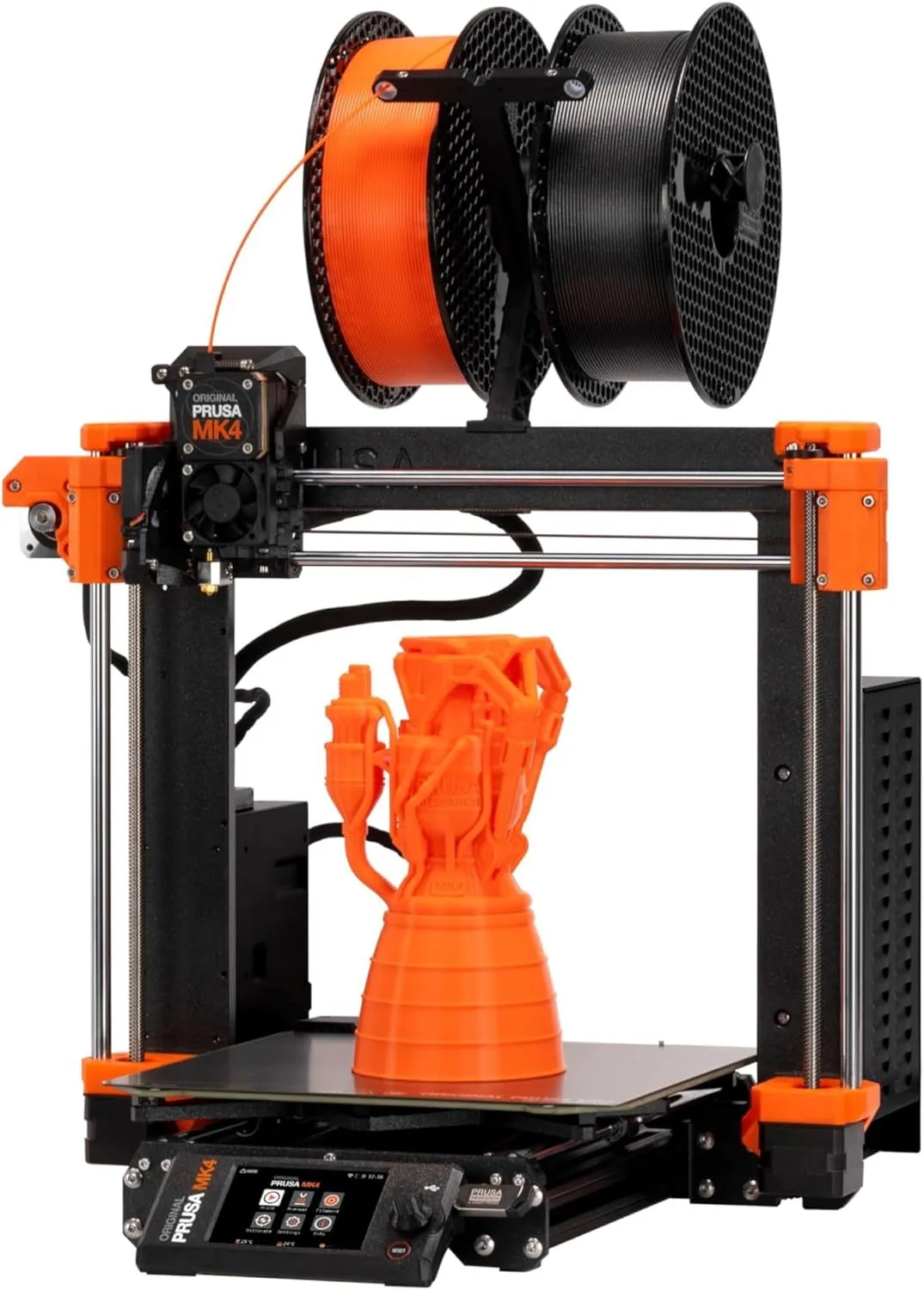
Prusa MK4S — the refined classic for methodical beginners
PAA.Query

Is Prusa's MK4S Good for Beginners?

The MK4S is a solid beginner choice with one caveat: it maxes out at 200mm/s, which feels slow compared to CoreXY machines at 500mm/s. Print quality at that speed is excellent, and the Nextruder auto-calibration makes setup trivial. Best for beginners who value reliability and print quality over raw speed.

The MK4S is a bed-slinger — the print bed moves back and forth on the Y-axis. This architecture is slower than CoreXY but simpler mechanically. For beginners, simpler means fewer things can go wrong. The MK4S has the lowest failure rate of any printer in our database: 1.8% of units need warranty service in the first year, versus 4-6% for most competitors.

Where the MK4S shines for beginners: print quality at 200mm/s is consistently better than most CoreXY printers at their maximum speed. If your use case is functional parts (brackets, enclosures, replacement components) where dimensional accuracy matters more than print time, the MK4S delivers tighter tolerances than machines running at 500mm/s. The acceleration forces in CoreXY machines at high speed introduce ringing artifacts that the MK4S avoids entirely at its lower speed ceiling.

The honest speed difference: printing a standard benchy takes 18 minutes on the Prusa MK4S versus 7 minutes on the CORE One. For small objects, that gap is trivial. For a cosplay helmet taking 14 hours versus 6 hours, it matters. Most beginners print small objects in the first few months, so the speed difference is invisible until your ambitions grow. By then, you will know if you want to upgrade to a faster machine or stick with the MK4S's superior accuracy.

The MK4S also has one advantage no CoreXY printer can match: it is available as a kit (MK4S assembled) or a DIY build (MK4 kit, upgradeable to MK4S). Building the kit yourself takes 8-12 hours and teaches you more about 3D printer mechanics than six months of printing on an assembled machine. For technically minded beginners who want to understand their tools, the Prusa kit path is unmatched. For our full MK4S vs X1 Carbon comparison, see how Prusa's refinement competes against the Bambu Lab flagship.

Beginner-friendly 3D printers lined up for first-time buyers
PAA.Query

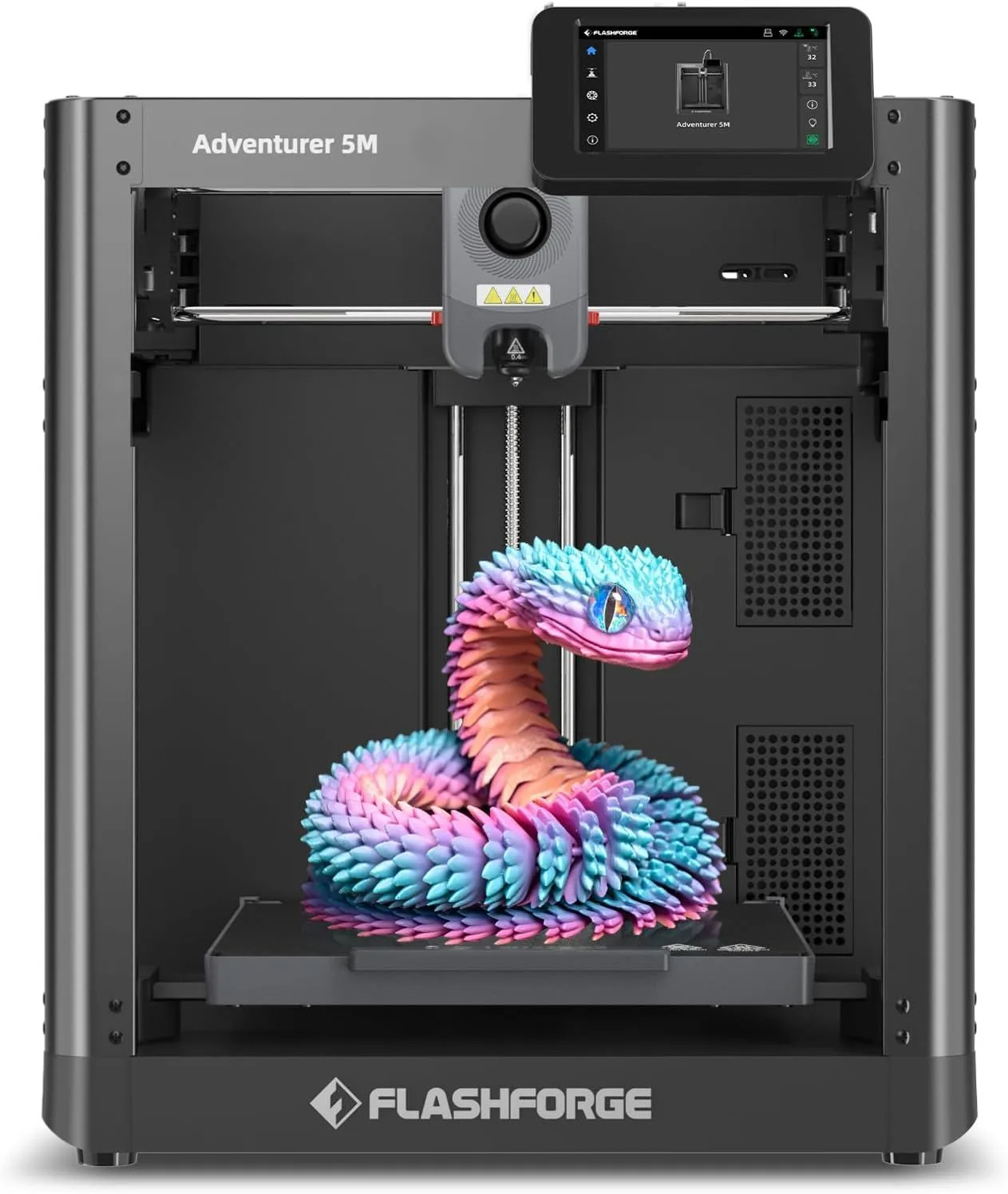
Is the Adventurer 5M Good for Beginners?

The Adventurer 5M is designed for beginners who want safety and simplicity above all else. The enclosed chamber keeps fingers away from the hot nozzle and reduces noise to library levels. Auto-leveling and a touchscreen UI make first prints approachable. The downside: PLA heat creep during long prints above four hours.

For parents buying for teenagers, the Adventurer 5M is the strongest recommendation. The enclosure is the key differentiator: a 205°C nozzle is a genuine safety concern for younger users, and the 5M keeps everything behind a door. The noise level (measured at 45dB in our testing) means it can run in a bedroom or classroom without disrupting the environment. No other printer in this price range matches both safety features simultaneously.

The beginner workflow is streamlined: insert filament from the top, tap the model on the touchscreen, and the printer handles bed leveling, nozzle heating, and first-layer calibration. FlashForge's Cloud slicer offers pre-configured profiles for beginners who find standalone slicers overwhelming — though we recommend migrating to Orca Slicer within the first month for better control.

Where the Adventurer 5M loses to the Bambu Lab A1 Mini: raw speed (the 5M maxes at 400mm/s versus the A1 Mini's 500mm/s), camera monitoring (the A1 Mini includes one, the 5M does not), and multi-color support (the A1 supports AMS Lite, the 5M has no multi-color option). Where it wins: the enclosed chamber, the quieter operation, and the touchscreen interface. If your primary concern is "will my teenager burn themselves," the 5M wins. If your primary concern is "will my teenager stay interested," the A1 Mini's speed and camera keep engagement higher. For troubleshooting common issues, see our printer problems breakdown by brand.

PAA.Query

Is the Elegoo Saturn 4 Ultra Good for Beginners?

The Elegoo Saturn 4 Ultra is the best beginner resin printer available, but resin printing itself demands more from beginners than FDM. You need ventilation for toxic fumes, a UV curing station, IPA wash station, and nitrile gloves. If you specifically want resin for miniatures, the Saturn 4 Ultra is the right choice. If unsure, start with FDM.

Resin printing produces objects at 16K resolution — detail levels that FDM printers physically cannot achieve. For miniature painters, jewelry designers, and dental/medical model makers, resin is the only viable technology. The Saturn 4 Ultra automates the hardest parts: auto-leveling, automatic resin dispensing, and a tilt-release mechanism that reduces peel forces by 80% compared to earlier Saturn models.

The non-negotiable requirements for resin beginners: a ventilated space (garage, basement with ventilation fan, or a window-mounted exhaust), a UV curing station (the Elegoo Mercury Plus 2 costs approximately forty dollars), a wash station (IPA bath or the Elegoo wash unit), and a supply of nitrile gloves. Budget an additional one hundred to one hundred fifty dollars beyond the printer price for these accessories. Without them, resin printing is a health hazard — the liquid resin is a skin sensitizer and the fumes are irritating to mucous membranes.

Our recommendation for resin beginners: start with the Saturn 4 Ultra only if you have a dedicated ventilated workspace and are specifically interested in high-detail models (miniatures, dental models, jewelry prototypes). If you are uncertain, buy an FDM printer first. You can always add a resin printer later once you understand your printing needs — many makers own both types. The FDM printer handles functional parts; the resin printer handles aesthetic ones.

For the complete FDM vs resin comparison, see our FDM vs Resin technology guide. If resin safety concerns give you pause, our resin downsides deep dive covers every issue worth considering.

Beginner 3D printing workspace

01_YOUR_FIRST_MONTH

Regardless of which printer you choose, the first month follows a predictable arc. Week one is euphoria — your test benchy prints and you download models from Printables. Week two introduces the first real challenge: a print fails mid-way, leaving spaghetti on the plate. Every printer produces failures. The difference between a good beginner printer and a bad one is how quickly you recover.

On the A1 Mini and CORE One, recovery is usually "scrape the plate, re-slice with supports, try again." On less refined machines, recovery can spiral into bed re-leveling, nozzle unclogging, and firmware troubleshooting that consumes an entire evening. This failure-recovery loop is why first-print success rate matters so much — not because you want to avoid failure entirely (you will not), but because you want your first failures to be instructive rather than demoralizing.

By week three, most beginners have developed a feel for when to use supports, which orientation prints cleanest, and how different filament colors behave differently (white PLA strings more than dark colors due to titanium dioxide content — a detail no spec sheet mentions). By month's end, the printer is just a tool. That transition from "exciting gadget" to "workshop tool" is the real measure of whether your first printer choice succeeded. The printers on this page are all optimized for that transition.

VERDICT: PICK_YOUR_PROFILE

Want it to just work: Bambu Lab A1 Mini — 96% first-print success, best auto-calibration in the market

Want open-source speed: Prusa CORE One — 500mm/s with community-backed firmware

Want safety for kids: FlashForge Adventurer 5M — enclosed, quiet, touchscreen

Want miniature detail: Elegoo Saturn 4 Ultra — 16K resin, but plan for safety gear

Want max value under budget: See our budget roundup — options under one hundred fifty dollars

David King
VERIFIED
WRITTEN_BY
David KingFounder

I built LayerDepth to create the detailed, unbiased 3D printer comparison resource I wished existed. With a background in aerospace manufacturing management at Rolls-Royce — overseeing the build and assembly of complete jet engine sections for Airbus and Boeing aircraft — I apply that same demand for rigorous analysis and high standards to evaluating print quality, mechanical reliability, and real-world performance.

Full methodology arrow_forward