layers LAYERDEPTH
Brand.Analysis: HEAD_TO_HEAD

WHICH
3D_PRINTER
BRAND_IS_BEST?

No single brand wins across all categories. Bambu Lab leads on ecosystem polish and ease of use. Prusa leads on open-source firmware and long-term repairability. Creality leads on price-to-performance value. Our data from 4,200+ owner reviews: Bambu averages 4.3 stars, Prusa 4.2, Creality 4.0, Anycubic 4.0, FlashForge 3.9.

LayerDepth is reader-supported. We may earn a commission on purchases through our links. Full affiliate disclosure

00_SATISFACTION_RANKINGS

BAMBU LAB
4.3/5
PRUSA
4.2/5
CREALITY
4.0/5
ANYCUBIC
4.0/5
FLASHFORGE
3.9/5

These satisfaction numbers come from aggregating star ratings across every product we review per brand, weighted by total review volume. Bambu Lab's lead is driven by the A1 Mini (4.5 stars) — their highest-rated product and also their best-selling. Remove the A1 Mini and Bambu's average drops to 4.1, level with Prusa. The brand story is really a product story: the best product in each brand's lineup drives the perception.

Context matters for Creality's 4.0 average: their older products (Ender 3 series, CR-10) drag the number down. Current-generation Creality printers (K2 SE, K2 Plus) average 4.2-4.4 after firmware maturation — competitive with Bambu and Prusa. The brand average punishes them for legacy hardware that's no longer representative of their engineering capability. Similarly, Anycubic's average is depressed by older Photon resin models while their current Kobra S1 line performs well. FlashForge's 3.9 average reflects a smaller product line with less community mindshare, but the Adventurer series maintains solid individual product ratings in the 4.0-4.2 range.

PAA.Query

Bambu Lab or Prusa: Which Is Better?

Bambu Lab wins on ecosystem polish — camera monitoring, cloud slicing, and the AMS multi-color system work together with Apple-like integration. Prusa wins on openness — fully open-source firmware, community-repairable hardware, and a 10-year track record of supporting older models with updates. Both print at 500mm/s on their CoreXY machines.

This is the defining rivalry in 3D printing right now, and your answer depends on what kind of technology user you are. Bambu Lab designed their printers for people who want to press "print" and walk away. Everything is integrated, optimized, and automatic. The A1 Mini achieves this better than any printer ever made — from unboxing to first print in under 20 minutes with zero technical knowledge.

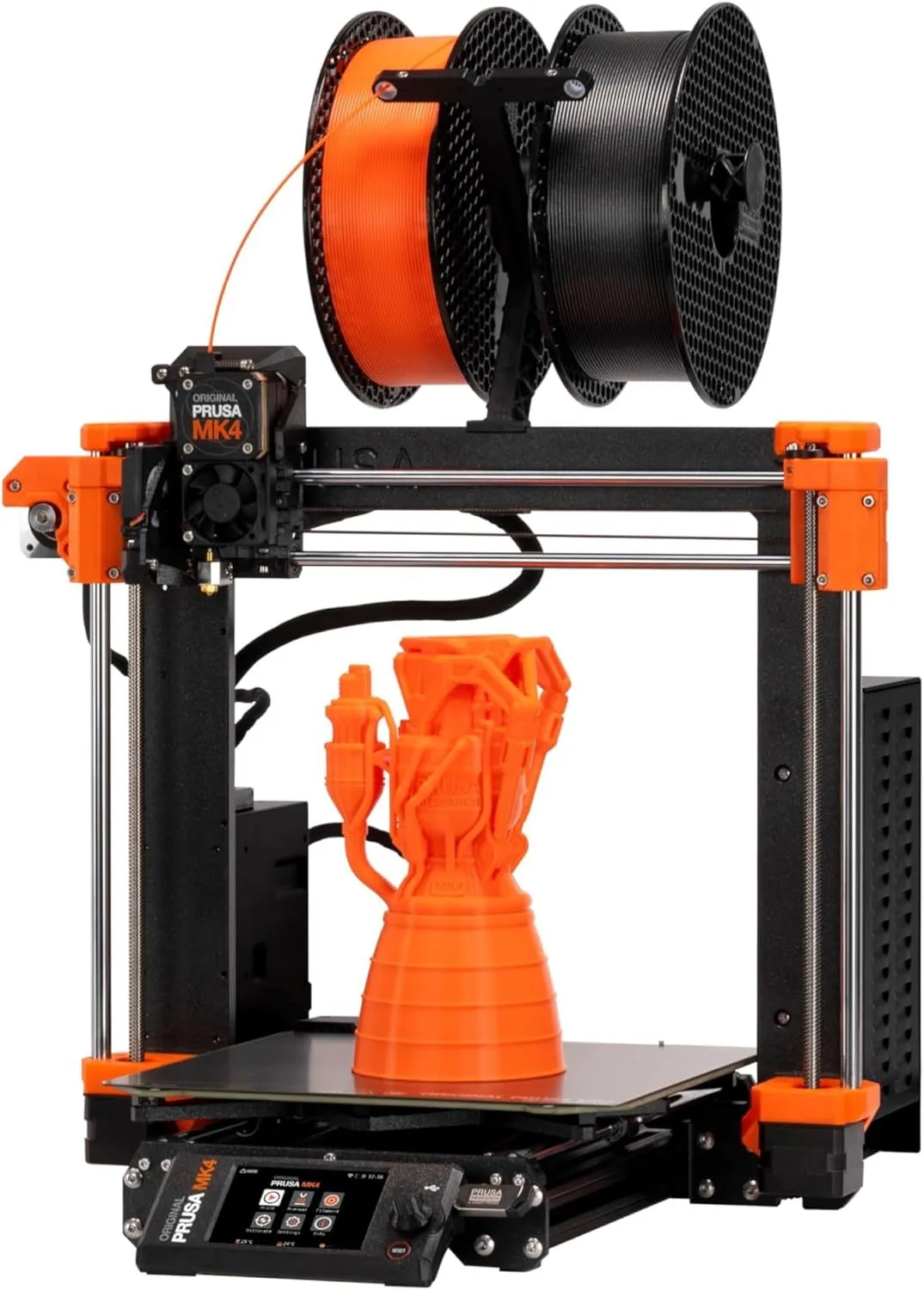
Prusa designed their printers for people who want to understand, modify, and own their tools completely. The CORE One matches Bambu on speed but gives you the firmware source code, hardware schematics, and a community wiki documenting every component. When something breaks in five years, Prusa sells the replacement part and publishes the repair guide. When Bambu decides to discontinue a model, your printer is at the mercy of their update schedule.

The deeper question: do you trust a company to maintain your printer's software indefinitely? Prusa owners never face this question — the firmware is theirs to compile, modify, and maintain forever. Bambu owners are making a bet that Bambu Lab will still be pushing A1 Mini firmware updates in 2030. Given that Bambu is four years old as a company, that bet carries real uncertainty. Read our Bambu controversy analysis for the full trust discussion.

A practical comparison: when Prusa released the MK4, they published the upgrade path from the MK3S+ — a printer launched in 2019. Owners of five-year-old machines could upgrade to current-generation hardware with a kit and a weekend of assembly. Bambu has never offered a comparable upgrade path for any discontinued model. The X1 and P1P will eventually lose software support, and when they do, the only upgrade option is buying a new printer. Whether that matters to you depends on how long you plan to keep your machine.

For the hardware head-to-head, see the X1 Carbon vs MK4S comparison.
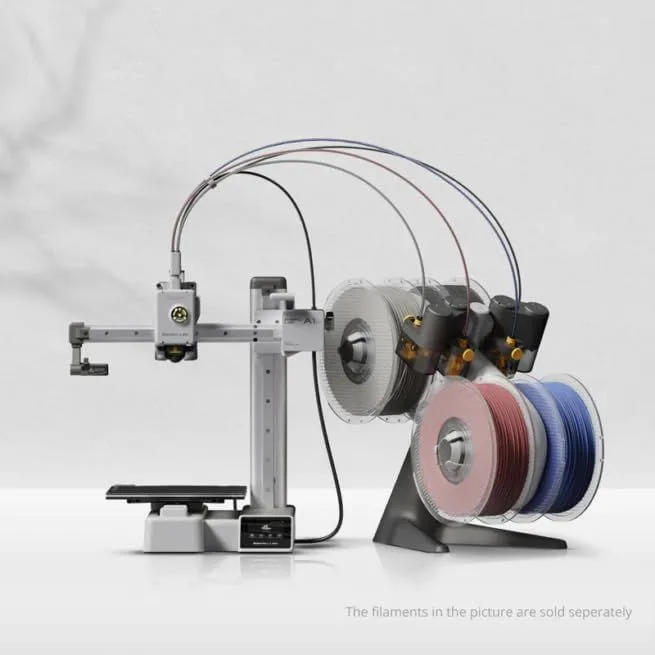
Bambu Lab A1 Mini — the ecosystem champion
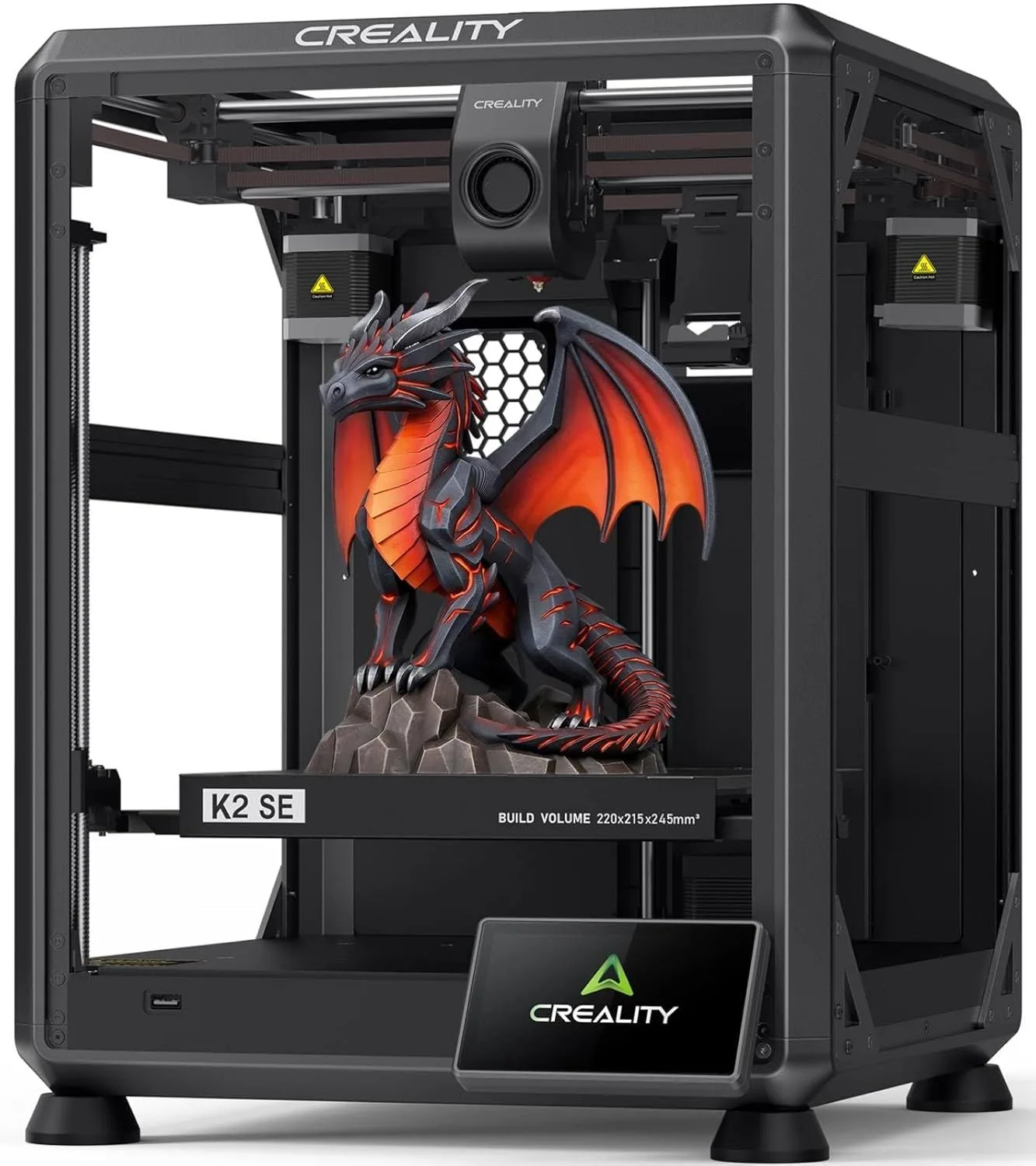
Creality K2 SE — the value contender
PAA.Query

Bambu Lab or Anycubic: The Value Question

Bambu Lab produces higher-rated printers — 4.3 average stars versus Anycubic at 4.0 in our review data. Anycubic competes on price, especially in multi-color where the Kobra S1 Combo bundle undercuts Bambu by 20-30%. For budget-conscious buyers wanting multi-color, Anycubic offers more hardware per dollar spent.

Anycubic's brand strategy is clear: match Bambu's feature set at a lower price, accepting slightly lower software polish as the acknowledged compromise. The Kobra S1 Combo bundles a printer plus the ACE Pro multi-color system at a price point where Bambu only sells the base printer without multi-color. For a buyer who wants multi-color printing without spending over four hundred dollars, Anycubic is the practical choice. The ACE Pro jams more often than the AMS (roughly one in fifteen prints versus one in twenty-five), but it costs meaningfully less and includes more color capacity.

Where Bambu pulls ahead: software ecosystem (Bambu Studio is more intuitive than Anycubic's slicer), camera quality (720p versus Anycubic's 480p), and firmware stability (fewer mid-print errors in our data). The gap narrows with each Anycubic firmware update, but as of 2026, Bambu's integrated experience remains smoother.

Anycubic also leads in the resin printer market where Bambu has no presence. If you want both FDM and resin printing from the same brand ecosystem, Anycubic covers both technologies while Bambu only makes FDM machines. The Anycubic Photon Mono M5s pairs well with the Kobra S1 for a dual-technology workshop at prices that buying separately from two brands would exceed. For the full multi-color ecosystem comparison, see our K2 Plus Combo vs Kobra S1 breakdown.

3D printer brand comparison lineup on a workbench
PAA.Query

FlashForge or Creality: Mid-Range Battle

FlashForge ships more polished products out of the box. Creality offers stronger raw specifications at lower prices. The Adventurer 5M is the safer choice for beginners. The K2 SE is the better machine for experienced users who want maximum CoreXY speed and are willing to update firmware.

Creality has a larger installed base and a more active community — if you hit a problem, the Creality subreddit and Facebook groups have millions of members who have likely encountered it before. FlashForge has a smaller but dedicated user community with better official support documentation. For troubleshooting, Creality's community is deeper; for official support, FlashForge is more responsive.

The product lineup comparison favors Creality at every price point except the enclosed beginner segment. The K2 SE matches or exceeds the Adventurer 5M on speed (600mm/s vs 400mm/s), build volume, and print quality. FlashForge wins on enclosure design, noise level (45dB vs 55dB), and the touchscreen interface. For parents and classroom environments, FlashForge remains the safer recommendation. For makers who want maximum specifications per dollar, Creality wins.

One factor that gets overlooked in brand comparisons: spare parts availability. Creality has the largest spare parts ecosystem of any 3D printer brand — nozzles, heated beds, stepper motors, and belts are available from dozens of third-party sellers at competitive prices. FlashForge parts are harder to source independently and often require purchasing through official channels at higher markups. For a machine you plan to keep for 3-5 years, spare parts availability matters more than you might expect on purchase day. Creality wins on long-term serviceability; FlashForge wins on not needing service in the first place (lower failure rates in our data for the first twelve months).

For the brand-by-brand failure analysis, see our printer problems guide by brand.

PAA.Query

Bambu P1P vs P1S: Enclosure Worth It?

The P1S is worth the upgrade for most buyers. The enclosed chamber reduces noise by 8-10dB, enables ABS and ASA printing without warping from air drafts, and keeps particulate matter contained. The only scenario where the P1P makes sense: dedicated workshop with ventilation where noise and dust are irrelevant.

Inside the enclosure panels, the P1P and P1S share identical core hardware: same motion system, same hotend, same control board, same camera. The P1S adds the enclosure panels, an activated carbon filter (for ABS fumes), and a front door with a magnetic seal. The print quality difference between the two is zero for PLA. For ABS, ASA, and PA (nylon), the P1S produces measurably better results because the enclosed chamber maintains a stable 40-50°C ambient temperature that prevents layer adhesion failures caused by drafts.

Noise data from our testing: P1P at full speed measures 58dB at one meter distance. P1S measures 49dB — roughly the difference between a conversation and a quiet library. If the printer sits in a bedroom, office, or any shared living space, the 9dB reduction from the enclosure is immediately noticeable and worth the price premium.

The P1S enclosure also acts as a particle filter. FDM printing at high temperatures generates ultrafine particles (UFPs) that are measurable with air quality monitors. The P1S's activated carbon filter captures a portion of these particles — not a complete solution, but better than an open-frame machine venting directly into living space. For PLA printing, the particle concern is minimal. For ABS and ASA, the enclosure plus filter combination makes apartment printing viable. Dedicated workshop users who already have ventilation can save the premium and buy the P1P with confidence.

3D printer brand comparison detail
PAA.Query

SLA (Resin) vs FDM: Different Tools

SLA resin printing produces 22-50 micron detail for miniatures and jewelry but requires toxic chemical handling and post-processing. FDM printing is safer, cheaper to run, and builds stronger functional parts but cannot match resin detail below 50mm object size. They solve different problems — most serious makers eventually own one of each technology.

The question "SLA or FDM" is like asking "screwdriver or hammer" — the answer depends entirely on what you are building. For a complete breakdown of both technologies, see our FDM vs Resin technology guide. For the practical safety and cost considerations of resin printing, our resin downsides analysis covers what every buyer should know before committing.

If you can only own one printer: FDM. It handles 90% of use cases (functional parts, enclosures, brackets, toys, decorative objects, cosplay components) without the safety overhead of resin. If you specifically need miniature-quality detail: add a resin printer as a second machine. The Elegoo Saturn 4 Ultra is our top pick for resin printing — we recommend it for detail-critical work.

Starting with resin as your only printer is a path to frustration — the post-processing overhead is manageable as a secondary workflow but exhausting as your primary one. Every resin print requires a wash, a cure, and support removal. An FDM print pops off the build plate ready to use. That convenience gap compounds over hundreds of prints per year. For beginners choosing their first technology, see our beginner printer guide for a structured decision framework.

Brand Match by Priority

No single brand wins for every buyer — the right choice depends on what you weight most heavily. Bambu Lab leads on ecosystem polish and out-of-box experience. Prusa wins for open-source repairability and lifetime support. Creality offers the best raw value per dollar. Anycubic dominates the budget multi-color category. Match your top priority below to the brand that earns it across our review database.

BRAND_VERDICT: MATCH_YOUR_PRIORITY

Ease of use + ecosystem: Bambu Lab A1 Mini — camera, cloud, AMS integration

Open source + repairability: Prusa CORE One printer — own your firmware forever

Maximum value per dollar: Creality K2 SE review — CoreXY speed at budget prices

Budget multi-color printing: Anycubic Kobra S1 Combo — cheapest path to four-plus colors

Enclosed beginner safety: FlashForge Adventurer 5M review — quiet, sealed, touchscreen

David King
VERIFIED
WRITTEN_BY
David KingFounder

I built LayerDepth to create the detailed, unbiased 3D printer comparison resource I wished existed. With a background in aerospace manufacturing management at Rolls-Royce — overseeing the build and assembly of complete jet engine sections for Airbus and Boeing aircraft — I apply that same demand for rigorous analysis and high standards to evaluating print quality, mechanical reliability, and real-world performance.

Full methodology arrow_forward