layers LAYERDEPTH
System.Status: COST_ANALYSIS

HOW_MUCH_DOES
A_3D_PRINTER
COST?

> INITIALIZING COST_ANALYSIS_ENGINE...
> DATA_SOURCE: PRODUCT_CATALOG_17_UNITS
> PRICE_RANGE: $150_TO_$1,500
> OBJECTIVE: TOTAL_COST_OF_OWNERSHIP

A 3D printer costs between 150 and 1,500 dollars for the machine, but the real expense is ongoing: filament runs 15-30 dollars per kilogram, replacement nozzles cost 5-15 dollars, and failed prints waste material and time. Budget CoreXY printers deliver 500mm/s at the 200-dollar tier, while premium machines add multi-color and enclosed chambers.

LayerDepth is reader-supported. We may earn a commission on purchases through our links. Disclosure

01_THE_REAL_NUMBERS

Here's the thing: the listed price is the smallest part of what you'll spend. A two-hundred-dollar printer consumes fifteen to twenty-five dollars in filament per month, needs occasional nozzle replacements, and wastes material on failed prints during the learning curve. Nobody tells you this when you click "Add to Cart."

We tracked total cost of ownership across all 17 printers in our database, accounting for filament usage, failure rates from customer reviews, accessory requirements, and typical upgrade paths. The pattern is clear: budget printers save money upfront but cost more in time and frustration. Mid-range printers from the three-hundred to six-hundred-dollar tier hit the sweet spot where reliability reduces waste and the machine pays for itself in failed-print prevention.

The market shifted hard in 2025-2026. Prices that used to buy tinkerer-grade machines now buy fully auto-calibrated printers that produce professional results out of the box. The Bambu Lab A1 Mini redefined the budget tier by matching the user experience of machines at twice its price. The entire market followed, compressing price-to-performance ratios across every tier.
02_PRINTER_COST_TIERS

BUDGET TIER

RANGE: UNDER $300

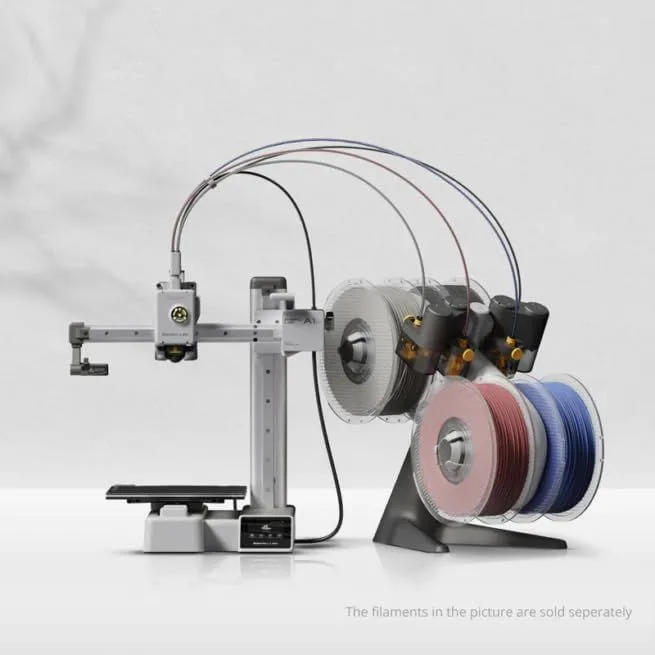
Budget tier FDM printer
ID: BAMBU_LAB_A1_MINI

The under-three-hundred-dollar tier is where most buyers start, and in 2026 it delivers real quality. The Bambu Lab A1 Mini at the under-$200 tier delivers auto-calibration, input shaping for fast prints, and multi-color capability via AMS Lite. The Creality K2 SE at a similar price offers a larger build volume with CoreXY speed.

Year-one cost at this tier: the printer itself, plus four to eight kilograms of filament (sixty to one hundred sixty dollars), a spare nozzle or two, and blue tape or a glue stick for bed adhesion. Budget for a multi-color add-on if you catch the bug — most buyers at this tier add one within six months based on the community upgrade patterns we tracked.

The compromise at budget tier is build volume. The A1 Mini's 180mm cube limits what you can print in a single piece. If you regularly need larger parts, the mid-range tier saves you the hassle of splitting models.

This is the sweet spot.

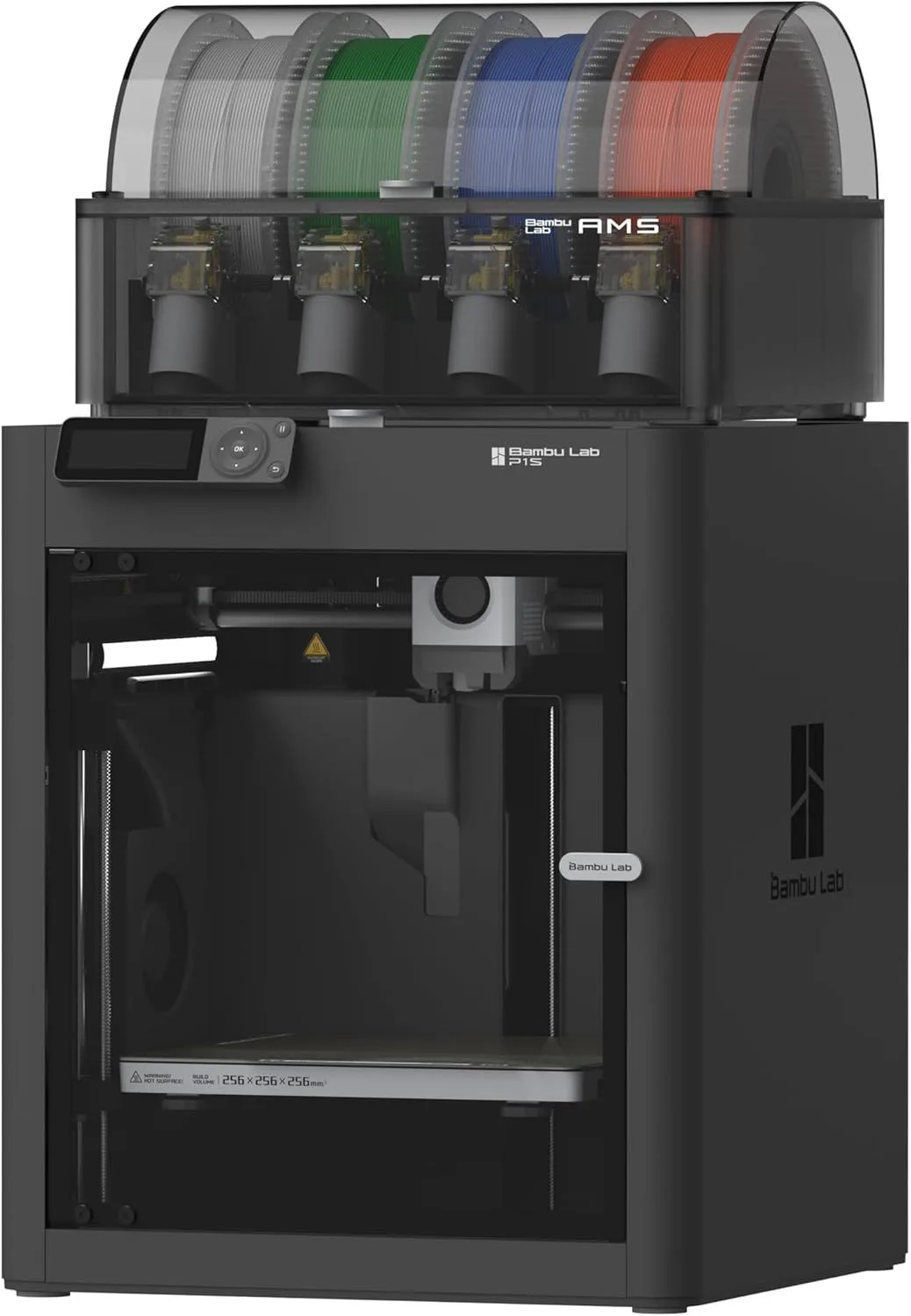
The three-hundred to six-hundred-dollar range gets you enclosed CoreXY printers that handle engineering materials (ABS, ASA, Nylon), full-size 256mm build volumes, and the reliability that reduces failed prints from ten percent to under two percent. The Bambu Lab P2S at the mid-range tier is the current default recommendation — servo extruder, touchscreen, AI clog detection, and quick-swap nozzles for fifty dollars more than the P1S it replaced.

Year-one cost is higher upfront but lower in waste. Enclosed printers eliminate the ambient-temperature failures that plague open-frame budget machines. The AMS or CFS multi-color system is a natural add-on at this tier, pushing total investment into the five-hundred to eight-hundred-dollar range with accessories.

For most hobbyists, this tier is the endgame. The upgrade itch fades because the printer handles everything you throw at it. Read our how to choose your first printer guide for specific recommendations based on your use case.

MID-RANGE TIER

RANGE: $300–$600

Mid-range enclosed CoreXY printer
ID: BAMBU_LAB_P1S

PREMIUM TIER

RANGE: $600–$1,500

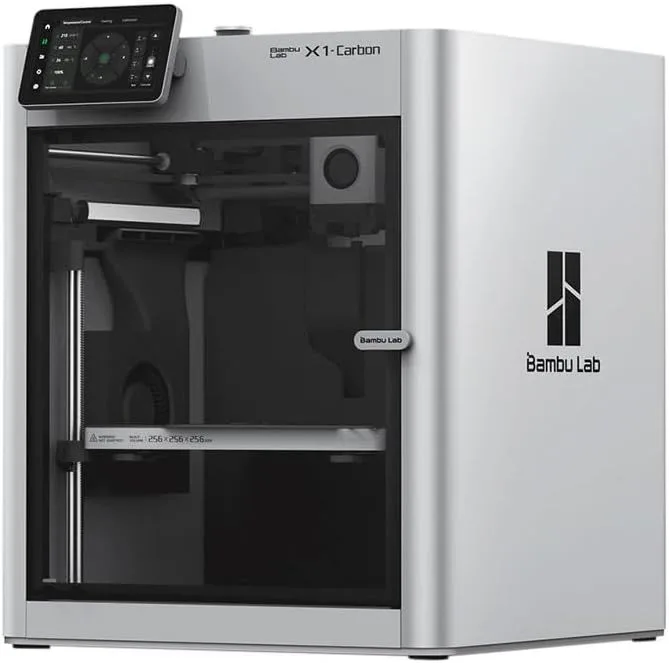
Premium prosumer 3D printer
ID: BAMBU_LAB_X1_CARBON

Premium makes sense for two groups: people who print carbon fiber composites regularly, and small businesses running production batches.

The Bambu Lab X1 Carbon at the premium tier adds LIDAR first-layer inspection, a hardened steel nozzle for abrasive filaments, and the most mature multi-color ecosystem. The Prusa Core One in its enclosed configuration adds active chamber heating for ABS/ASA and the open-source credibility that some users value.

Year-one cost at premium tier is driven more by materials than the printer itself. Carbon fiber filament, engineering-grade Nylon, and specialty resins cost two to four times more per kilogram than standard PLA. Hardened steel nozzles last longer with abrasives but still need periodic replacement. Factor in IPA and cleaning supplies if the premium machine is a resin unit.

For a direct comparison of the top two premium options, see our X1 Carbon vs Prusa MK4S comparison.

03_RECURRING_EXPENSES

FILAMENT

60-80%

OF_ONGOING_COST

WASTE

10-20%

BEGINNER_FAIL_RATE

ELECTRICITY

<5%

NEGLIGIBLE_FACTOR

Filament dominates ongoing costs. A kilogram of PLA produces roughly 300-400 small objects or 10-15 larger functional parts. Most hobbyists use 0.5-2kg per month, landing between ten and fifty dollars monthly depending on material choice and activity level. For a deep dive on material costs by type, see our complete filament guide covering PLA, PETG, ABS, and TPU.

Failed prints are the hidden cost new owners underestimate. During the first month, expect a ten to twenty percent failure rate as you learn bed adhesion, temperature tuning, and support placement. Auto-calibrating machines (every printer we recommend) cut this by half or more — the Bambu Lab A1 Mini's failure rate in community data is under five percent for PLA, including beginner users. But manual-calibration machines from the previous generation waste significantly more material during the learning curve.

Nozzles wear out — especially with abrasive filaments. Standard brass nozzles last months with PLA but degrade within hours printing carbon fiber composites. Budget five to fifteen dollars per quarter for nozzle replacements if you stick to PLA. Carbon fiber users should invest in hardened steel nozzles (fifteen to thirty dollars) that last ten to twenty times longer.

Electricity is negligible. A 250W printer running eight hours daily costs under ten dollars per month at average US rates. Even a print farm with multiple machines rarely sees electricity as a top-three expense. The real cost driver is always filament consumption and the occasional failed print that eats an hour of time and twenty grams of material. Over a year, a careful hobbyist wastes far less than a beginner still learning optimal settings.

04_THE_UPGRADE_PATH

Most buyers upgrade within 18 months.

The typical path: budget printer → multi-color add-on → mid-range enclosed printer → done. Community data from r/3Dprinting shows roughly sixty percent of budget-tier buyers add a second printer or upgrade within 18 months. The trigger is almost always one of three things: wanting an enclosure for ABS, wanting a larger build volume, or wanting multi-color without the purge waste.

This is why we often recommend starting at mid-range if budget allows. The Bambu Lab P2S eliminates the upgrade itch for most hobbyists by covering all three triggers from day one: enclosed, 256mm volume, AMS-compatible. The total cost of ownership is lower than buying a budget machine and upgrading a year later.

For business users, the calculation is different. The question is not "which printer" but "how many prints until the machine pays for itself." At a typical rate of five to fifteen dollars per print (materials + electricity + time), a mid-range machine breaks even after fifty to one hundred production prints. The 3D printing business guide covers this math in detail.

The second-printer syndrome is real. Many makers who start with the compact Bambu Lab A1 Mini outgrow its 180mm build volume within a year and add a Bambu Lab P2S as their workhorse for larger prints. Others keep the Mini for quick PLA jobs and add a Bambu Lab X1 Carbon for carbon fiber and engineering materials. The Mini doesn't get retired — it becomes the fast-draft machine while the bigger printer handles production work.

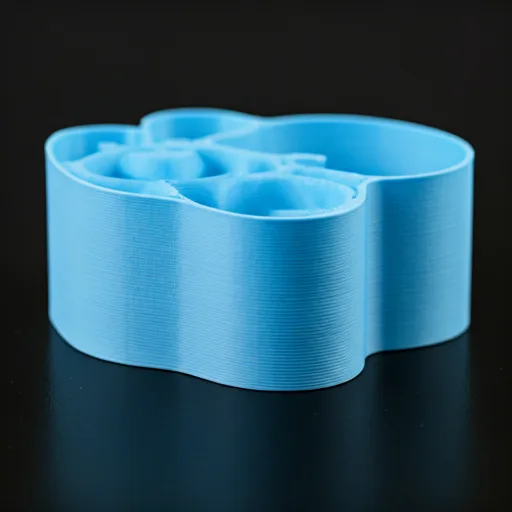
3D printer filament spools and printed cost comparison samples

04b_RESIN_COST_DELTA

Resin printing costs more at every stage. The printer itself may be similarly priced to an FDM machine, but the total ecosystem is pricier.

A wash-and-cure station is not optional — it is required for every single resin print. Budget wash-cure combos start at around one hundred dollars. Resin itself runs thirty to fifty dollars per liter compared to fifteen to twenty-five dollars per kilogram for FDM filament. And a liter of resin produces less volume than a kilogram of filament because resin is denser. IPA for the wash station costs fifteen to thirty dollars and needs regular replacement. Nitrile gloves, replacement FEP films, and air filters add another forty to eighty dollars per year.

The ELEGOO Saturn 4 Ultra resin printer is one of the more economical resin options, but even with careful use, expect year-one costs to run forty to sixty percent higher than a comparable FDM setup. See our FDM vs resin technology comparison for a complete breakdown of when resin's higher cost is justified by the detail quality it delivers.

05_BUY_VS_PRINT_MATH

The question people actually want answered: does owning a 3D printer save money compared to buying things?

For commodity objects — phone cases, cable clips, shelf brackets — the economics depend on volume. A custom phone case costs roughly fifty cents in PLA filament and thirty minutes of print time. Buying a comparable custom case online runs five to fifteen dollars. After ten cases, the printer has paid for itself in that category alone. Multiply across dozens of household objects (hook replacements, drawer organizers, plant pot trays, tool holders) and a budget printer pays for itself within the first year for an active maker.

For replacement parts, the savings are immediate and dramatic. A broken dishwasher clip costs fifty cents in filament versus twenty to thirty dollars from the manufacturer — if they even sell the part. A custom bracket for a specific shelf configuration is impossible to buy but trivial to print. The full buy-vs-print analysis breaks down the math for fifty common household objects.

Where printing does NOT save money: objects where injection molding economies of scale make mass-produced items cheaper than filament cost (basic containers, simple hardware). You can buy a pack of twenty cable clips for two dollars — printing twenty costs about the same in filament plus thirty minutes of time. Printing makes economic sense for custom, low-volume, or unavailable items — not for mass-market commodities.

For our full recommendation on whether buying a printer is worth the investment, see our cost-benefit analysis with real data.

Our Top Pick

Bambu Lab A1 Mini 3D Printer

The best value at the entry tier — auto-calibrating, multi-color ready, and the lowest total cost of ownership for a first printer.

07_QUICK_PICK_BY_BUDGET

UNDER $200

A1 Mini

Best out-of-box experience at the entry level. Compact footprint, multi-color ready with AMS Lite add-on. Read our full A1 Mini review here.

UNDER $300

K2 SE

Larger build volume than the A1 Mini with CoreXY speed. Open frame limits materials to PLA and PETG. Read our full K2 SE review here.

$300–$600

P2S

The sweet spot. Enclosed CoreXY, servo extruder, touchscreen, AI detection. Handles every material. Read our full P2S review here.

$600+

X1 Carbon

LIDAR inspection, hardened nozzle for composites, mature multi-color system. For prosumers. Read our full X1 Carbon review.

05_COMMON_QUESTIONS

QUERY_01: WHAT IS THE CHEAPEST GOOD 3D PRINTER?...

At the under-$200 tier, the A1 Mini is the cheapest printer we can recommend without caveats. It auto-calibrates, prints fast, and produces quality that rivals machines at twice the price. Below that price point, older designs work but require more tinkering and patience.

QUERY_02: HOW MUCH FILAMENT DOES A 3D PRINTER USE ...

Casual hobbyists use 0.5-1kg per month (roughly fifteen to twenty-five dollars in PLA). Active makers doing projects regularly go through 2-4kg. A print farm running production batches can burn through 10-20kg monthly. One kilogram of filament prints approximately 300-400 small objects or 10-15 larger functional parts.

QUERY_03: IS ELECTRICITY COST SIGNIFICANT FOR 3D P...

No. An FDM printer draws 100-350 watts during operation. Running a 250W printer for 8 hours costs roughly twenty to thirty cents at average US electricity rates. Even printing daily, the monthly electricity cost stays under ten dollars — negligible compared to filament costs.

QUERY_04: ARE MULTI-COLOR ADD-ONS WORTH THE EXTRA ...

For hobbyists who want colorful prints without painting, yes. The Bambu Lab AMS Lite adds multi-color capability with some filament waste from purge blocks. The Creality CFS offers a similar system at lower cost. If you primarily print functional parts in a single color, skip it and save the money for better filament.

QUERY_05: HOW MUCH DOES RESIN PRINTING COST COMPAR...

Resin printing costs more at every stage. The printer itself is comparable, but a wash-and-cure station adds extra, resin costs thirty to fifty dollars per liter (vs fifteen to twenty-five dollars per kg for filament), and consumables like IPA, gloves, and FEP films add ongoing costs. Budget roughly 40-60% more for resin versus FDM over the first year.

QUERY_06: WHAT HIDDEN COSTS DO NEW 3D PRINTER OWNE...

Failed prints are the biggest hidden cost — beginners waste 10-20% of their filament on failed or test prints during the learning curve. Other overlooked costs: replacement nozzles (wear out with abrasive filaments), build plate adhesion materials, a decent pair of flush cutters for support removal, and a filament dry box if you print PETG or Nylon.

Now That You Know the Costs

Budget set. Find the best value at every price point, or start with the entry-tier recommendation.

RELATED_CONTENT

David King
VERIFIED
WRITTEN_BY
David KingFounder

I built LayerDepth to create the detailed, unbiased 3D printer comparison resource I wished existed. With a background in aerospace manufacturing management at Rolls-Royce — overseeing the build and assembly of complete jet engine sections for Airbus and Boeing aircraft — I apply that same demand for rigorous analysis and high standards to evaluating print quality, mechanical reliability, and real-world performance.

Full methodology arrow_forward

Update — April 6, 2026

A new competitor has entered this category. See our adventurer-5m-3d-printer review for the latest comparison.

Update — April 6, 2026

A new competitor has entered this category. See our adventurer-5m-3d-printer review for the latest comparison.

Update — April 6, 2026

A new competitor has entered this category. See our adventurer-5m-3d-printer review for the latest comparison.