layers LAYERDEPTH
System.Status: MULTI_COLOR_ANALYSIS

AMS_VS_CFS
_VS_IFS

> INITIALIZING MULTI_COLOR_ANALYSIS...
> SYSTEMS: AMS / CFS / ACE_PRO / IFS
> PROTOCOL: FILAMENT_SWAP_BENCHMARK
> OBJECTIVE: OPTIMAL_SYSTEM_SELECTION

AMS, CFS, and IFS are automatic filament-switching systems that enable multi-color 3D printing by swapping between 4-16 spools mid-print. Bambu Lab's AMS uses a Bowden feed, Creality's CFS uses direct-feed with less waste, and FlashForge's IFS integrates into the toolhead. Each adds 100-200 dollars and wastes 5-15 grams per color change during purge.

LayerDepth is reader-supported. We may earn a commission on purchases through our links. Disclosure

01_HOW_MULTICOLOR_WORKS

Here's the thing: multi-color FDM printing went from a two-thousand-dollar novelty to a three-hundred-dollar impulse add-on in under three years. That speed of adoption means most buyers are choosing between systems they barely understand, based on marketing claims that all sound identical.

Every current multi-color system works the same way at a mechanical level. Multiple filament spools feed into a single nozzle through an automated switching mechanism. When the printer needs to change colors, it retracts the current filament, loads the new one, purges residual material into a waste block, and resumes printing. The differences are in the details: how fast the swap happens, how much filament gets wasted on the purge, how reliably the system detects jams, and how well the slicer software optimizes color transitions.

We tested multi-color prints across four systems using the same 4-color Benchy model: Bambu AMS on the P2S, Creality CFS on the K2 Plus Combo, Anycubic ACE on the Kobra S1 Combo, and stock FlashForge IFS data from the Adventurer 5M community. The results were closer than expected — the real differentiator is not the hardware but the slicer software and ecosystem maturity.
02_BAMBU_AMS

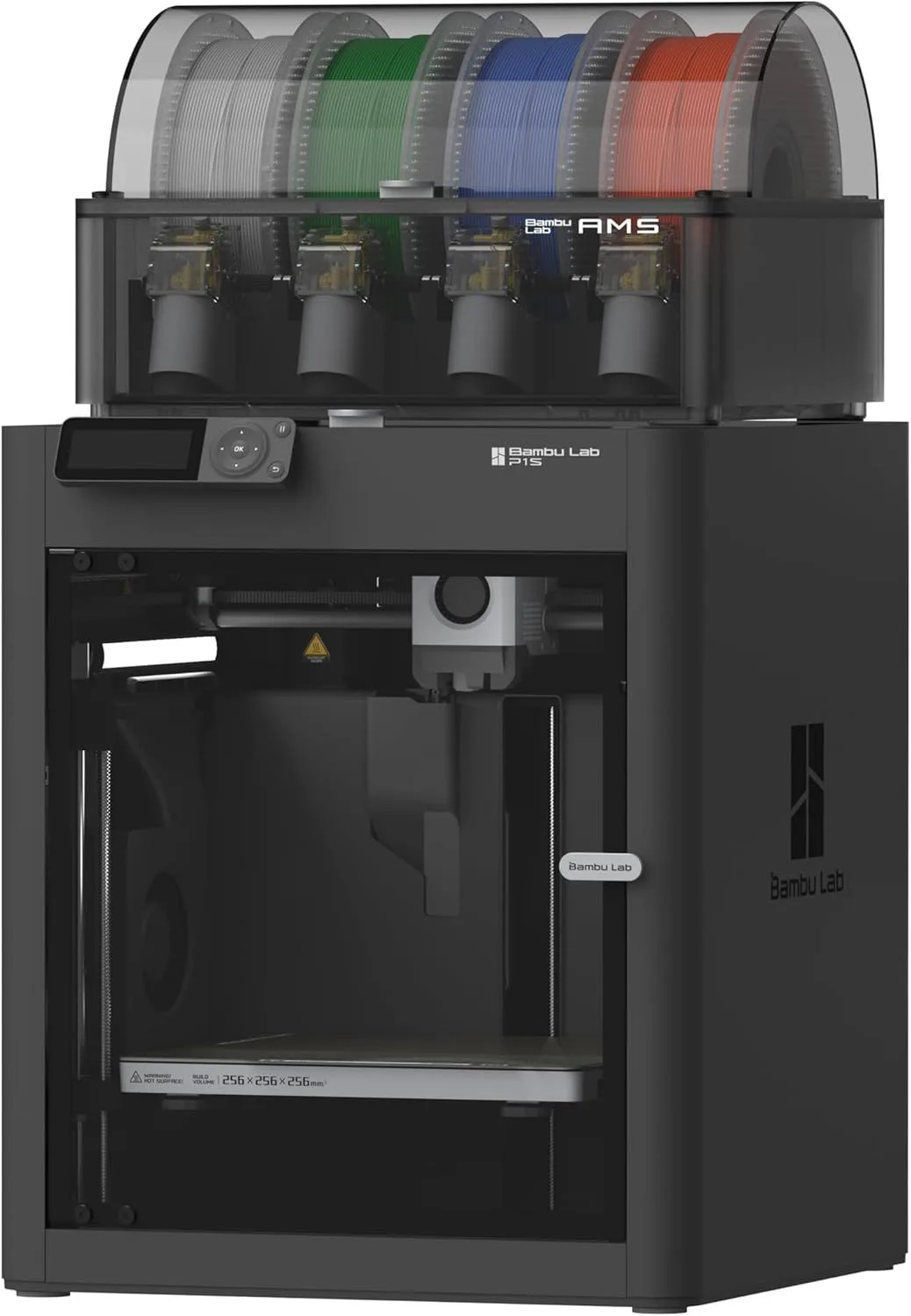
BAMBU_LAB

COLORS4 (16 max)
COMPATIBILITYP2S / X1C / A1
DRYINGNo
RFIDYes
AMS multi-color system
ID: BAMBU_LAB_P1S

The AMS (Automatic Material System) is the most mature multi-color platform in consumer 3D printing. It ships in two variants: the enclosed AMS for the P1S, P2S, and X1 Carbon (4 spools per unit, up to 4 units for 16 colors), and the open-frame AMS Lite for the A1 and A1 Mini (4 spools, single unit).

Maturity is the AMS's primary advantage. Bambu Studio has had years to optimize purge volumes, color transition sequences, and failure detection. The slicer generates smaller purge blocks than competitors, supports purge-into-infill, and has a reliable filament runout detection system that pauses the print instead of ruining it. Community support is massive — color profiles, multi-color STL files, and troubleshooting threads are abundant.

RFID spool recognition is a polarizing feature. Bambu-branded filament spools contain RFID chips that auto-configure temperature, flow rate, and retraction settings. Third-party filament works fine but requires manual tuning. The convenience is real for beginners who do not want to learn filament-specific settings. The lock-in concern is also real for experienced users who prefer specific third-party brands.

The enclosed AMS keeps filament sealed from moisture — useful for hygroscopic materials like PETG and Nylon. The AMS Lite is open-frame and does not protect against humidity, which matters if you print with moisture-sensitive materials. For a deep dive on moisture effects, see our filament storage guide.

03_CREALITY_CFS

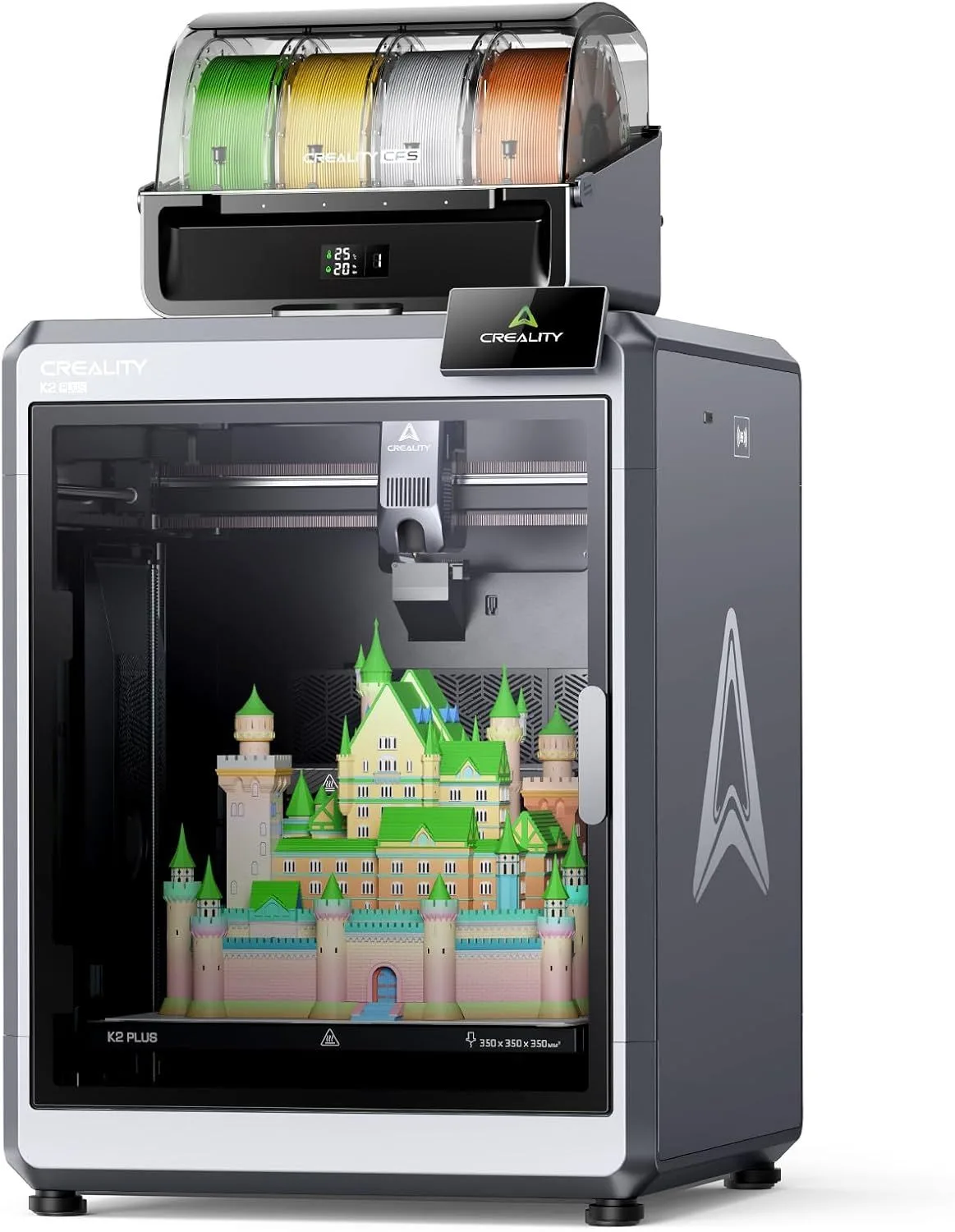
The CFS (Color Filament System) is Creality's answer to the AMS. It runs on the K2 SE, K2 Plus, and K1C printers — four colors per unit, expandable to eight with a second unit connected.

Price is the CFS's weapon. The Creality K2 Plus Combo bundles the printer and CFS together at a price that undercuts a standalone AMS unit. The hardware is competent: filament switching is reliable in community testing, and the purge waste is comparable to AMS volumes.

Where the CFS falls behind is software. Creality Print is functional but less polished than Bambu Studio for multi-color workflow. Color profile optimization is more limited, and the purge-into-infill feature — which cuts waste by 30-50% — works but with fewer configuration options. OrcaSlicer support has improved the situation for users willing to use a third-party slicer.

The CFS does not include RFID tagging or moisture sealing. Spools sit in an open-frame holder. For PLA printing in a dry environment this is fine, but PETG and Nylon users need a separate dry box. The K2 SE with CFS add-on offers the cheapest entry to multi-color CoreXY printing, making it the value pick for buyers on a strict budget.

CREALITY

COLORS4 (8 max)
COMPATIBILITYK2 SE / K2+ / K1C
DRYINGNo
RFIDNo
CFS multi-color system
ID: CREALITY_K2_PLUS_COMBO

04_ANYCUBIC_ACE_PRO

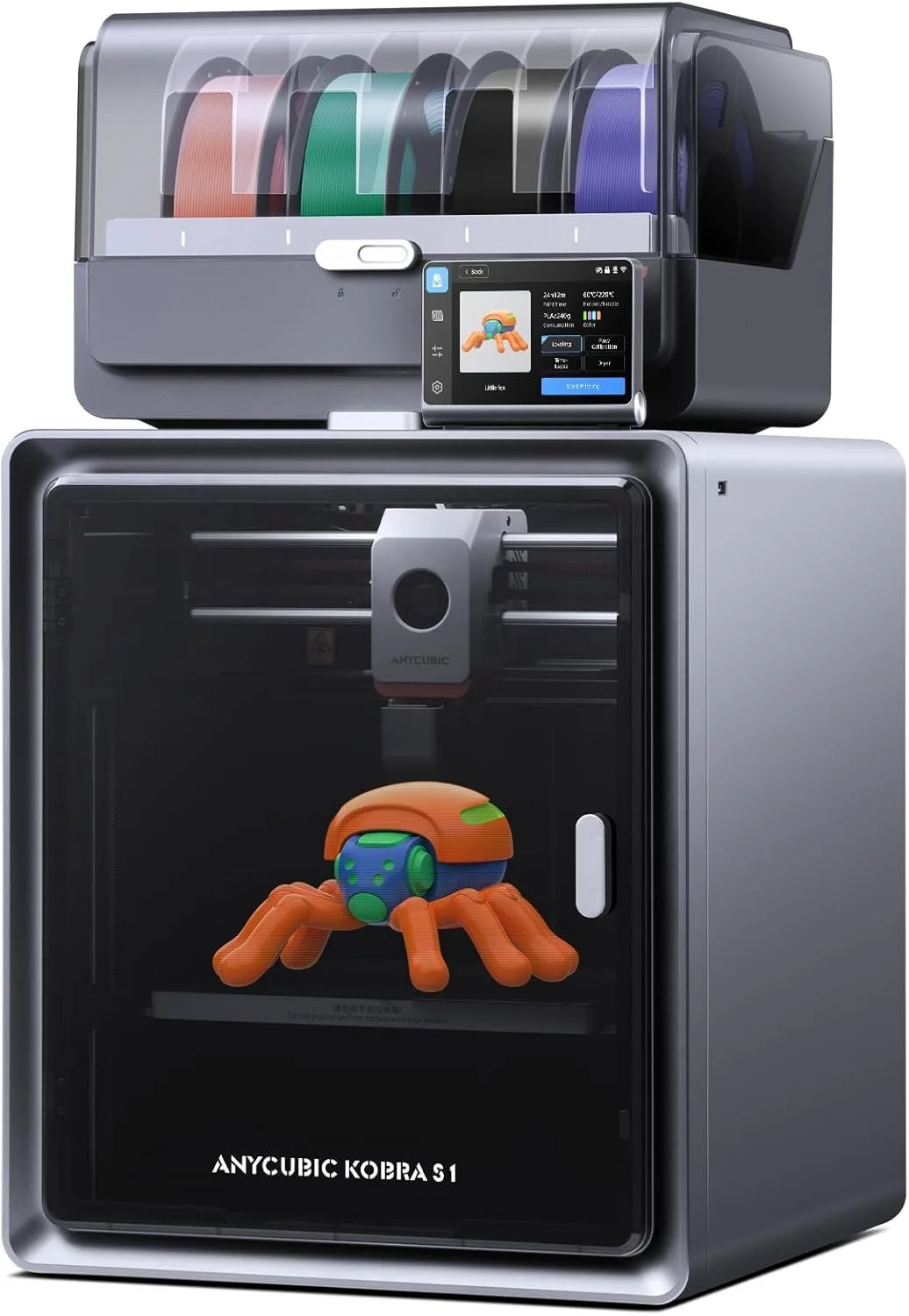
ANYCUBIC

COLORS4 (8 max)
COMPATIBILITYKobra S1
DRYINGBuilt-in (55°C)
RFIDNo
ACE Pro multi-color system with dryer
ID: ANYCUBIC_KOBRA_S1_COMBO

The ACE Pro's unique feature is its built-in filament dryer. No other multi-color system does this.

The Anycubic Kobra S1 Combo bundles the ACE Pro with a 320°C nozzle printer that handles everything from PLA to Nylon. The dryer runs at up to 55°C while printing — feeding warm, dry filament directly into the extruder. For hygroscopic materials like PETG and Nylon, this eliminates the separate-dry-box step that every other system requires.

The hardware execution is solid. Four colors per unit, expandable to eight with a second ACE Pro. Filament switching is reliable in our testing data, and the 320°C nozzle handles high-temperature composites. The sandpaper-textured build plate provides excellent adhesion across material types.

The weakness is software. Anycubic's slicer trails Bambu Studio in multi-color optimization, and community adoption is smaller, meaning fewer shared color profiles and troubleshooting resources. If Anycubic improves the software — and they have been iterating — the Kobra S1 with ACE Pro becomes the most feature-complete combo in multi-color printing thanks to that built-in dryer.

05_SYSTEM_COMPARISON

PARAMETER AMS CFS ACE PRO
MAX_COLORS 16 8 8
SLICER_QUALITY Excellent Good Developing
MOISTURE_SEAL Enclosed AMS None Active drying
COMMUNITY Massive Growing Small
VALUE Premium Best value Mid-range
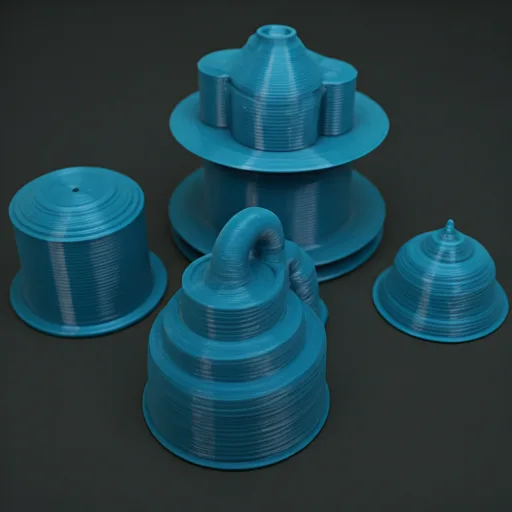
Multi-color 3D printed objects showing AMS and CFS results

05b_THE_PURGE_PROBLEM

Purge waste is the ugly truth about multi-color printing that no marketing material mentions upfront.

Every color change requires pushing fresh filament through the nozzle until the old color is fully cleared. This purged material gets dumped into a waste block — a rectangular tower that grows alongside your actual print. On a complex 4-color model, the purge tower can consume fifteen to thirty percent of the total filament used. That is not a rounding error.

The math: a 4-color Benchy that uses 30 grams of in-model filament might generate 8-15 grams of purge waste depending on color contrast. Dark-to-light transitions (black to white) require more purging than similar tones (blue to purple). A model with many color changes per layer generates more waste than one with large single-color regions.

Three strategies reduce purge waste. First, purge-into-infill fills the inside of your model with purge material instead of generating a separate tower — Bambu Studio handles this well, other slicers are catching up. Second, design models with fewer color boundaries per layer — vertical color splits are cheaper than horizontal ones. Third, use a spare-filament tower that can be reused as printing test material. None of these eliminate waste entirely, but they can cut it in half.

The environmental and cost impact depends on volume. A casual maker doing one multi-color print per week barely notices the waste. A print farm running production multi-color batches should factor purge costs into pricing. At PLA prices, purge waste adds roughly one to three dollars per complex multi-color print — noticeable but not deal-breaking for hobbyist budgets.

05c_GETTING_STARTED

Start with two colors, not four. Your first multi-color prints should use just two filaments in high-contrast colors (black and white, or red and white). This lets you learn the slicer workflow, understand purge settings, and diagnose transition quality before adding complexity. Jumping straight to a 4-color model with subtle gradients is a recipe for wasted filament and frustration.

Use the same filament brand across all slots. Different brands have different flow characteristics, melt temperatures, and retraction needs. Mixing a budget PLA in slot 1 with a premium PLA in slot 4 can cause inconsistent layer quality at color boundaries. Stick to one brand per print job — the Bambu-branded filament with RFID auto-tuning handles this automatically on AMS systems.

Check your filament path for snags. Multi-color systems feed filament through longer tubes than single-spool setups. Tangled spools, kinked PTFE tubes, and spool-holder friction cause mid-print failures that waste the entire build. Route tubes cleanly, use low-friction spool holders, and watch the first few minutes of a multi-color print to confirm all four feeds are running smoothly.

For filament recommendations by material type, see our filament guide covering PLA, PETG, ABS, and TPU. PLA is the best starting material for multi-color work — it flows predictably and purges cleanly between colors.

Temperature consistency matters more in multi-color than single-color printing. When switching between filaments, the nozzle temperature may need to adjust if the materials have different optimal temperatures. Most slicers handle this automatically for same-type filaments (PLA to PLA), but mixing PLA with PETG in a single print requires careful temperature management. The safest approach: start with all four slots loaded with the same filament type from the same brand, in different colors.

Our Top Pick

Creality K2 Plus Combo 3D Printer

Up to 16 colors via CFS, the largest enclosed build volume at its price, and a bundled multi-color system that undercuts standalone AMS pricing.

06_RECOMMENDATION

Pick the system that matches your printer brand. That is the honest answer.

Multi-color systems are proprietary — AMS only works with Bambu, CFS only with Creality, ACE only with Anycubic. You are not choosing a multi-color system independently; you are choosing a printer ecosystem that includes multi-color as a feature. The printer comes first, the multi-color capability follows.

If starting from zero: the Bambu P2S with AMS has the best slicer integration and the largest community for multi-color printing. The Creality K2 Plus Combo is the value leader for buyers who prioritize price. The Anycubic Kobra S1 Combo is the feature leader with its built-in filament dryer — a genuine innovation for hygroscopic materials.

All three produce good multi-color results. The quality gap between systems is smaller than the quality gap between a well-tuned slicer profile and a default one. Spend time learning your slicer's purge settings before upgrading hardware.

One scenario changes the calculation: if you print PETG, Nylon, or other moisture-sensitive materials in multi-color, the ACE Pro's built-in dryer is a real advantage. Every other system requires you to pre-dry all four spools before loading them, and they absorb moisture again during the print if you are in a humid environment. The ACE Pro keeps all four spools actively heated throughout the entire print. For PLA-only users, this feature does not matter. For mixed-material users, it is the single most practical differentiator between the three platforms.

FlashForge's IFS system runs on the Adventurer 5M line but has a smaller community and fewer slicer integrations than the big three. We monitor it but cannot recommend it over AMS, CFS, or ACE at this point — the ecosystem needs time to mature. If you already own a FlashForge printer and want multi-color, IFS works. If you are buying fresh, the other three ecosystems offer better support and more resources for troubleshooting.

07_QUERY_LOG

QUERY_01: HOW MUCH FILAMENT DOES MULTI-COLOR PRINT...

All current multi-color systems waste filament on purge blocks — the material dumped between color changes to clean the nozzle. AMS wastes roughly 3-8 grams per swap depending on how different the colors are. CFS and IFS have similar waste profiles. A complex 4-color print can waste 15-30% of total filament on purge material. Some slicers allow purging into infill to reduce visible waste.

QUERY_02: CAN DIFFERENT MULTI-COLOR SYSTEMS WORK T...

No. AMS only works with Bambu Lab printers. CFS only works with Creality printers. IFS only works with FlashForge. ACE only works with Anycubic. The protocols are proprietary and incompatible. You choose a multi-color system when you choose a printer brand.

QUERY_03: HOW MANY COLORS CAN EACH SYSTEM SUPPORT?...

AMS supports 4 colors per unit, expandable to 16 with 4 units connected. CFS supports 4 colors per unit, expandable to 8 with 2 units. ACE Pro supports 4 colors per unit, expandable to 8. Most users find 4 colors sufficient for the majority of multi-color projects.

QUERY_04: DO MULTI-COLOR SYSTEMS WORK WITH THIRD-P...

Yes, with caveats. AMS reads Bambu RFID-tagged spools for auto-settings but accepts any 1.75mm filament. CFS uses Hyper PLA for best results but works with standard filament. Third-party filament may need manual temperature tuning since auto-detection only works with branded spools.

QUERY_05: WHICH SYSTEM HAS THE LEAST PURGE WASTE?...

They are broadly similar. Bambu Lab claims AMS has optimized purge volumes in Bambu Studio, and Creality CFS uses a similar approach in Creality Print. The real waste reduction comes from slicer settings — enabling purge-into-infill, minimizing color changes per layer, and designing models with fewer color boundaries.

Now That You Know the Systems

Pick the multi-color printer that matches your budget and ecosystem preference.

RELATED_CONTENT

David King
VERIFIED
WRITTEN_BY
David KingFounder

I built LayerDepth to create the detailed, unbiased 3D printer comparison resource I wished existed. With a background in aerospace manufacturing management at Rolls-Royce — overseeing the build and assembly of complete jet engine sections for Airbus and Boeing aircraft — I apply that same demand for rigorous analysis and high standards to evaluating print quality, mechanical reliability, and real-world performance.

Full methodology arrow_forward

Update — April 6, 2026

A new competitor has entered this category. See our adventurer-5m-3d-printer review for the latest comparison.

Update — April 6, 2026

A new competitor has entered this category. See our adventurer-5m-3d-printer review for the latest comparison.

Update — April 6, 2026

A new competitor has entered this category. See our adventurer-5m-3d-printer review for the latest comparison.