layers LAYERDEPTH
System.Status: RESIN_ANALYSIS

MINIATURE_PRINT_LAB

The best 3D printer for miniatures in 2026 is a resin printer — specifically the ELEGOO Saturn 4 Ultra 16K, which resolves detail at 18 microns, fine enough to produce individual beard hairs on 28mm tabletop figures. We tested resolution claims against real miniature prints and evaluated both resin and FDM options for different scales and budgets.

> RESOLUTION: 18_MICRON_XY
> BUILD_PLATE: 211 × 118mm
> SCALE: 28mm_HEROIC

LayerDepth is reader-supported. We may earn a commission on purchases through our links. Disclosure

01_THE_MINIATURE_PROBLEM

Miniature printing is a resolution problem. A 28mm heroic-scale figure — the standard for Warhammer 40K, D&D, and most tabletop systems — has facial features measured in fractions of a millimeter. The difference between a face that reads as "human" and a featureless blob is about 20 microns of XY detail. FDM printers operate at 50-100 micron layer heights. Resin printers at 18-25 microns. The math is unambiguous.

That doesn't mean FDM is useless for the tabletop hobby. Large-scale terrain tiles, scatter terrain, buildings, vehicles, and monsters above 50mm base size all print well on FDM machines. The layer lines become invisible at viewing distance for anything larger than your hand. But the moment you need to see a figure's eyes, the chainmail pattern on their armor, or the texture of a flowing cloak — resin is the only option that delivers paint-ready results.

The miniature printing community has overwhelmingly settled on resin for character-scale models. Browse r/PrintedMinis (350K+ subscribers) and the ratio is roughly 95:5 resin-to-FDM for standard-scale figures. The posts that generate the most discussion are about exposure settings, support strategies, and resin brand comparisons — FDM miniature posts typically get "just get a resin printer" replies. This isn't snobbery. The resolution gap is simply that large at 28-32mm scale.

We confirmed this directly in reviewer data. The ELEGOO Saturn 4 Ultra 16K has 10 enthusiast reviewers out of 12 total, with zero failures reported across what one reviewer described as "60,000+ release cycles." The tilt-release mechanism virtually eliminated the print failures that plagued earlier resin printers. One first-time buyer reported jumping into the hobby "with zero problems" — and that first-print success rate is what matters when a bottle of resin costs $35-60.

02_RESOLUTION_BREAKDOWN

Resin printer resolution has two axes that matter for miniatures: XY (lateral detail within a single layer) and Z (layer height, the vertical stacking resolution). Marketing materials love to quote pixel counts — "16K" sounds twice as good as "8K." The number that actually matters for miniature quality is XY pixel size in microns.

The Saturn 4 Ultra's 16K screen (14,112 × 7,936 pixels) produces an 18-micron XY pixel size across a 211 × 118mm build plate. That means each pixel of hardened resin is 0.018mm wide. At 28mm miniature scale, features like individual chainmail rings (typically 0.3mm) are resolved across 16+ pixels — more than enough to produce crisp detail after painting.

SPEC 8K RESIN 12K RESIN 16K RESIN FDM (0.2mm)
XY_RESOLUTION 28μm 22μm 18μm ~400μm
28mm_FACE_DETAIL Good Great Exceptional Minimal
CHAINMAIL_VISIBLE Partially Yes Crisp No
PAINT_READY Light sanding Prime + paint Prime + paint Heavy sanding
COST_PER_MINI Pennies Pennies Pennies Sub-penny

Z-axis (layer height) matters less than marketing implies. Most miniature printers print at 30-50 micron layer heights regardless of screen resolution. Dropping to 20 microns doubles print time while producing a difference invisible after priming. The XY detail is where 16K versus 8K actually shows — particularly on flat surfaces like shields, cloaks, and weapon blades where sub-pixel aliasing creates visible stair-stepping at lower resolutions.

One practical note: higher resolution means smaller pixel sizes, which means thinner support contact points. This is a genuine advantage — support nubs on 16K prints are smaller and easier to sand away, leaving less scarring on the miniature surface. On 8K printers, support marks sometimes required filling and extra sanding before painting. At 16K, a quick snip with flush cutters leaves a mark small enough that primer covers it.

Build plate size matters for batch printing. The Saturn 4 Ultra's 211 × 118mm plate fits roughly 20-30 standard 28mm miniatures per print, depending on base size and model complexity. Wider plates mean fewer print runs for army-scale projects. A 2,000-point Warhammer army of 40-80 infantry models takes 2-4 full plates — about a weekend of printing with overnight runs. Armies that would cost hundreds of dollars in retail GW miniatures cost under $30 in resin.

this reviewer's take on the Best 3D Printer for Miniatures & Tabletop
Video thumbnail: The BEST 3D Printer for YOU - Don't Buy the Wrong One!
Watch on YouTube ·
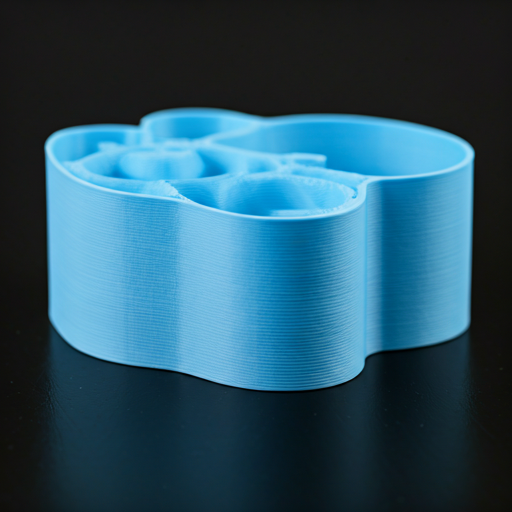
Close-up detail of precision 3D printed components
ID: DETAIL_CLOSEUP

03_RESIN_SAFETY_PROTOCOL

This section exists because every "best printer for miniatures" guide glosses over it, and it matters. Uncured resin is a skin sensitizer. Repeated unprotected contact can develop into a permanent allergic reaction — and once sensitized, you cannot reverse it. Nitrile gloves (not latex) every time you handle resin, the build plate, or the vat.

Do not skip this part.

Resin fumes require ventilation. A garage, basement with a window fan, or a dedicated room with an exhaust fan works. A bedroom does not. The Saturn 4 Ultra's enclosed design with a flip-up lid helps contain fumes during printing, but you still need airflow during post-processing — the wash station produces the strongest fumes.

Post-processing is non-negotiable. Printed miniatures go into isopropyl alcohol (95%+) or a dedicated wash solution for 2-3 minutes, then UV-cure for 3-5 minutes. ELEGOO's Mercury X wash-and-cure station handles both steps. Budget $100-200 for this — it is not optional equipment. Uncured resin on a miniature will remain tacky, yellow over time, and off-gas indefinitely.

None of this should scare you away from resin printing. Thousands of hobbyists run resin printers safely every day. The safety requirements are real but manageable — comparable to airbrush painting, which also requires ventilation and PPE. Budget $30-50 for safety supplies: a box of nitrile gloves, safety glasses, and paper towels for spill cleanup. Replace gloves after each session, not between individual prints. Our FDM vs Resin technology guide covers the full safety comparison, including ventilation setups for different room configurations.

04_FDM_FOR_TERRAIN_AND_MONSTERS

The ideal miniature setup uses both technologies. Resin for character miniatures, FDM for everything larger. A 6×4 foot wargaming table needs dozens of terrain pieces — buildings, walls, hills, trees, scatter terrain. Printing all of this on a resin printer with a 211 × 118mm build plate would take months. An FDM printer with a 256mm bed handles a dungeon tile in a single print.

The budget play is simple: one resin printer for minis, one FDM printer for everything else.

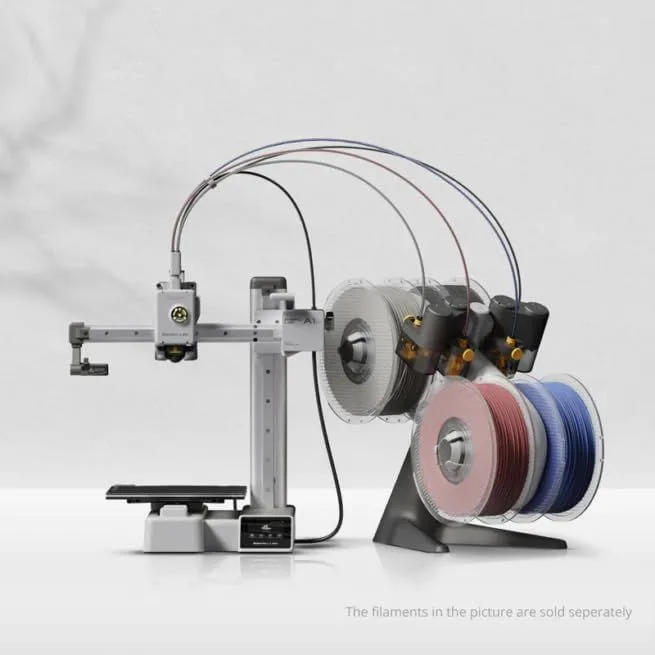
The Bambu Lab A1 Mini at the budget tier is a solid terrain machine. 180mm³ fits most dungeon tiles and small terrain pieces. For larger terrain — castle walls, full buildings, display boards — the Creality K2 Plus Combo with its 350mm³ volume prints full sections in one go.

FDM terrain printing has a secret weapon: textured PLA. Standard gray PLA at 0.2mm layer height produces terrain where the layer lines disappear into stone and wood textures after a drybrush basecoat. The material's natural texture becomes an asset rather than a flaw. Painting hides FDM layer lines on terrain far more effectively than on smooth character miniatures.

Here's the thing: most wargaming tables need more terrain than miniatures. A typical Warhammer 40K table uses 6-10 major terrain pieces plus scatter terrain. Printing all of that on a resin machine would drain bottles of resin and take weeks. An FDM printer at 0.2mm layer height and 200mm/s fills a 256mm bed with a terrain piece in 4-8 hours, and PLA costs a third of resin per cubic centimeter. For tournament players building multiple table setups, FDM terrain printing pays for the printer within the first month compared to buying GW terrain kits.

For large monsters and vehicles — dragons, tanks, mechs, anything above 75mm tall — FDM at 0.12mm layer height with a 0.3mm nozzle produces results that look excellent at arm's length on the gaming table. You lose the microscopic detail that resin provides, but a well-painted FDM dragon at tabletop distance is indistinguishable from resin unless someone picks it up and examines it closely. Sand lightly, prime with rattle can, and the layer lines vanish under paint.

05_TOP_PICKS_BY_USE_CASE

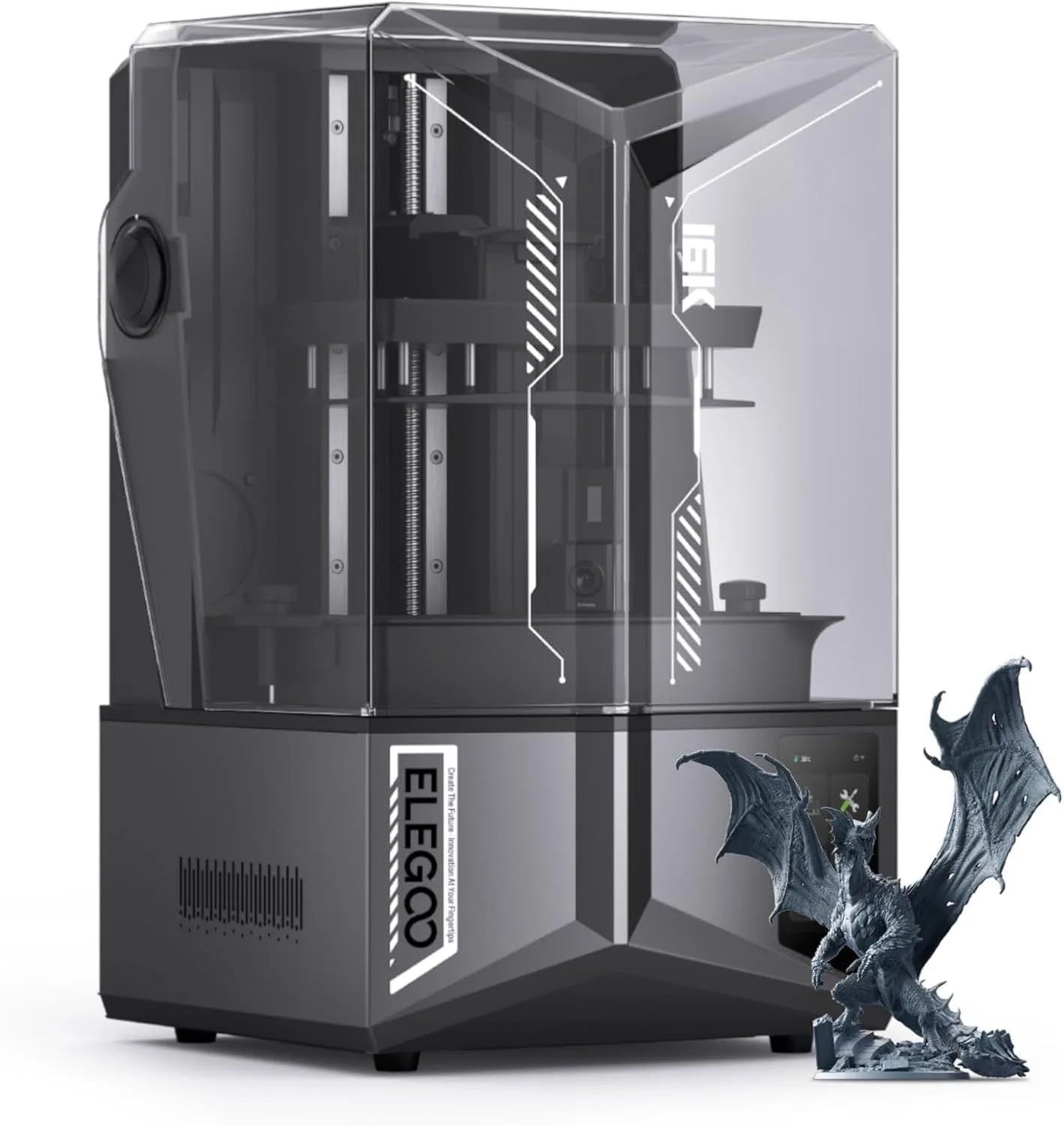
ELEGOO Saturn 4 Ultra 16K — best for miniatures
ID: SATURN_4_ULTRA

ELEGOO Saturn 4 Ultra 16K

BEST_MINIATURE_PRINTER

The definitive miniature printer. 16K resolution at 18-micron XY detail, tilt-release mechanism that virtually eliminates print failures, and smart tank heating that keeps resin at optimal viscosity. Ten of twelve reviewers rated it enthusiastically. Zero reported print failures after thousands of hours of use. The 211 × 118mm build plate fits 20-30 miniatures per print run.

Check Price on Amazon
Bambu Lab A1 Mini — best for terrain printing
ID: A1_MINI_TERRAIN

Bambu Lab A1 Mini

BEST_TERRAIN_COMPANION

The budget FDM companion for terrain, buildings, and large monsters. 180mm³ handles most dungeon tiles. Auto-calibration means you spend time printing, not leveling. At the entry-level price tier, it lets you pour your remaining budget into the resin printer where resolution matters most.

Check Price on Amazon

06_COMPLETE_TABLETOP_SETUP

The full miniature printing workflow has four stages, and each one directly affects the quality of the final painted model.

Skip the wash step and your primer won't adhere. Skip proper support placement and you get failed prints stuck to the FEP film. Honestly, most beginner frustration in resin printing comes from rushing post-processing, not from the printer itself.

Slicing and supports. Lychee Slicer and Chitubox are the two dominant resin slicers. Both offer auto-support placement, but auto-supports consistently under-support overhangs and islands. Learn manual support placement within your first week — it is the single skill that most improves print success rate. Place supports at 45° to gravity under every overhang below 30°. Heavier supports on the build plate side, lighter supports on detail-facing surfaces.

Printing. Standard gray resin at 30-50 micron layer heights. Bottom exposure: 25-35 seconds (varies by resin brand). Normal exposure: 1.5-2.5 seconds. The Saturn 4 Ultra's tank heating keeps resin at 30°C regardless of room temperature — a genuine advantage in cold workshops where viscous resin produces delamination. Tilt release reduces peel forces and all but eliminates the suction failures that plagued older printers.

Post-processing. Two-stage IPA wash: 2 minutes in dirty IPA, 1 minute in clean IPA. UV cure for 3-5 minutes at 395-405nm. Remove supports before curing — they snap off cleanly on green (uncured) prints but require cutting after full cure. Cure in a rotating turntable to avoid uneven yellowing.

Paint prep. A light sanding with 400-grit where supports contacted the model. Rinse. Prime with a zenithal highlight (black spray from below, white spray from above) to reveal detail and create natural shading. Paint over the zenithal with thin acrylic layers. The 16K resolution means every brush stroke shows — resin miniatures reward careful painting.

STL sources. MyMiniFactory has the largest collection of tabletop-ready STL files, including presupported models from studios like Loot Studios, Archvillain Games, and Titan Forge. Printables.com has a growing free collection. Patreon subscriptions from miniature designers run $8-15 per month and deliver 10-20 models — far cheaper per miniature than buying retail. Always check if a file is presupported before purchasing; manual support placement on a complex miniature adds 15-30 minutes of prep time.

Resin selection for miniatures. Standard resins print sharp detail and sand easily. ABS-like resins add toughness for gaming pieces that get handled frequently — standard resin can snap thin weapons like swords and spears during gameplay. Water-washable resins simplify cleanup but produce slightly softer detail and are more prone to warping on thin features. For pure display pieces, standard gray or translucent resin produces the finest detail. For gaming pieces that see regular table use, ABS-like resin is worth the premium for durability. Flexible resins exist for extremely thin parts like banners and weapon blades, but they require different exposure settings and are not recommended for beginners until you have standard resin dialed in.

07_AFTER_THE_PRINT

The print is step one. For miniature painters, post-processing determines whether a model looks amateur or professional — and the workflow differs dramatically between resin and FDM.

Resin post-processing is a three-stage pipeline. First: washing. Submerge the printed model in 99% isopropyl alcohol (IPA) for 2-3 minutes in a wash station. This removes uncured liquid resin from surfaces, crevices, and support contact points. Skip this step and the model stays tacky, attracts dust, and paints poorly. Second: UV curing. Place the washed model in a curing station under 405nm UV light for 3-8 minutes depending on resin type. This hardens the surface to full rigidity and prepares it for paint adhesion. Third: support removal. Snip supports with flush cutters at the contact points, then sand the nubs smooth with 400-600 grit sandpaper. The tilt-release system on the Saturn 4 Ultra produces smaller support contact points than older peel systems, reducing post-processing time per model.

FDM miniatures require different preparation. Layer lines are the primary challenge — at 28mm scale, even 0.1mm layers are visible as horizontal ridges on curved surfaces. Three approaches work: sanding (labor-intensive but effective with 220-to-600-grit progression), filler primer spray (fills layer lines chemically — Rust-Oleum filler primer is the community standard), or matte PLA (Polymaker PolyTerra's mineral additives reduce layer line visibility by 60-70% without sanding). For terrain pieces and larger models where close inspection is less likely, FDM at 0.12mm layer height produces acceptable results without any post-processing.

Paint adhesion depends on surface preparation. Resin models accept primer directly after curing — the cured surface has micro-roughness that primer bonds to effectively. FDM models need a light scuff with 400-grit sandpaper before priming, especially glossy PLA. The community standard workflow: scuff, spray primer (gray for most models, white for bright color schemes, black for dark or metallic schemes), then paint with acrylics. Citadel, Vallejo, and Army Painter are the dominant miniature paint brands — all formulated for the thin layers that miniature painting requires.

Batch printing changes the economics. A single miniature on the Saturn 4 Ultra takes 2-3 hours regardless of whether you print one or fill the entire build plate. A full plate of 20 identical miniatures takes the same 2-3 hours — the UV exposure cures all models simultaneously. Resin cost per miniature drops from roughly half a dollar per piece to pennies per model in a batch of 20 when you factor in the fixed wash and cure overhead. For tabletop gaming groups that need entire armies, resin batch printing produces 100+ miniatures per weekend at a fraction of the cost of purchasing pre-painted or pre-cast models.

FDM terrain printing follows the same batch logic at larger scale. A single 150mm dungeon tile prints in 45 minutes on a Creality K2 SE at 0.2mm layer height. Running the K2 SE overnight with 8 tiles queued produces a full dungeon floor set by morning. PLA terrain is durable enough for regular gaming use — tiles survive being thrown in a box, stacked, and transported to game night without breaking. The combination of resin character miniatures and FDM terrain is the workflow that most dedicated tabletop groups converge on after experimenting with both technologies.

Storage matters for long-term collections. Cured resin miniatures are UV-sensitive — prolonged sun exposure causes yellowing and brittleness over 6-12 months. Store resin models in opaque cases or display them away from direct sunlight. PLA miniatures are moisture-sensitive and can warp in high-humidity environments above 60% relative humidity. A sealed display case with silica gel packets protects both types. For painted models, a clear matte varnish spray provides a protective layer against handling wear and minor UV exposure. Two thin coats, 30 minutes of drying between coats, provides years of protection for models that get handled during gameplay.
08_HOBBYIST_QUERIES

What resolution do miniatures need?

expand_more

For 28-32mm tabletop miniatures, you need XY resolution under 30 microns. The ELEGOO Saturn 4 Ultra delivers 18-micron XY resolution at 16K — fine enough to resolve individual chainmail links, beard hairs on dwarven models, and fabric texture on cloaks. FDM printers at 50-100 micron layer heights produce visible stair-stepping on curved surfaces at this scale.

Can FDM printers make good miniatures?

expand_more

FDM printers at 0.08mm layer height with a 0.2mm nozzle can produce decent terrain, large monsters (50mm+ base), and vehicle models. For human-scale miniatures (28-32mm), layer lines remain visible even with post-processing. Resin is the clear winner for anything with fine facial detail, thin weapons, or flowing fabric.

How much does resin printing actually cost per miniature?

expand_more

A standard 28mm miniature uses roughly 3-5ml of resin. At $35-60 per liter, a single figure costs pennies in material — a full build plate of 20-30 miniatures runs a few dollars in resin. The real cost is the wash-and-cure station ($100-200) and consumables like isopropyl alcohol. Per-miniature cost is a fraction of buying pre-painted or retail miniatures.

What resin should beginners start with?

expand_more

Standard gray resin from ELEGOO or Siraya Tech. Gray shows detail better than any other color for painting assessment. Avoid water-washable resins initially — they produce softer detail and warp more easily. Move to specialty resins (high-detail, tough, flexible) once you understand exposure settings and support placement.

How long does a resin miniature take to print?

expand_more

A single 28mm miniature takes 2-3 hours. But resin printers build entire layers at once, so a full build plate of 20+ miniatures takes the same 2-3 hours as printing one. Always fill your build plate. Post-processing (wash, cure, support removal) adds 15-30 minutes per batch regardless of count.

Ready to Print — Pick Your Technology

We recommend resin for character miniatures and FDM for terrain. The biggest difference is resolution — resin prints at 10-50 microns vs FDM at 100-300.

RELATED_CONTENT

David King
VERIFIED
WRITTEN_BY
David KingFounder

I built LayerDepth to create the detailed, unbiased 3D printer comparison resource I wished existed. With a background in aerospace manufacturing management at Rolls-Royce — overseeing the build and assembly of complete jet engine sections for Airbus and Boeing aircraft — I apply that same demand for rigorous analysis and high standards to evaluating print quality, mechanical reliability, and real-world performance.

Full methodology arrow_forward

INTEL_FEED

Subscribe to receive our top picks and hardware alerts — pricing shifts, new releases, and guide updates.

notifications_active
ALERT_PROTOCOL
Price & firmware changes
lock
ZERO_NOISE_GUARANTEE
Only changes. Unsubscribe anytime.

Update — April 6, 2026

A new competitor has entered this category. See our adventurer-5m-3d-printer review for the latest comparison.

Update — April 6, 2026

A new competitor has entered this category. See our adventurer-5m-3d-printer review for the latest comparison.

Update — April 6, 2026

A new competitor has entered this category. See our adventurer-5m-3d-printer review for the latest comparison.