DIFFERENT TECHNOLOGIES, DIFFERENT ANSWERS
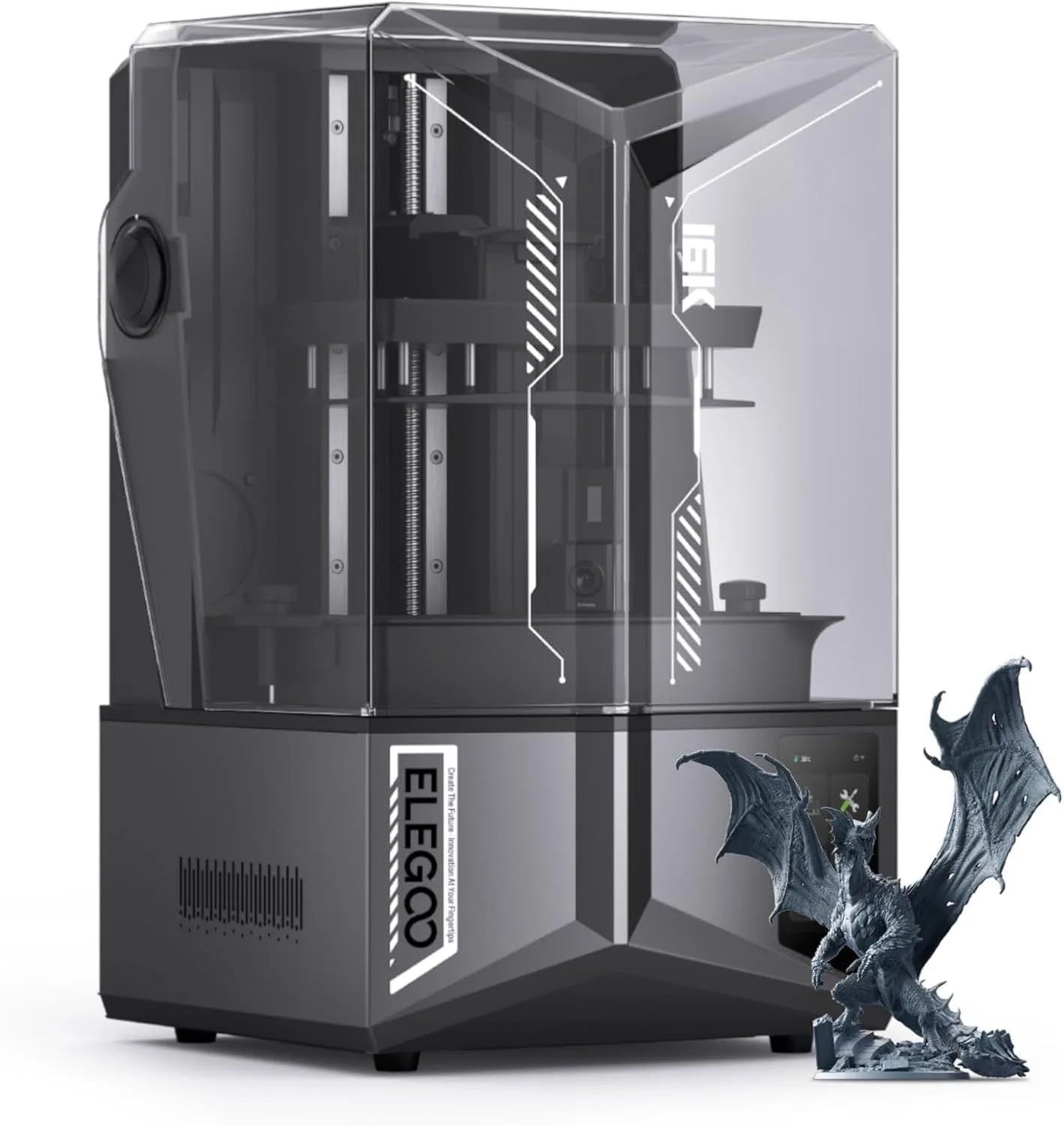
ELEGOO Saturn 4 Ultra 16K
The Saturn 4 Ultra prints at a resolution that FDM technology cannot physically approach. Individual beard hairs on 28mm miniatures. Jewelry molds with sub-50-micron surface finish. Dental models with dimensional accuracy that meets clinical requirements. The tilt release system virtually eliminates print failures — zero failures reported across 60,000+ release cycles in community testing. For miniature painters, jewelers, and anyone who needs microscopic detail, no FDM machine at any price competes with what the Saturn 4 Ultra delivers at the $400–$600 tier. We recommend the Saturn 4 Ultra for miniature painters and jewelers — the biggest difference between these two machines is resolution, and it's not close.
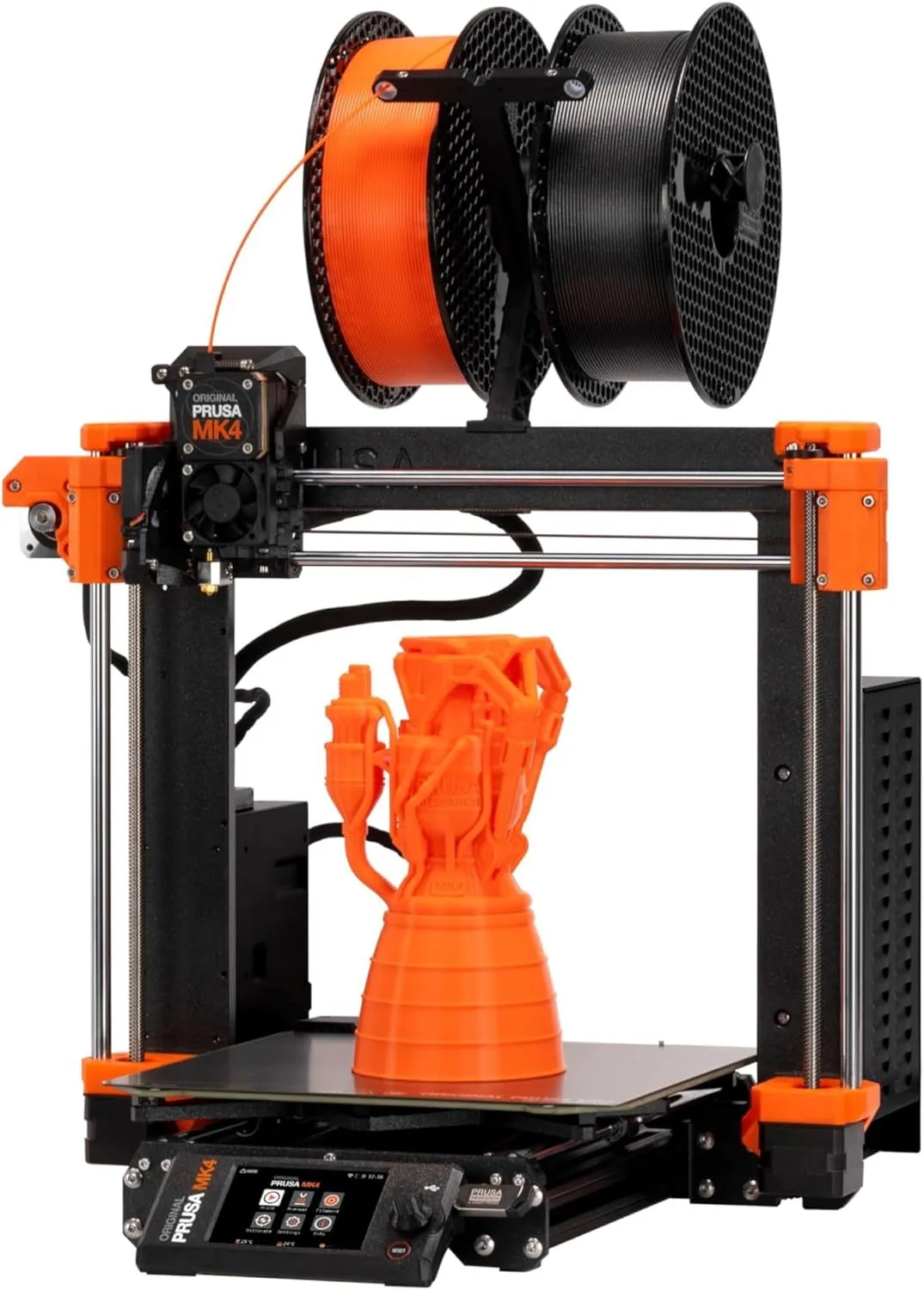
Prusa MK4S
The MK4S handles the full range of 3D printing applications that the Saturn 4 Ultra cannot touch. Functional mechanical parts. Large enclosures and housings. Multi-material printing with different shore hardnesses. Objects larger than 211mm in X or Y. All without toxic chemicals, mandatory washing steps, or UV curing stations. The cost per print is a fraction of resin. The material range (PLA, PETG, TPU, and ABS with an enclosure) covers 95% of hobby and light-professional use cases. For general-purpose 3D printing, the MK4S is the more practical machine by a wide margin.
00_ SPEC_COMPARISON
[ CROSS-TECHNOLOGY READOUT ]
| PARAMETER | SATURN_4_ULTRA | MK4S |
|---|---|---|
| TECHNOLOGY | MSLA Resin | FDM, Cartesian |
| RESOLUTION | 16K (14112 × 7936)check_circle | ~0.1mm layer height |
| BUILD_VOLUME | 211 × 118 × 220mm | 250 × 210 × 220mmcheck_circle |
| SPEED | 150mm/h (Z-axis) | 250mm/s (XY travel)check_circle |
| MATERIALS | UV Resin only | PLA, PETG, TPU, ABS*check_circle |
| POST-PROCESS | Wash + Cure required | None for PLAcheck_circle |
| SAFETY | Fumes + skin irritant | PLA is food-safecheck_circle |
| COST/PRINT | Higher (resin + IPA) | Lower (filament only)check_circle |
* ABS requires aftermarket enclosure on MK4S. This is a cross-technology comparison — direct spec comparisons are not always meaningful between resin and FDM.
01_
RESOLUTION VS SIZE
This is the core tension in choosing between these two machines. You cannot optimize for both microscopic resolution and large build volume at the same time.
The Saturn 4 Ultra's 16K resolution means each pixel on the LCD screen measures approximately 18 × 18 microns. For context, a human hair is 70 microns wide. The Saturn 4 Ultra can resolve details smaller than a quarter of a hair width. A 28mm tabletop miniature printed on this machine has visible chainmail links, individual scales on dragon wings, and facial expressions that hold up under a magnifying glass. No FDM printer, regardless of nozzle size or layer height, can approach this level of detail — the physics of pushing melted plastic through a 0.4mm nozzle set a hard floor on minimum feature size.
The MK4S prints at ~0.1mm layer height at its finest setting. Good for functional parts, display models at larger scales (100mm+), and household objects where surface texture is less critical. At 28mm scale, FDM prints show visible layer lines that require extensive sanding to smooth. FDM compensates with raw size — the MK4S builds at 250 × 210 × 220mm, while the Saturn 4 Ultra maxes out at 211 × 118 × 220mm. The Saturn's narrow X-Y build area means printing a 200mm-wide cosplay mask in one piece is impossible. The MK4S handles it without splitting the model.
The Saturn 4 Ultra also includes smart tank heating that maintains resin at 30°C — critical for consistent curing during cold-weather printing. Standard resin becomes viscous below 20°C, causing layer adhesion failures and dimensional drift. The MK4S handles cold environments better (PLA prints fine down to 15°C ambient) but PETG and TPU benefit from a heated room. Neither machine requires climate-controlled workspace for its primary use cases, but the Saturn 4 Ultra's tank heater provides a margin of reliability that resin printers without heating cannot match during winter months.
The decision is binary once you identify your primary use case. Miniature painting, jewelry, dental, and small precision parts: buy the Saturn 4 Ultra. Functional prototyping, cosplay, household items, and anything larger than 200mm: buy the MK4S. If you do both — and many makers do — you eventually own one of each. The Saturn 4 Ultra review covers resolution benchmarks in depth, and the MK4S review covers dimensional accuracy testing for functional parts.
5.48L
TOTAL VOLUME
11.55L
TOTAL VOLUME
02_
SAFETY & DAILY WORKFLOW
FDM printing with PLA is essentially safe for normal home environments without any special safety precautions or equipment. PLA is non-toxic, does not produce harmful fumes at standard printing temperatures, and requires no special handling. You press print, walk away, and remove the finished object from the bed when it is done. No washing. No curing. No chemical storage. A teenager can operate the MK4S unsupervised after a brief orientation. The biggest safety concern with FDM is the hot nozzle (300°C) and heated bed (60-110°C) — standard burn-avoidance awareness, the same as using a stove.
Resin printing is fundamentally different in safety requirements. Uncured liquid resin is a skin irritant and sensitizer — repeated bare-skin exposure can cause permanent allergic reactions. Nitrile gloves are mandatory for every interaction with the resin vat, build plate, and freshly printed objects. The printing process produces fumes that require ventilation — either a well-ventilated room with open windows or a dedicated exhaust system. ELEGOO's enclosed design with a carbon filter reduces ambient fume levels, but does not eliminate the need for ventilation during post-processing.
The post-processing workflow for resin adds two mandatory steps that FDM does not have. First: washing. Every resin print must be soaked in isopropyl alcohol (or a water-washable resin alternative) for 2-5 minutes to remove uncured resin from surfaces and internal geometry. Second: UV curing. The washed print is placed in a UV curing station (roughly an additional purchase) for 3-10 minutes to fully harden the resin. These steps add 10-20 minutes to every print session and require dedicated workspace for the wash station and curing unit.
The MK4S workflow: start print → wait → remove from bed → done. The Saturn 4 Ultra workflow: start print → wait → remove from build plate (wearing gloves) → wash in IPA → air dry → UV cure → done. The Saturn 4 Ultra produces superior detail, but the operational overhead per print is substantially higher. For users who print daily, the resin workflow becomes routine. For users who print weekly or less, the setup and cleanup time feels disproportionate to the printing time itself.
One safety note specific to households with children or pets: uncured resin spills are hazardous. A knocked-over resin vat on a desk can contaminate surfaces that require chemical cleanup. FDM filament spills are plastic pellets on the floor — annoying but not dangerous. For homes with young children, the FDM safety profile is categorically lower-risk than resin. Our full Saturn 4 Ultra review covers the safety protocols in detail.
03_
COST PER PRINT
Material cost is where FDM dominates resin by a wide margin, and it compounds over hundreds of prints.
A 1kg spool of PLA filament for the MK4S costs roughly the same as the budget-tier PLA brands reviewed on this site — Hatchbox PLA and eSUN PLA+ are the standard references. One spool prints approximately 100-150 small objects (phone cases, cable clips, figurines) or 10-15 large objects (enclosures, vases, cosplay parts). The MK4S requires no consumables beyond the filament itself — no wash solution, no curing station, no replacement FEP films.
A 1L bottle of standard resin for the Saturn 4 Ultra costs roughly three times what a 1kg spool of PLA costs, but produces less material volume. Resin pricing varies by type: standard resin is cheapest, water-washable resin costs 20-30% more, and specialty resins (tough, flexible, castable) can cost five to eight times standard PLA per unit volume. Beyond the resin itself, the Saturn 4 Ultra requires: replacement FEP film for the resin vat (approximately every 10-30 prints depending on usage), isopropyl alcohol for washing (approximately 1L per 20-30 wash cycles), and electricity for the UV curing station.
Over the first year of moderate use (printing 2-3 times per week), the cumulative consumable cost for the Saturn 4 Ultra runs approximately three to five times higher than the MK4S. The Saturn 4 Ultra itself costs less than the MK4S at purchase, but the ongoing material costs reverse that advantage within 6-12 months of regular use. For high-volume printing — print farms, production workshops — the FDM cost advantage compounds into a substantial annual savings.
The counterargument: resin prints at 16K resolution sell for higher prices on Etsy and print-on-demand platforms than FDM prints. A painted 28mm miniature set printed on the Saturn 4 Ultra commands prices that an FDM-printed equivalent cannot match. If your printing generates revenue, the per-print cost matters less than the per-print value — and resin detail commands premium pricing in the miniatures and jewelry markets.
There is also a hidden cost with resin that rarely appears in comparison reviews: the replacement FEP film. The FEP (fluorinated ethylene propylene) film on the bottom of the resin vat is a consumable that eventually clouds and scratches from repeated tilt-release cycles. The Saturn 4 Ultra's tilt release system extends FEP life compared to straight-peel machines (60,000+ cycles versus 5,000-10,000 on older designs), but replacement is still necessary. Each FEP film costs a modest amount, but the replacement process requires draining the vat, carefully removing the old film, and installing the new one without wrinkles or bubbles. Factor this maintenance into the total ownership cost when comparing against the MK4S, which has no equivalent consumable beyond the occasional nozzle replacement after hundreds of hours of abrasive filament use.
The electricity cost difference is negligible between the two machines for most users. The Saturn 4 Ultra's UV LED array draws less power than the MK4S's heated bed and hotend, but the curing station adds a second power draw. Over a year of moderate use, the electricity difference is too small to influence a purchasing decision. The filament-vs-resin material cost is the dominant operating expense for both platforms, and that gap favors FDM by a factor of three to five depending on resin type and filament brand selection.
04_
USE CASE BREAKDOWN
Let me be direct about which projects belong on which machine.
Tabletop miniatures (28mm, 32mm, 75mm scale): Saturn 4 Ultra. This is not close. FDM at 0.1mm layer height produces visible stair-stepping on curved surfaces, soft detail on faces, and lost geometry on weapons and accessories smaller than 1mm. The Saturn 4 Ultra resolves chainmail links at 28mm scale that FDM renders as a smooth surface. If you paint miniatures, the Saturn 4 Ultra delivers paint-ready models that require minimal prep — a quick cleanup of support nubs and the model is ready for primer. FDM miniatures require sanding, gap-filling, and surface treatment before they reach paintable quality.
Functional mechanical parts (gears, brackets, enclosures, snap-fit assemblies): MK4S. Resin parts are brittle under repeated stress loading. Standard resin fails at sharp impacts that PLA and especially PETG handle without cracking. The MK4S prints in materials with genuine mechanical properties — TPU for flexible gaskets, PETG for chemical resistance, PLA for general structural parts. The load cell calibration produces dimensional accuracy that matters for parts that need to mate, snap, or thread with existing hardware.
Cosplay and props: depends on scale. Small accessories (earrings, pendants, badges, belt buckles) → Saturn 4 Ultra for detail. Large armor pieces (helmets, gauntlets, chest plates, weapon replicas) → MK4S for volume. The 211 × 118mm resin build area cannot print a full helmet in one piece. The MK4S can print helmet halves up to 250mm and assemble with standard epoxy.
Jewelry and dental: Saturn 4 Ultra exclusively. The castable resin workflow (print → burnout → cast in metal) requires the dimensional accuracy and surface finish that only MSLA technology provides. FDM cannot produce jewelry-grade surface quality at ring and pendant scales. Dental models for aligners, surgical guides, and crown preparations require sub-50-micron accuracy that the Saturn 4 Ultra delivers and no FDM machine approaches.
Household items and gifts: MK4S. Vases, organizers, phone stands, picture frames, custom cookie cutters — all benefit from the larger build volume, zero post-processing, and material options (flexible TPU for phone cases, food-safe PLA for cookie cutters). Resin's higher per-print cost and mandatory washing step make it impractical for objects that FDM handles in a single step. For a broader overview of technology differences, read our MK4S review covering the full material range.
One pattern from the community data: makers who buy a resin printer first often buy an FDM printer within 6 months to handle the projects that resin cannot. Makers who buy FDM first add a resin printer within 12 months when they discover miniature detail limitations. The order matters less than the recognition that these technologies are complementary, not competing. Budget permitting, the answer to "which should I buy" is often "both, eventually."
SATURN 4 ULTRA WINS
- → 28mm miniatures
- → Jewelry molds
- → Dental models
- → Small detail props
- → Figurine painting
MK4S WINS
- → Functional parts
- → Large cosplay armor
- → Household items
- → Multi-material jobs
- → Gifts and prototypes
This is not really a comparison in the traditional sense. These are two fundamentally different technologies that solve different problems. Nobody choosing between a resin printer and an FDM printer is comparing specs — they are choosing which set of capabilities and constraints fits their project pipeline. The real question is not "which is better" but "which do I need first" — because most dedicated makers eventually own both.
WHO SHOULD BUY WHICH
BUY THE SATURN 4 ULTRA
You paint miniatures for tabletop gaming and need sub-50-micron detail that holds up at arm's length and under magnification. You make jewelry molds or dental models where dimensional precision is a professional requirement. You have ventilated workspace and are comfortable with the washing and curing workflow. You accept higher per-print consumable costs in exchange for surface quality that FDM cannot achieve at any nozzle size. The Saturn 4 Ultra's tilt release technology and 16K LCD panel represent the current peak of hobbyist resin printing capability.
- 16K RESOLUTION
- TILT RELEASE — ZERO FAILURES
- SMART TANK HEATING
- SUB-18μm PIXEL SIZE
BUY THE MK4S
You need a general-purpose 3D printer for functional parts, prototypes, household objects, cosplay components, and display models at larger scales. You prefer a zero-chemical workflow where finished prints come off the bed ready to use. You value PrusaSlicer and open-source firmware access. You print with multiple materials (PLA, PETG, TPU) and may add ABS capability later with an enclosure. You want the lowest ongoing consumable cost and the most capable single-machine capability. See our MK4S review for the full ownership analysis.
- 250 × 210 × 220mm VOLUME
- MULTI-MATERIAL SUPPORT
- ZERO POST-PROCESSING
- OPEN-SOURCE ECOSYSTEM
TECH_FACE_OFF
Is a 16K resin printer worth it?expand_more
Is the Prusa MK4S good for beginners?expand_more
Are resin printers better than 3D printers?expand_more
What are the downsides of a resin 3D printer?expand_more
Is resin cheaper than FDM printing?expand_more
This cross-technology comparison draws on 2,100 Saturn 4 Ultra reviews and 4,200 MK4S reviews across Amazon and Google Shopping, community testing data for resolution benchmarks and cost-per-print analysis, material cost tracking, and safety documentation from resin MSDS sheets. For a broader technology comparison, see our full Saturn 4 Ultra review covering tilt release testing and resolution benchmarks.
