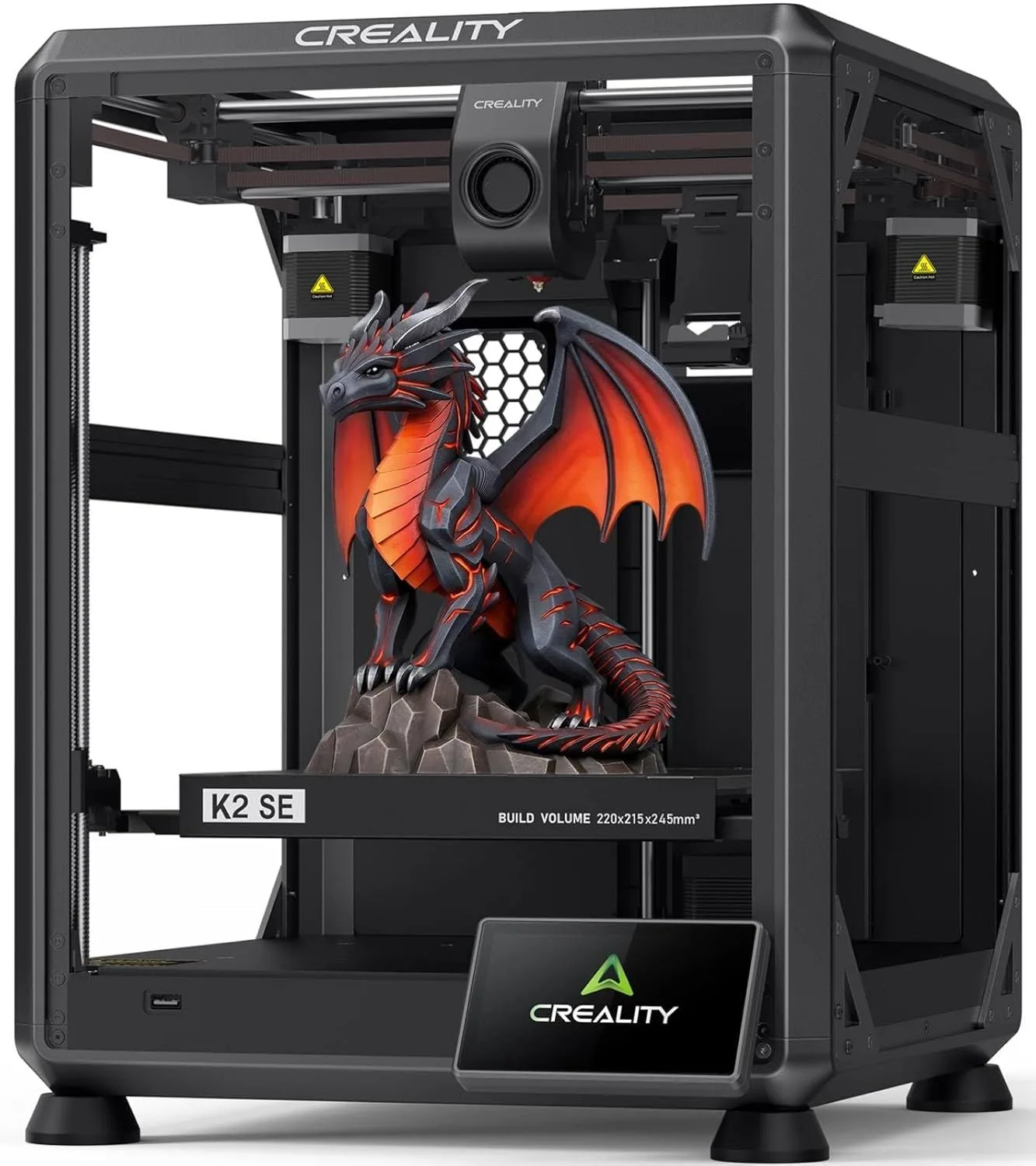
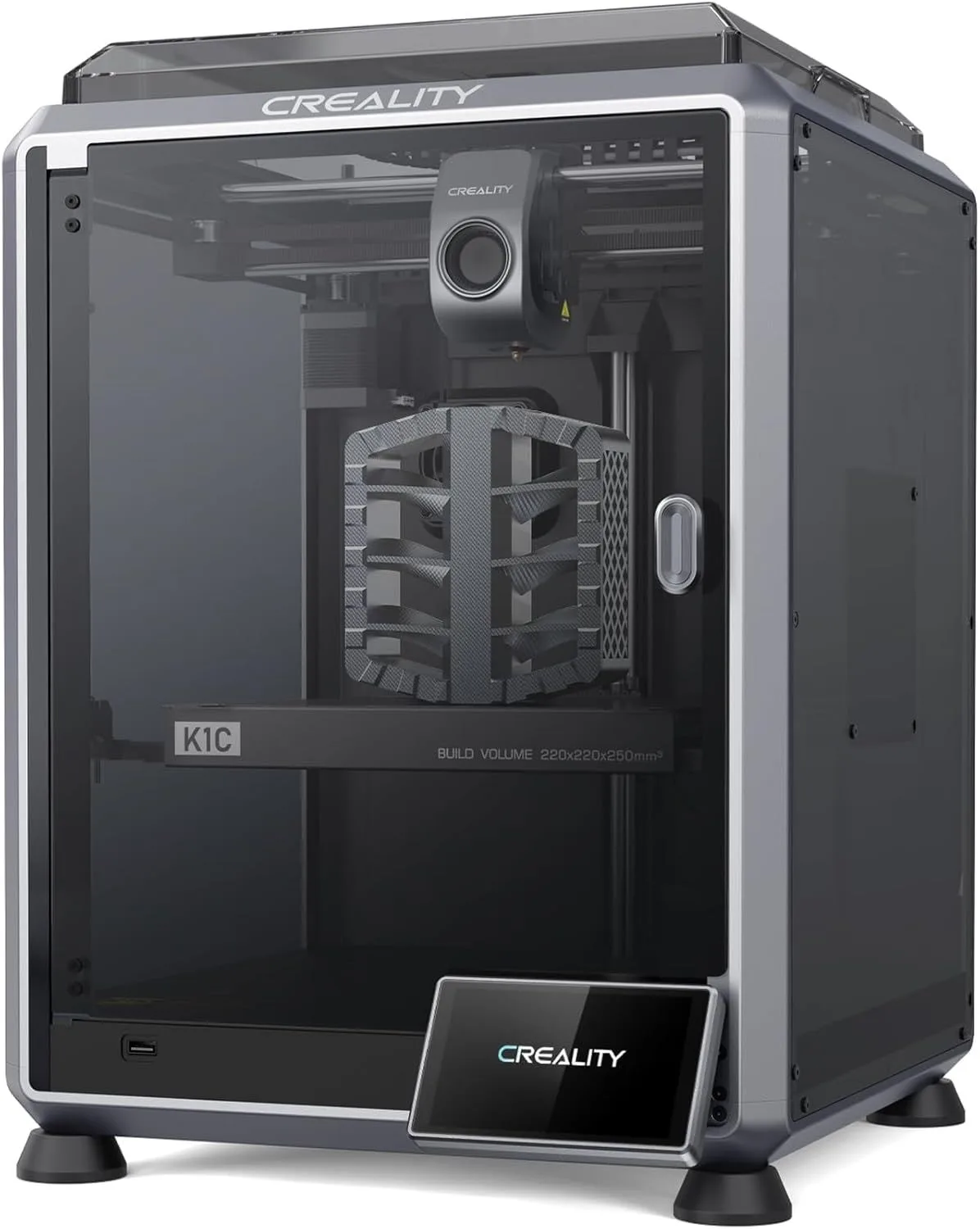
SAME BRAND, DIFFERENT TIER
The Creality K2 SE wins for PLA and PETG users who want CoreXY speed on a budget. The Creality K1C wins if you need carbon fiber capability, an enclosed chamber for ABS/ASA, or an AI monitoring camera. We recommend the K2 SE for PLA/PETG-only users, and the K1C if you need enclosure and carbon fiber capability. The price gap between them is roughly 50% — the question is whether enclosure and nozzle technology justify that premium for your specific printing needs.
Creality K2 SE
CoreXY speed, automatic leveling, 300°C hotend, and CFS multicolor support — all at the lowest price in its class. The open frame limits you to PLA and PETG, but 90% of hobby printers never leave those materials. Firmware matured from 3.0 to 5.0 stars over 12 months. Current units ship refined. The K2 SE is Creality's answer to the question "what if the K1 was half the price?"
Creality K1C
Everything the K2 SE does, plus carbon fiber printing, enclosed chamber, AI camera, and 600mm/s max speed. The Unicorn tri-metal nozzle handles abrasive filaments that would destroy the K2 SE's stock nozzle within hours. The enclosed frame unlocks ABS, ASA, and nylon — materials the open-frame K2 SE cannot touch. QC reports of DOA units persist, but most buyers report clean operation once running.
00_ SPEC_COMPARISON
[ SAME_BRAND_TECHNICAL_READOUT ]
| PARAMETER | K2_SE | K1C |
|---|---|---|
| PRINT_SPEED | 500mm/s max | 600mm/s max check_circle |
| BUILD_VOLUME | 220 × 215 × 245mm | 220 × 220 × 250mm check_circle |
| MOTION_SYSTEM | FDM, CoreXY drag_handle | FDM, CoreXY drag_handle |
| NOZZLE | Direct drive, 300°C, quick-swap nozzle | Unicorn tri-metal nozzle (copper + steel + titanium) check_circle |
| ENCLOSURE | Open frame | Fully enclosed, cabin filter check_circle |
| AUTO_LEVELING | Fully automatic drag_handle | Fully automatic drag_handle |
| CONNECTIVITY | WiFi, Creality Print | WiFi, Creality Print, AI camera check_circle |
| PRICE_TIER | $200–$400 check_circle | $400–$600 |
1
K2 SE WINS
5
K1C WINS
2
TIED
01_
OPEN VS ENCLOSED
This is the architectural decision that defines everything else in this comparison.
The K2 SE is an open-frame CoreXY. No walls, no door, no heated chamber. The print bed sits exposed to ambient air. This is fine for PLA and PETG — both materials print reliably at room temperature. It is a dealbreaker for ABS, ASA, nylon, and polycarbonate — materials that warp, crack, or delaminate without stable chamber temperatures above 35°C.
The K1C is fully enclosed with an activated carbon cabin filter. The enclosure maintains stable internal temperature during long prints, reducing the thermal gradient between freshly extruded layers and the cooling print body. This gradient is what causes warping — the top layer contracts as it cools while the bottom layer has already solidified at a different temperature. An enclosed chamber narrows that gradient. The Bambu Lab P1S is the closest competitor offering a similar enclosed CoreXY architecture at a comparable price — if you are cross-shopping enclosed printers, it belongs on your shortlist alongside the K1C.
The K1C's cabin air filter is not a cosmetic feature. ABS and ASA emit styrene vapors during printing — an irritant that causes headaches and respiratory discomfort in poorly ventilated spaces. The activated carbon filter captures these fumes before they reach your breathing space. Not a substitute for ventilation in a closed room, but a real quality-of-life improvement for home printing with engineering materials. One K1C reviewer ran the printer in a bedroom overnight printing ABS — the filter kept fumes below perception threshold. That is not something you can attempt on the K2 SE.
One thing the enclosure does NOT do: make the K1C quieter. Both printers run at approximately 50dB. The K1C's enclosure panels reduce high-frequency noise (stepper whine) but the cooling fans — the primary noise source at high speed — vent through dedicated openings in the enclosure. If noise is a priority, the Bambu Lab A1 Mini at 48dB with active noise cancellation is the benchmark both Creality machines fail to match.
The enclosure also affects print accuracy in a way most buyers overlook. Open-frame printers like the K2 SE are sensitive to drafts — an air conditioning vent blowing across the bed during a 10-hour print creates temperature differentials that cause subtle warping on large, flat parts. Close a window near the K2 SE and your print quality may change. The K1C's enclosure eliminates this variable entirely. Even when printing PLA (which does not need chamber heat), the enclosed environment provides more consistent results on prints wider than 150mm.
K2 SE HANDLES 3 MATERIALS. K1C HANDLES 8+. THE ENCLOSURE + NOZZLE UNLOCK 5 ADDITIONAL MATERIAL CATEGORIES.
02_
SPEED COMPARISON
The K1C advertises 600mm/s max speed. The K2 SE advertises 500mm/s. Neither sustains those numbers on real geometry.
Both share Creality's CoreXY platform with Klipper-based firmware and input shaping calibration. The K1C's 100mm/s speed advantage on paper comes from a 20,000mm/s² acceleration specification — the faster you can accelerate out of corners, the closer your average speed approaches the advertised maximum. The K2 SE's acceleration is lower, which means more time spent ramping up and down at direction changes.
On a standard Benchy, the K1C finishes approximately 2-3 minutes faster than the K2 SE. On a large, geometrically simple print (a cube, a vase) where long straight-line passes dominate, the K1C's speed advantage compounds to 15-20% faster completion. On complex geometry with many corners (miniatures, lattice structures), the gap narrows to under 10% because both printers spend most of their time at sub-maximum speeds during direction changes.
Honestly — if speed is the only thing pushing you toward the K1C, save the money and buy the K2 SE. The speed difference alone does not justify the price premium. The K1C's value lies in its material capability, not its velocity. A K2 SE printing PLA at 450mm/s produces a functionally identical part to a K1C printing PLA at 550mm/s — the K1C just finishes a few minutes sooner. Both machines already print faster than 90% of the objects you will design can structurally tolerate.
Where the K1C's speed advantage matters most: carbon fiber filaments. PLA-CF and PA-CF are stiffer than standard PLA, which means the extruder motor works harder to push material through the nozzle. At 500mm/s on carbon fiber, both printers approach their volumetric flow limits. The K1C's higher acceleration lets it recover from corners faster with these stiffer materials, maintaining more consistent layer deposition. On standard PLA where the material flows freely, the speed difference is academic.
REAL_AVG
REAL_AVG
03_
THE UNICORN NOZZLE
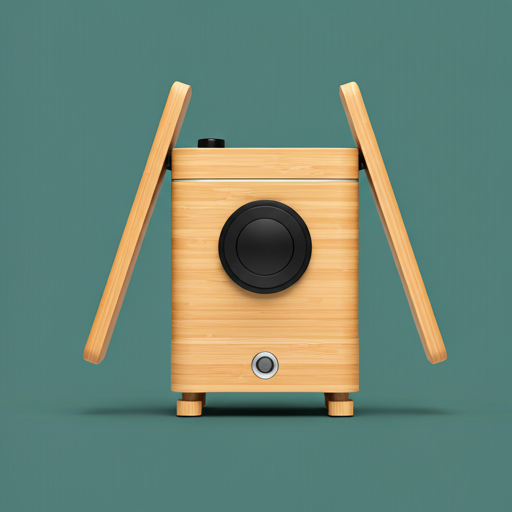
The K1C's Unicorn nozzle is a tri-metal design: copper body for heat distribution, hardened steel tip for abrasion resistance, and titanium alloy heat break for thermal isolation. This combination handles carbon fiber and glass-filled filaments that would bore through a standard brass nozzle in 50-100 print hours.
The K2 SE ships with a standard copper/brass nozzle — fine for PLA, PETG, and TPU. The moment you load PLA-CF (PLA with chopped carbon fibers), the glass and carbon particles in the filament act like sandpaper on the nozzle interior. Within weeks of regular carbon fiber printing, the nozzle bore widens, extrusion becomes inconsistent, and dimensional accuracy degrades. You can install aftermarket hardened steel nozzles on the K2 SE, but Creality does not officially support this modification and the thermal characteristics change — hardened steel transfers heat differently than brass, requiring temperature profile adjustments.
The Unicorn nozzle is also quick-swap — the K2 SE shares this feature. Both printers let you change nozzles in under 60 seconds without tools, which matters when alternating between 0.4mm (detail work) and 0.6mm (speed drafting) nozzle sizes.
The catch: Unicorn nozzles are proprietary. Replacement nozzles come from Creality only, at a higher price than standard brass nozzles. The K2 SE uses a more common nozzle standard with wider aftermarket availability and lower replacement cost. If you print exclusively with non-abrasive filaments and never plan to touch carbon fiber, the Unicorn nozzle is paying for capability you will not use.
Here's the thing about proprietary nozzles: Creality is betting that carbon fiber adoption among hobbyists will accelerate. If PLA-CF becomes as common as standard PLA over the next 2-3 years — and the price trajectory suggests it will — the Unicorn nozzle becomes a forward-compatible investment rather than a premium for niche users. If carbon fiber stays limited to engineering applications, it remains a cost that most buyers absorb without using. The Bambu Lab X1 Carbon solves this differently — it ships with a hardened steel nozzle standard, no proprietary lock-in, and uses third-party nozzles interchangeably.
NOZZLE BORE WIDENS, ACCURACY DEGRADES
HARDENED STEEL TIP RESISTS ABRASION
ESTIMATED LIFESPAN ON PLA-CF AT 4 HRS/DAY. STANDARD PLA: BOTH NOZZLES LAST 5000+ HRS.
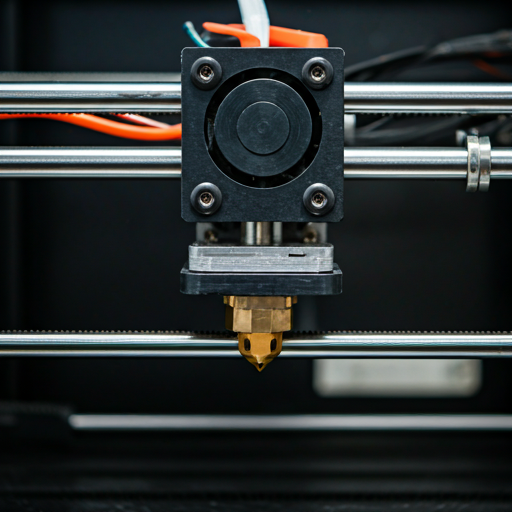
These are the same company's printers sharing the same CoreXY platform, the same firmware base, the same slicer software, and the same auto-leveling system. Strip away the enclosure and nozzle, and you are looking at the same motion system at two price points. Creality built the K2 SE by removing the K1C's most expensive components — enclosure panels, carbon filter, tri-metal nozzle, AI camera — and selling the remaining CoreXY platform at a price that undercuts every comparable machine. The K2 SE is not a worse printer. It is a printer with fewer capabilities, priced to match.
04_
BUILD VOLUME
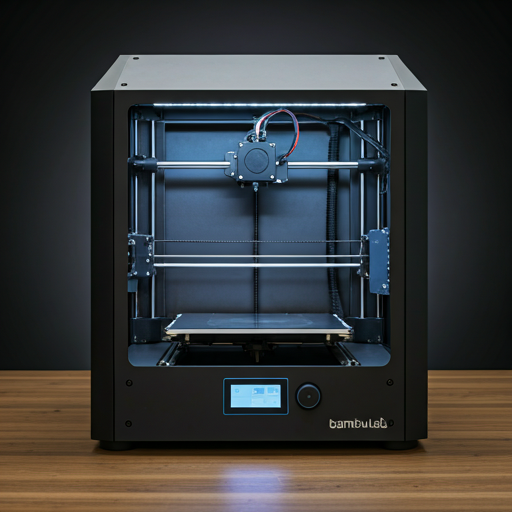
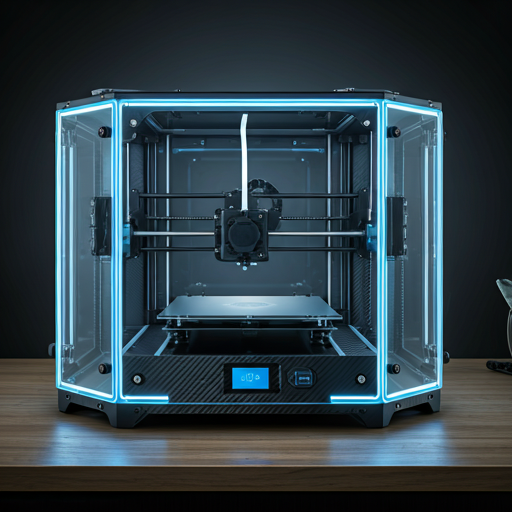
The K1C offers 220 × 220 × 250mm. The K2 SE offers 220 × 215 × 245mm. The difference is 5mm on the Y axis and 5mm on the Z axis — smaller than the diameter of most print nozzles. Do not let these numbers influence your decision.
This is not a deciding factor. Both printers handle the same object catalog. A design that fits on one fits on the other. The 5mm differences exist because the K1C's enclosure interior dimensions are fractionally more generous than the K2 SE's open-frame gantry travel limits, not because of any deliberate design differentiation.
If build volume is your primary concern, neither of these printers is the right choice. The Creality K2 Plus Combo offers 350 × 350 × 350mm — more than double either printer's total volume. For mid-range users who need more than 220mm in any dimension but do not need the K2 Plus Combo's scale, the Bambu Lab X1 Carbon at 256mm³ is the next step up.
11.6L
K2 SE TOTAL
12.1L
K1C TOTAL
05_
SOFTWARE & AI MONITORING
Both printers ship with Creality Print — the same slicer, the same profiles, the same interface limitations. Most experienced users switch to OrcaSlicer within the first week on either machine. The software experience is identical between these two printers. If Creality Print's interface frustrates you on one, it will frustrate you equally on the other.
The K1C adds an AI camera as standard equipment. It monitors the print bed for foreign objects, detects print failures (spaghetti detection), captures timelapse photography, and enables remote monitoring through the Creality app. The K2 SE has no camera — if a print fails at 3am, you discover it in the morning when you find a tangled mess of filament on the bed.
The AI failure detection is not perfect. K1C reviewers report occasional false positives — the camera flagging valid geometry as a failure and pausing the print. On complex overhangs or support structures that look like spaghetti from certain angles, the AI errs on the side of caution. You can disable the detection, but then you lose the primary value of the camera.
The timelapse feature is underappreciated. It captures a frame each time the print head moves to a specific position, producing smooth hyperlapse videos of prints materializing from nothing. For social media, client presentations, or just the satisfaction of watching your own work, it is a genuine quality-of-life feature. The K2 SE cannot do this without a separately purchased webcam and OctoPrint setup.
Both printers support WiFi connectivity and cloud printing through the Creality app. Both support USB and LAN connections for local printing. Both are compatible with OrcaSlicer, PrusaSlicer, and Cura through standard Klipper protocols. The connectivity feature set is identical — the AI camera is the only software differentiator. For how Creality's software stack compares against the Bambu ecosystem, our A1 Mini vs K2 SE comparison covers the slicer experience in depth.
Remote monitoring deserves emphasis. The K1C's camera lets you check prints from anywhere through the Creality app — a genuine convenience when running 8-12 hour prints while at work or overnight. The K2 SE requires a third-party camera setup (OctoPrint with a webcam, or a generic IP camera pointed at the bed) to achieve the same functionality. The third-party route works but requires additional hardware, configuration, and a Raspberry Pi or equivalent. For users who run prints unattended regularly, the built-in camera saves both time and a shelf's worth of additional equipment.
K2_SE_SOFTWARE
- + Creality Print + OrcaSlicer compatible
- + WiFi, USB, LAN connectivity
- + Cloud printing via Creality app
- − No camera — no failure detection
- − No timelapse without external setup
K1C_SOFTWARE
- + AI camera for failure detection
- + Built-in timelapse photography
- + Remote monitoring via app
- − AI false positives on complex geometry
- − Same Creality Print limitations as K2 SE
WHICH CREALITY FITS YOUR BUILD
BUY THE K2 SE
You print PLA and PETG exclusively. You want CoreXY speed and CFS multicolor at the lowest possible price. You do not need carbon fiber, ABS, or ASA capability. You are comfortable with an open-frame machine in a workspace where ambient temperature stays above 20°C. You value the money saved — the modestly more expensive difference between K2 SE and K1C buys 10+ spools of filament.
The K2 SE is the best Creality value proposition. Read our full K2 SE review for CFS multicolor setup details and firmware update instructions.
- COREXY AT BUDGET PRICE
- CFS MULTICOLOR SUPPORT
- 500MM/S MAX SPEED
- QUICK-SWAP NOZZLE
BUY THE K1C
You need carbon fiber printing for functional parts — brackets, drone frames, tool fixtures. You want to print ABS or ASA and need the enclosed chamber to do it safely at home. You run prints overnight and want AI failure detection to catch spaghetti before it wastes 8 hours of filament. You plan to use your printer for prototyping or small-batch production where material versatility justifies the higher upfront cost.
The K1C is Creality's most capable single-nozzle printer under the mid-range tier. The proprietary nozzle is the main long-term cost concern — read our full K1C review for replacement cost analysis and QC notes.
- 600MM/S — FASTER MAX SPEED
- CARBON FIBER CAPABLE
- ENCLOSED + AIR FILTER
- AI CAMERA MONITORING
CREALITY_BREAKDOWN
What is the difference between Creality K1 and K1C? expand_more
Can the K1C print carbon fiber? expand_more
What are the common problems with K2? expand_more
What filament can Creality K1C print? expand_more
Is the Creality K2 a good printer? expand_more
This comparison draws on 420 Creality K2 SE reviews and 2,800 Creality K1C reviews on Amazon, mining data from 30 detailed K1C user reports and 30 K2 SE reports, temporal rating analysis, and spec verification against Creality's published specifications. The K2 SE firmware maturation from 3.0 to 5.0 stars over 12 months is a documented data point from our temporal analysis. For budget printers ranked by value, see our best budget 3D printers roundup.
