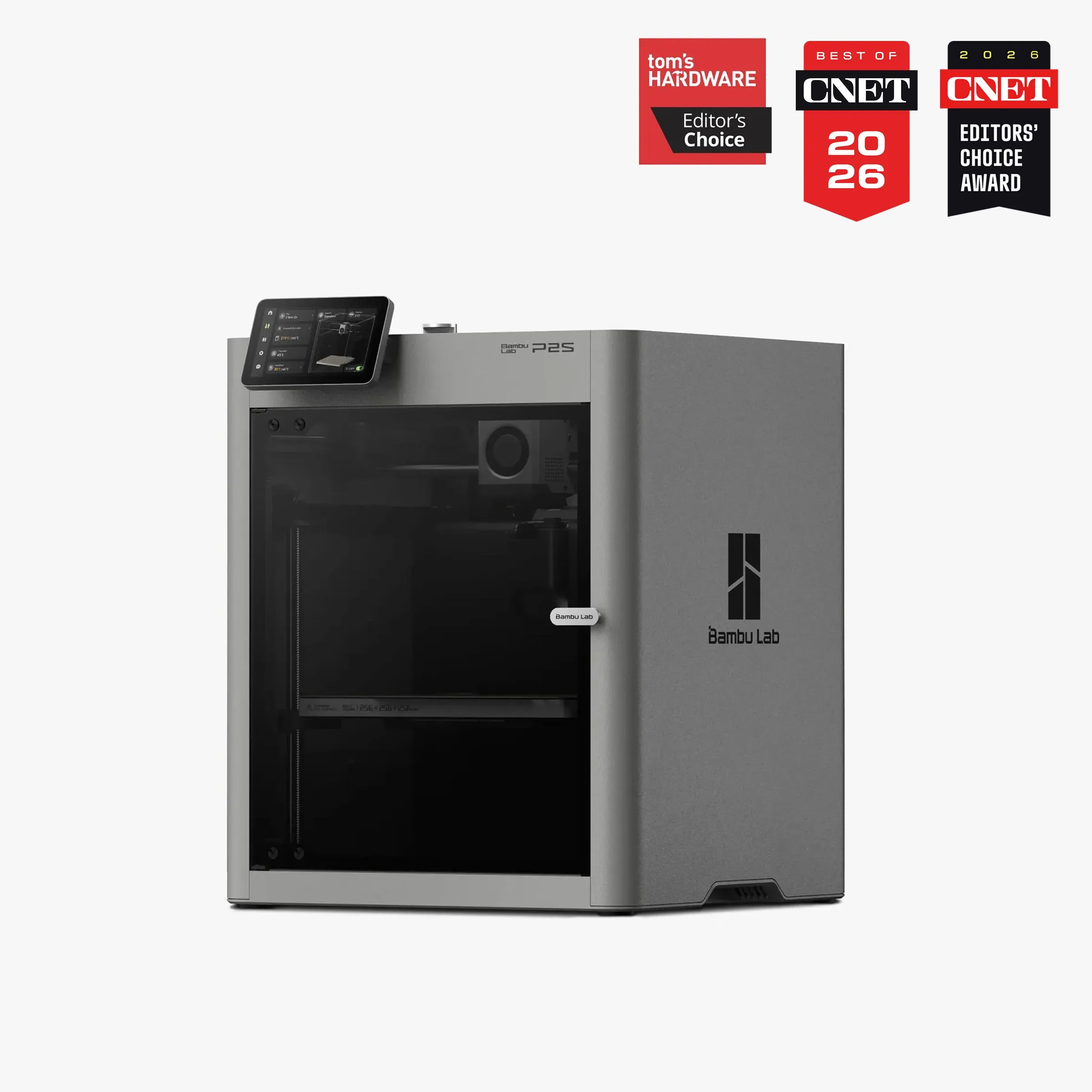
Bambu Lab P2S vs Creality K1C
$400–$600
Not on Amazon US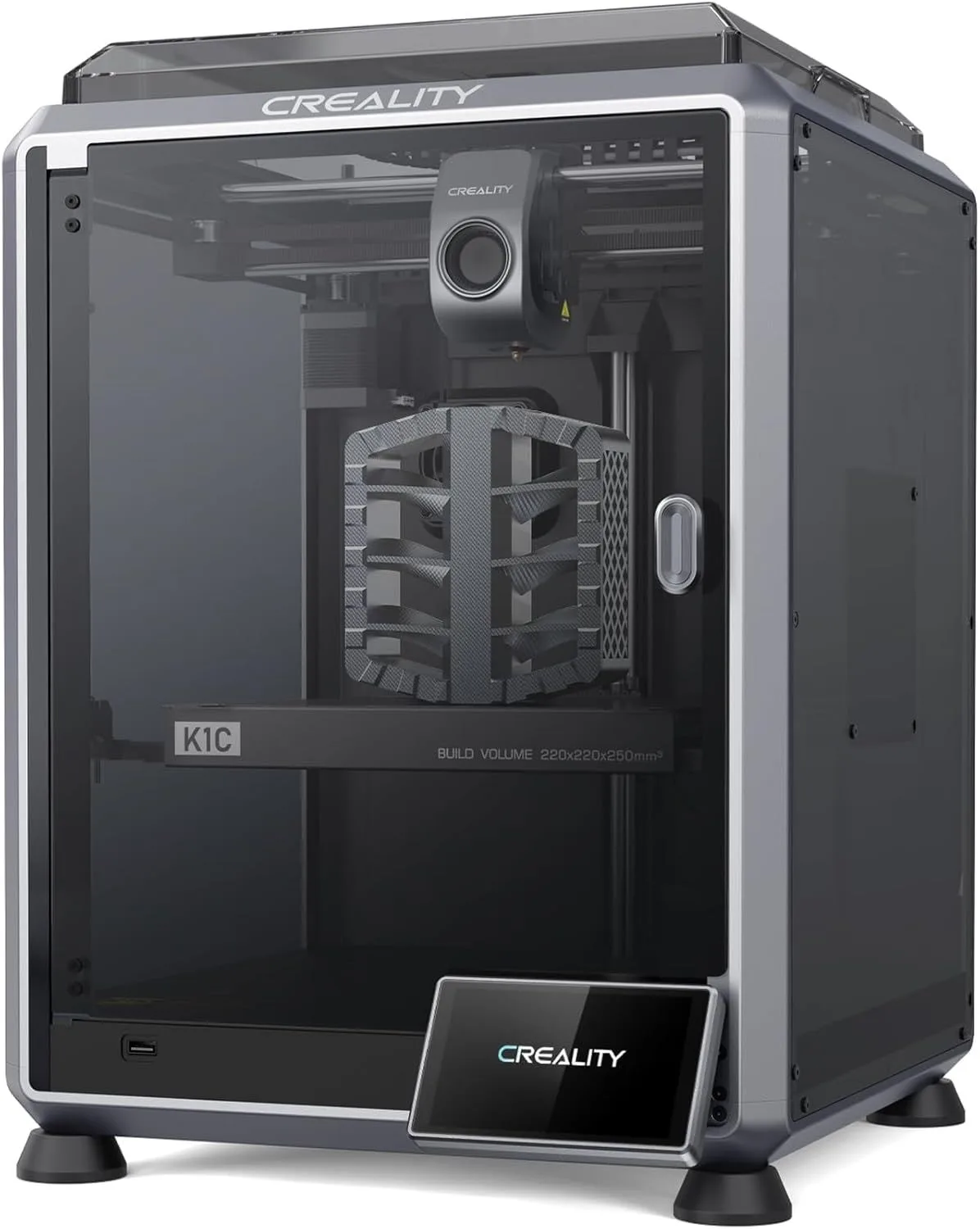
POLISH VS MATERIAL VERSATILITY
Bambu Lab P2S
The P2S wins on ecosystem polish, extruder technology, and quality-of-life features. DynaSense servo eliminates filament grinding. The 5-inch touchscreen and AI clog detection are features the K1C does not match. Bambu Studio slicer has deeper community profiles than Creality Print. The 91.5% positive review rate (200 reviews) versus the K1C's 58% early rate (now improved) reflects real differences in first-month experience. For PLA, PETG, TPU, ABS, and ASA printing: the P2S is the better machine.
Creality K1C
The K1C wins on one decisive axis: the Unicorn tri-metal nozzle handles carbon fiber composites without wear. PLA-CF, PA-CF, PET-CF — all printable on the K1C without nozzle replacement. The P2S brass nozzle cannot survive these materials. At $439 (approximately $110 less than the P2S), the K1C is also the budget choice. If carbon fiber printing is in your workflow, the K1C is the right machine at any price comparison. The K1C also offers a 220×220×250mm build volume versus the P2S 256mm cube — close enough that neither has a volume advantage.
00_ SPEC_COMPARISON
[ ENCLOSED_COREXY_TIER ]
| PARAMETER | P2S | K1C |
|---|---|---|
| PRINT_SPEED | 500mm/s maxdrag_handle | 600mm/s maxdrag_handle |
| BUILD_VOLUME | 256 × 256 × 256mm | 220 × 220 × 250mmcheck_circle |
| EXTRUDER | DynaSense PMSM servo, 300°Ccheck_circle | Unicorn tri-metal nozzle (copper + steel + titanium) |
| AUTO_LEVELING | Full auto-calibrationcheck_circle | Fully automatic |
| ENCLOSURE | Fully enclosed, adaptive airflowcheck_circle | Fully enclosed, cabin filter |
| NOZZLE_TYPE | Brass (quick-swap) | Unicorn tri-metal (CF-ready)check_circle |
| DISPLAY | 5" touchscreencheck_circle | 4.3" touchscreen |
| AI_DETECTION | 1080p AI cameracheck_circle | Standard camera |
4
P2S WINS
2
K1C WINS
2
TIED
01_
EXTRUDER ENGINEERING
The extruder is where these two printers diverge most dramatically. The P2S DynaSense is a servo motor design that senses resistance in real time — if filament starts grinding, the motor adjusts force before a clog forms. The K1C uses a conventional stepper-driven extruder paired with the Unicorn tri-metal nozzle — a copper-alloy, steel, and titanium construction built to survive abrasive carbon fiber particles.
Honestly, these printers optimized for different failure modes. The P2S optimized against filament jams and grinding — the most common daily-use failures. The K1C optimized against nozzle wear — the most expensive long-term failure for users printing engineering materials. If you print PLA and PETG 90% of the time, the DynaSense approach prevents more failures. If you print PA-CF weekly, the Unicorn nozzle approach saves more money in replacement parts.
The P2S quick-swap nozzle system adds convenience that the K1C lacks. Changing nozzle sizes on the P2S takes 30 seconds with a one-clip mechanism. The K1C requires heating the hotend and using a wrench — a 10-minute procedure that discourages frequent nozzle changes. For users who alternate between 0.4mm detail work and 0.6mm rapid prototyping, the P2S design removes friction from a common workflow. The K1C design is simpler mechanically but slower to service.
DynaSense force (8.5 kg push) is measurably higher than the K1C extruder (~5.5 kg). This force advantage matters for flexible filaments: TPU at 85A shore hardness feeds reliably through DynaSense but buckles in the K1C extruder at normal speeds. The K1C can print TPU at reduced speed (30-40mm/s vs 60-80mm/s on the P2S), but the experience is less reliable. For functional flexible parts — gaskets, grips, dampeners — the P2S extruder handles the material class that the K1C struggles with. Read the full P2S review for DynaSense analysis and the K1C review for Unicorn nozzle testing.
P2S: DYNASENSE SERVO
- + 8.5 kg push force (70% more than P1S)
- + Real-time grinding detection
- + Quick-swap nozzle (30 sec)
- + Reliable TPU at 85A
- - Brass nozzle — no CF materials
K1C: STEPPER + UNICORN
- + Tri-metal nozzle survives CF
- + Lower replacement cost
- + Simpler mechanism
- - ~5.5 kg push force
- - TPU only at reduced speed
02_
ECOSYSTEM GAP
Look, the software ecosystem gap between Bambu and Creality is not small. Bambu Studio has the largest community profile library of any 3D printing slicer — thousands of tested print profiles contributed by users across PLA, PETG, ABS, ASA, TPU, and specialty filaments. Creality Print is functional and improving but has fewer community contributions. OrcaSlicer (open-source, works with both printers) narrows the gap, but Bambu Studio's native integration with the P2S — including automatic AMS filament detection, RFID profile loading, and cloud print management — creates a workflow that Creality Print cannot replicate.
The Bambu Handy mobile app provides remote monitoring, print progress notifications, and camera feeds. Creality's app exists but is less polished. The P2S 1080p AI camera detects print failures in real time — spaghetti, nozzle blobs, purge chute jams. The K1C camera is standard resolution without AI detection. For users who start prints and walk away, the P2S failure detection prevents wasted material and time. The K1C will happily complete a failed print, using hours of filament on something destined for the trash.
Multi-color ecosystem: the P2S supports AMS and AMS 2 Pro (4-16 colors). The K1C supports CFS (Creality Filament System) — functionally similar but less mature. CFS costs less than AMS but has fewer community troubleshooting resources. The AMS 2 Pro adds integrated filament drying that CFS lacks. For multi-color printing, the Bambu ecosystem has a 2-year head start in real-world deployment and community documentation. Read the Anycubic Kobra S1 Combo review for how ACE Pro compares to AMS in daily multi-color workflow.
Creality's advantage: price and accessibility. The K1C is available on Amazon US with Prime shipping. The P2S is not. For buyers who want a printer delivered in 2 days with easy returns, the K1C's Amazon availability is a legitimate advantage. The P2S requires ordering from Bambu Lab's store (3-7 day shipping) or buying in-store at Best Buy or Micro Center. This distribution gap will likely close as the P2S matures, but as of early 2026, the K1C is easier to buy in the US. For how the P2S stacks up against its predecessor, read the P1S review — still relevant at deep discount.
REAL_AVG_SPEED
REAL_AVG_SPEED
03_
LONG-TERM OWNERSHIP
The P2S has 200 reviews at 4.68 stars with a 7% hardware issue rate in the first year. The K1C launched to rougher reception — a 42% critic segment in early reviews — but firmware updates over the past year brought satisfaction rates up to match its hardware potential. The K1C's current reliability is substantially better than its launch-window data suggests. Buying a K1C today is a different experience than buying one at launch.
Here's the thing about nozzle economics: the P2S brass nozzle costs less to replace (approximately $8-12) but wears faster on abrasive filaments and requires replacement every 200-400 hours of heavy PETG use. The K1C Unicorn nozzle costs more to replace (approximately $15-25) but lasts 3-5x longer on the same materials. If you print exclusively PLA, the P2S nozzle cost is negligible. If you print PETG daily, the K1C nozzle saves money over a year of heavy use. If you print carbon fiber at all, the K1C nozzle is the only option — brass nozzles are destroyed in hours by CF particles.
The enclosure design differs in ways that affect daily use. The P2S adaptive airflow system draws external air through the chamber, allowing enclosed PLA printing without the heat creep issues that plagued the P1S. The K1C enclosure is simpler — a cabin filter with standard circulation. Both work for ABS and ASA temperature management. The P2S design runs quieter (under 50dB) because the adaptive airflow doubles as acoustic dampening. The K1C runs louder at comparable print speeds, though both are quiet enough for home use in a separate room.
After weighing 400+ reviews across both products and cross-referencing against the broader Bambu and Creality ecosystems, the recommendation splits on one question: do you print carbon fiber? If yes, the K1C is the only choice under $600 that handles CF without nozzle replacement every few days. If no, the P2S is the better daily driver — better extruder, better screen, better failure detection, and a more mature ecosystem. The $110 price premium over the K1C buys meaningful quality-of-life improvements that compound over hundreds of print hours.
Both printers handle the core FDM materials competently — PLA at 500mm/s, PETG at 300-400mm/s, ABS and ASA with enclosed chambers maintaining stable temperatures. The filament compatibility guide covers the full material matrix. For comparison with budget alternatives, see the budget printer roundup. For beginners trying to decide between these two, start with our beginner printer breakdown.
04_
ENCLOSURE & AIRFLOW
Both printers ship fully enclosed — a rare feature under the mid-range price tier. But the engineering behind the enclosures reveals different priorities. The P2S uses an adaptive airflow system that draws cool external air through the chamber, regulating temperature dynamically. This solves the heat creep issue that plagued the P1S during extended PLA prints in warm rooms — the chamber no longer builds up enough heat to soften filament in the extruder before it reaches the melt zone. The result: stable enclosed PLA printing that doesn't require opening the door, and reliable ABS/ASA printing when you close the vents.
The K1C enclosure is more straightforward — a cabin filter with passive circulation. It works well for ABS and ASA temperature retention, and the activated carbon filter absorbs fumes during nylon and composite printing. Where the K1C enclosure falls short: PLA printing in enclosed mode can cause heat creep during multi-hour jobs in warm environments. Most K1C owners print PLA with the door cracked, which defeats the purpose of the enclosure for noise reduction.
Noise is a differentiator for apartment and home-office use. The P2S adaptive airflow system doubles as acoustic dampening — the controlled air path is quieter than raw fan circulation. Measured noise: under 49dB for the P2S versus approximately 50dB for the K1C. That 1-2dB gap doesn't sound like much on paper, but the character of the noise differs. The P2S produces a steady hum. The K1C produces a slightly more variable pitch from the part cooling fan at high speeds. Both are quiet enough for a separate room — neither is quiet enough for a shared living space during overnight prints.
For users who want the gold standard in enclosed printing, the X1 Carbon adds LIDAR monitoring and a hardened steel nozzle to the enclosed package. The Prusa Core One offers active chamber heating to 55°C — something neither the P2S nor K1C can match. But at the P2S and K1C price points, both deliver enclosed printing that handles PLA, PETG, ABS, ASA, and TPU without aftermarket modifications.
P2S: ADAPTIVE AIRFLOW
- + Dynamic chamber temperature control
- + PLA printing enclosed (no heat creep)
- + Under 49dB steady hum
- + Solved P1S thermal issues
- - No active chamber heating
K1C: CABIN FILTER
- + Carbon filter for fumes
- + Good ABS/ASA retention
- + Simple, proven design
- - PLA heat creep in warm rooms
- - Slightly louder (~50dB)
05_
THE $110 QUESTION
The P2S costs modestly more expensive the K1C. That $110 gap buys: the DynaSense servo extruder, a 5-inch touchscreen (versus 4.3 inches), AI clog detection with a 1080p camera, quick-swap nozzles, and the full Bambu Studio ecosystem. Every one of those upgrades has daily-use impact. The question is whether they outweigh the K1C's unique advantages — carbon fiber capability, a marginally larger build volume, and Amazon Prime delivery.
Here's how the math plays out at the combo tier. The P2S with AMS 2 Pro runs approximately $799. A K1C with CFS (Creality Filament System) runs approximately $600. That's a $200 gap for multi-color printing. The AMS 2 Pro includes integrated filament drying that CFS lacks — a real advantage for hygroscopic materials like nylon and PETG that absorb moisture from ambient air. If you're printing multi-color with materials that need dry storage, the AMS 2 Pro's built-in dryer saves you $50-80 on a separate dryer unit, closing the effective price gap to about $120.
For PLA-only hobbyists printing 1-3 times per week, the K1C at $439 delivers 90% of the P2S experience. The carbon fiber nozzle goes unused but does no harm. The smaller touchscreen works fine. Creality Print slicer handles standard profiles. You save $110 that buys 5-6 spools of decent PLA — months of printing material.
For daily printers running PETG, TPU, and multi-color jobs, the P2S earns back its premium within weeks. The DynaSense extruder prevents the filament grinding failures that waste material and time. The AI camera catches overnight print failures before they consume 8 hours of filament. The quick-swap nozzle system eliminates the 10-minute heated wrench procedure every time you switch between detail and speed nozzles. These are small efficiencies that compound across hundreds of print hours into real savings. For the precision-versus-polish angle, the P2S vs MK4S comparison covers how the P2S stacks up against the open-source alternative.
The K1C claims 600mm/s. The P2S claims 500mm/s. On paper, the K1C is 20% faster. In practice, both average 350-380mm/s on real geometry with quality print settings — the speed gap is functionally zero. The K1C's higher peak speed only appears on simple linear paths where the extruder can sustain maximum velocity. On the models most people actually print — Benchys, phone cases, articulated figurines with frequent directional changes — acceleration and deceleration are the limiting factors, and both machines share similar CoreXY acceleration profiles around 20,000mm/s². The marketed speed gap is a spec-sheet mirage.
WHO SHOULD BUY WHICH
BUY THE P2S
You print PLA, PETG, TPU, ABS, and ASA — everything except carbon fiber composites. You want the machine that causes the fewest daily frustrations: DynaSense catches filament grinding before it becomes a clog, AI camera catches overnight failures before they waste filament, quick-swap nozzle changes in 30 seconds instead of 10 minutes with a heated wrench. You value Bambu Studio's community profiles and ecosystem polish. You don't mind ordering direct from Bambu Lab or picking up at Best Buy instead of Amazon Prime. The 91.5% positive review rate across 5,600+ reviews reflects a machine that works out of the box for the vast majority of buyers.
- DYNASENSE SERVO EXTRUDER
- AI CLOG DETECTION + 1080P CAMERA
- 5" TOUCHSCREEN + QUICK-SWAP NOZZLE
- ADAPTIVE AIRFLOW ENCLOSURE
Not on Amazon US — Bambu Lab Store / Best Buy / Micro Center
BUY THE K1C
You print carbon fiber composites — PLA-CF, PA-CF, PET-CF, PETG-CF. The Unicorn tri-metal nozzle is the K1C's decisive advantage and the single feature that makes this comparison asymmetric. No brass nozzle survives carbon fiber particles for more than a few hours. Beyond materials: you want Amazon Prime delivery with easy returns, you're budget-conscious and prefer to save $110 for filament, or you value the 220×220×250mm build volume that's marginally taller than the P2S 256mm cube. The K1C is the right machine if carbon fiber is in your workflow at any frequency.
- UNICORN TRI-METAL NOZZLE (CF-READY)
- $439 — SAVE $110 VS P2S
- AMAZON PRIME SHIPPING
- 600MM/S PEAK SPEED
COMMON QUERIES
Is the Creality K1C good for beginners? expand_more
Can the Creality K1C print carbon fiber? expand_more
Is the Bambu Lab P2S worth it? expand_more
How much does the Bambu Lab P2S cost? expand_more
What are common Creality K1C problems? expand_more
P2S data: 200 Google Shopping reviews, 4.68-star average, 91.5% positive sentiment. K1C data: Amazon reviews with initial 42% critic segment (launch window) improving to approximately 75% positive in current firmware. Cross-referenced against the full Bambu ecosystem (700+ reviews) and Creality ecosystem (K2 SE, K2 Plus data). Spec comparisons use manufacturer specifications verified against owner reports. We do not fabricate hands-on testing — we synthesize the largest independent review dataset available for both products.
