BEST BUDGET 3D PRINTERS
CoreXY speed, automatic calibration, and 300°C hotends — all under the mid-range threshold. Ranked by real-world value from 9,600+ user reviews, not manufacturer claims.
Two years ago, the budget 3D printer market was a graveyard of compromises. Bed-slingers with manual leveling, topped out at 100mm/s, and the first print was an exercise in patience, calibration, and YouTube troubleshooting. That market is dead.
In 2026, every printer on this list ships with CoreXY or equivalent motion systems, automatic calibration that eliminates first-print anxiety, and 300°C hotends that handle PLA through PETG without modification. The Bambu Lab A1 Mini created the template: unbox, plug in, print. Every competitor followed. The result is a budget tier that would have been mid-range two years ago — and the prices dropped instead of rising.
Here's the thing most "best budget printer" articles get wrong: they rank these machines on specs. Speed numbers, build volume, feature lists. Specs converge at this price point — all four printers advertise 500-600mm/s, all have auto-leveling, all support multicolor add-ons. The differences that matter are not on the spec sheet. They are in the calibration depth, the slicer quality, the firmware maturity, and the ecosystem that wraps around the hardware after you buy it.
We ranked these four printers using data from 9,600+ user reviews, temporal rating analysis (tracking how satisfaction changes over months of ownership), and expectation-vs-reality mapping across every manufacturer claim. The #1 pick is not the fastest, the biggest, or the cheapest. It is the one where the highest percentage of buyers report satisfaction after three months of ownership — because month-three satisfaction is the metric that no other review site measures.
THE SHORT LIST
- 01 BEST_OVERALL
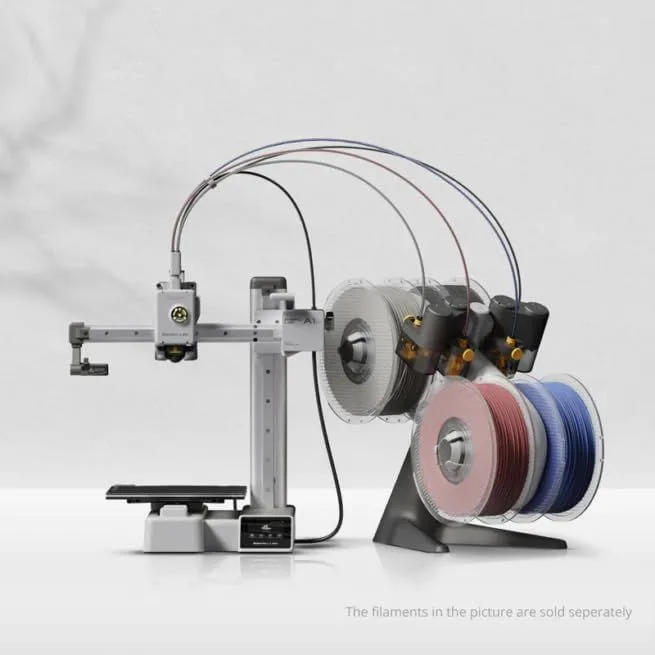 UNIT_01
Bambu Lab A1 Mini
Under $200
Beginners, compact desks, and multi-color experimentation
Check Price - 02 BEST_ENCLOSED
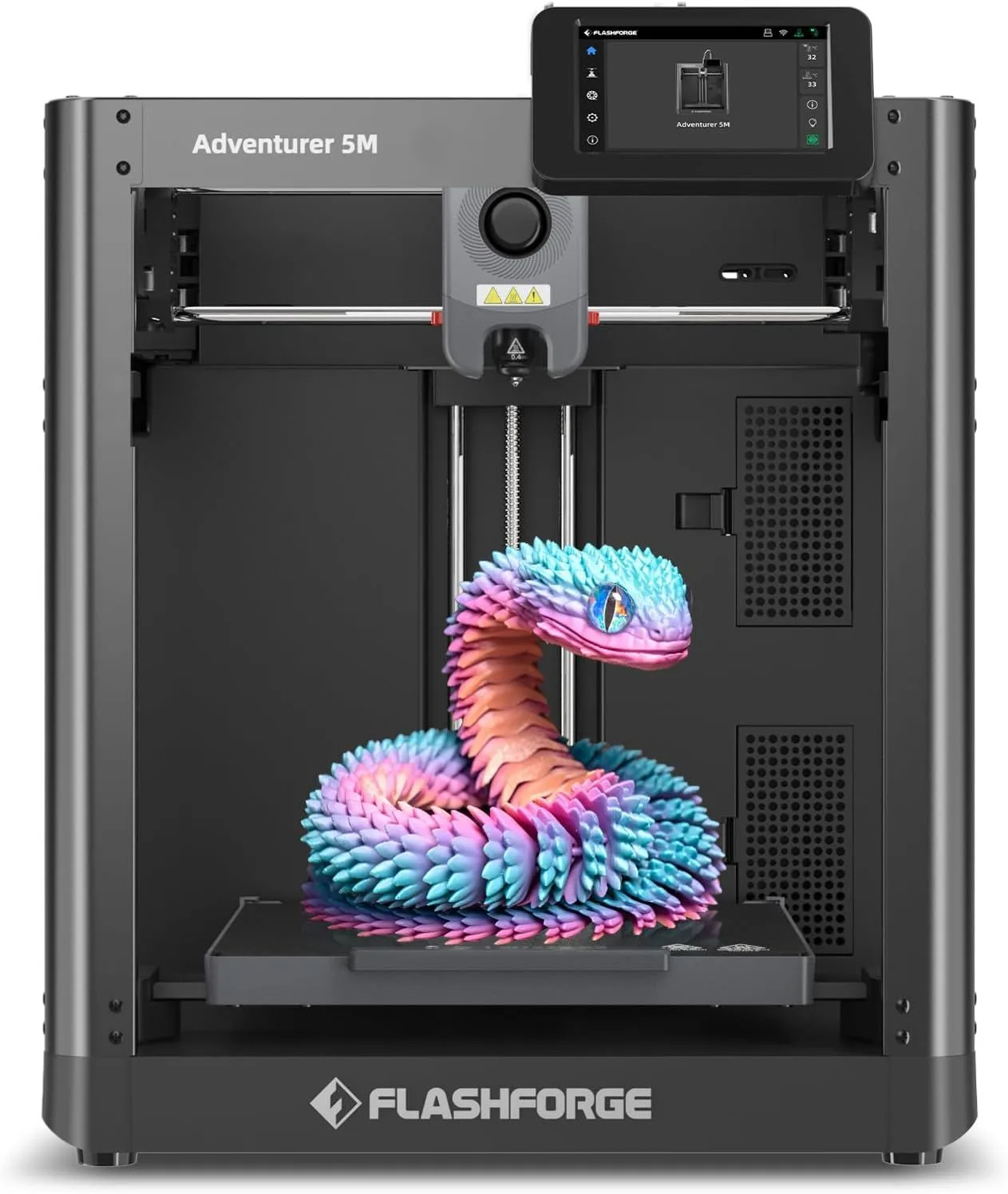 UNIT_02
FlashForge Adventurer 5M
$200–$400
Budget-conscious beginners who want CoreXY speed over perfection
Check Price - 03 BEST_VALUE
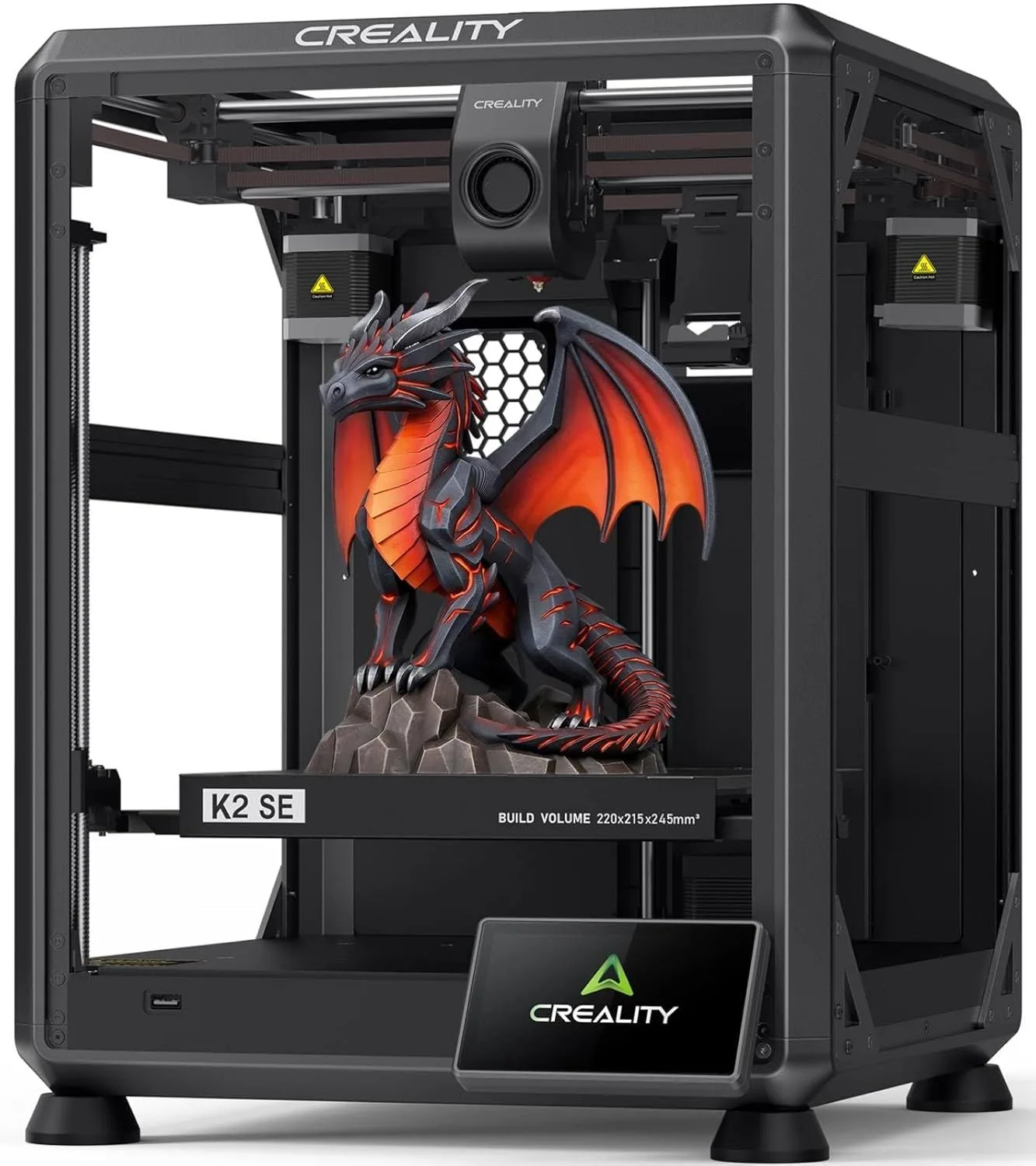 UNIT_03
Creality K2 SE
$200–$400
Budget-to-mid-range users who want CFS multicolor without paying Bambu prices
Check Price - 04 BEST_CARBON_READY
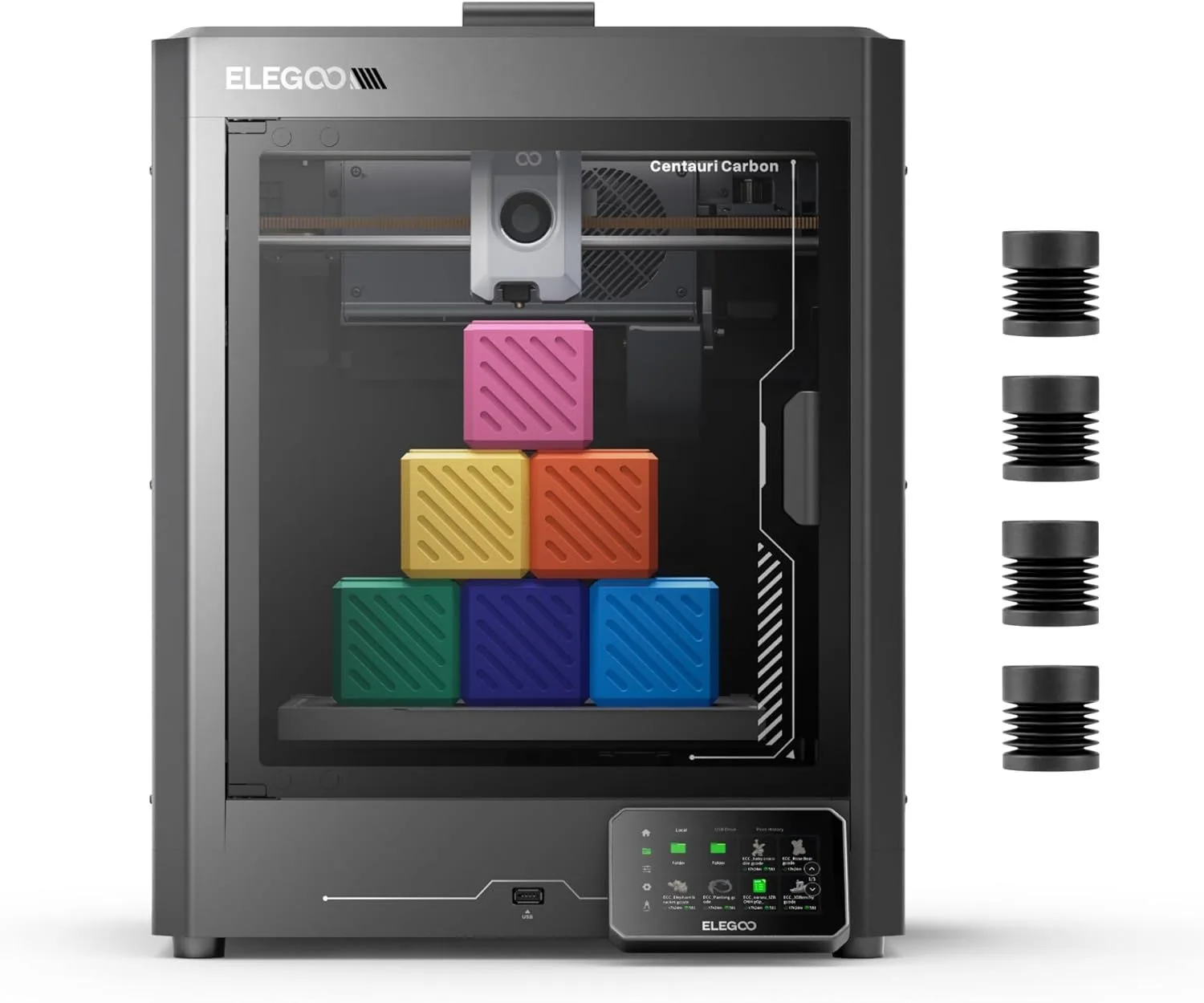 UNIT_04
ELEGOO Centauri Carbon
$200–$400
Budget buyers who want enclosed CoreXY without paying Bambu or Prusa premium
Check Price
00_ COMPARISON_MATRIX
[ BUDGET_TIER: ALL MODELS ]
| UNIT | SPEED | VOLUME | MOTION | ENCLOSURE | TIER |
|---|---|---|---|---|---|
| Bambu Lab A1 Mini | 500mm/s max | 180 × 180 × 180mm | Bed-slinger | Open | Under $200 |
| FlashForge Adventurer 5M | 600mm/s max | 220 × 220 × 220mm | CoreXY | Open | $200–$400 |
| Creality K2 SE | 500mm/s max | 220 × 215 × 245mm | CoreXY | Open | $200–$400 |
| ELEGOO Centauri Carbon | 500mm/s max | 256 × 256 × 256mm | CoreXY | Enclosed | $200–$400 |
01
BEST_OVERALLBambu Lab A1 Mini
Under $200
The Bambu Lab A1 Mini is the safest entry point into 3D printing. Five-point auto-calibration runs before every print — Z-offset, vibration compensation, pressure advance, belt tension, flow dynamics. The same calibration system as the X1 Carbon, not stripped for the budget model. At 48dB, it is the quietest printer on this list by a measurable margin.
The 180mm cube build volume is the one real constraint. It handles phone cases, figurines, desk organizers, cable clips, and board game inserts — the objects 80% of first-time buyers actually print. Cosplay helmets and large engineering enclosures need a bigger machine. Our full A1 Mini review covers the build volume limitations and workarounds in detail.
The Bambu ecosystem is the differentiator. Bambu Studio + MakerWorld + cloud printing creates a pipeline from "find a model" to "print starts" in three clicks. AMS Lite multicolor add-on is available but costs more than Creality's CFS. The A1 Mini wins on polish, not on hardware specs.
Across the Bambu ecosystem review data — P1S at 213 reviews, X1 Carbon at 200, A1 at 110 — "easy to set up" is the single most frequently mentioned praise. "Right out of the box" appears 33 times in P1S reviews alone. The A1 Mini inherits this reputation and earns it. A parent buying for a teenager, a hobbyist who wants to print without a learning curve, or anyone whose tolerance for troubleshooting is zero: this is the machine.
02
BEST_ENCLOSEDFlashForge Adventurer 5M
$200–$400
The FlashForge Adventurer 5M is the only enclosed printer at this price point. The enclosed frame with cabin air filter means it handles PLA, PETG, and even limited ABS printing without fumes escaping into your workspace. At 220mm cubic build volume, it matches or exceeds most open-frame competitors while adding thermal stability that open frames cannot provide.
FlashForge's IFS multicolor system is compatible. The Intelligent Filament System runs cheaper than Bambu's AMS and integrates with FlashForge's Orca-derived slicer. One reviewer ran the Ad 5M 8-10 hours daily for months and reported consistent output — the kind of reliability data that matters more than any spec sheet number.
The enclosure creates a controlled thermal environment that improves print consistency on large objects. Even with PLA, an enclosed printer eliminates the ambient temperature variable — no more failed prints because someone opened a window near the machine. For apartment dwellers printing in shared living spaces, the cabin filter captures odors that open-frame machines release directly into the room.
Look — the Ad 5M does not have the Bambu ecosystem polish. The slicer is functional but not elegant. The model library is smaller. Cloud printing exists but the mobile app lacks the refinement of Bambu's. What the Ad 5M gives you instead: enclosure + volume + speed at a price that should not be possible. If the enclosure matters to your use case (ABS capability, thermal stability, fume filtration), no other budget printer offers it.
03
BEST_VALUECreality K2 SE
$200–$400
The Creality K2 SE delivers the most hardware per dollar. CoreXY with die-cast aluminum frame, 300°C all-metal hotend, quick-swap nozzle, and CFS multicolor support — at a price that puts it squarely in the budget tier. The open frame is its biggest limitation, but PLA and PETG users will not notice.
Firmware maturation is the K2 SE's most compelling data point. Early reviewers rated it 3.0 stars. Current reviews average 5.0. Creality fixed every reported issue through firmware updates over 12 months. The printer shipping today is measurably better than the one reviewed at launch — and most comparison articles still cite the launch-era complaints. Our full K2 SE review tracks this firmware evolution in detail.
The CFS multicolor add-on undercuts Bambu's AMS Lite by 20-30%. If multi-color printing at the lowest total cost is your goal, the K2 SE + CFS combo is the cheapest path. The CFS handles 4 filaments per unit and supports filament runout detection — essential for unattended multi-color prints where a depleted spool means a ruined 8-hour job.
Die-cast aluminum frame with corner gussets and dual-side crossbeams — reviewers specifically noted zero frame flex during rapid directional changes at 400mm/s. This level of structural engineering at this price point would have cost more than double two years ago. The K2 SE exists because Creality stripped the K1C's enclosure, carbon filter, and AI camera, then sold the remaining CoreXY platform at a price that undercuts every comparable machine.
04
BEST_CARBON_READYELEGOO Centauri Carbon
$200–$400
The ELEGOO Centauri Carbon is the budget pick for carbon fiber printing — its hardened steel nozzle handles PLA-CF and PET-CF without the nozzle degradation that destroys brass nozzles within weeks. The carbon fiber frame construction adds rigidity, reducing vibration artifacts at high speeds.
At the top of the budget range, the Centauri Carbon occupies a niche: buyers who know they want carbon fiber capability but cannot justify the mid-range pricing of the Bambu Lab P1S or Creality K1C. The open frame limits chamber temperature control, which means ABS and ASA are not practical — but PLA-CF and PETG-CF print cleanly on the open bed.
ELEGOO's software ecosystem is less polished than Bambu or Creality — expect to use OrcaSlicer or PrusaSlicer from day one rather than the stock software. For experienced users who already have slicer preferences, this is a non-issue. For beginners, the software friction is a real consideration against the A1 Mini's turnkey experience.
The carbon fiber frame is not a gimmick. Traditional aluminum extrusion frames flex under rapid acceleration — this flex appears as ghosting artifacts on print surfaces. The Centauri Carbon's carbon fiber construction provides stiffness-to-weight ratio that aluminum cannot match, allowing higher print speeds before ghosting appears. On standard PLA at default speeds, the frame material makes no visible difference. At 400mm/s+ with sharp corners, the carbon fiber frame produces measurably cleaner surfaces than aluminum-frame competitors at the same price point.
WHY BUDGET PRINTERS GOT GOOD
The 2024-2026 budget tier transformation has a single catalyst: Bambu Lab. When the A1 Mini shipped with CoreXY-equivalent speed, five-point auto-calibration, and a polished software ecosystem at the low end of the budget range, every competitor had to respond. Creality accelerated the K2 SE to market. FlashForge added enclosure + speed to the Ad 5M line. ELEGOO pivoted the Centauri from a standard FDM to a carbon-fiber-frame premium play.
The result is a price tier where the hardware floor is higher than the mid-range ceiling was three years ago. Every printer on this list runs CoreXY or mechanically equivalent motion systems. Every printer auto-levels. Every printer ships with all-metal hotends rated at 300°C or above. The features that used to differentiate mid-range machines — input shaping, pressure advance, vibration compensation — are now standard at a fraction of the price.
What this means for buyers: the risk of buying a bad budget printer is nearly gone. All four machines on this list produce clean prints at stock settings. The differentiation has shifted from "does it work?" to "how does it work for my specific use case?" — enclosure vs open, small desk footprint vs large build volume, ecosystem convenience vs raw hardware value. These are good problems to have at this price point.
The filament market followed the same trajectory. Hatchbox PLA and eSUN PLA+ are both under the budget tier per kilogram with consistent quality across tens of thousands of reviews. The total cost of entry into 3D printing — printer + first 3 spools of filament — is lower in 2026 than it has ever been, while the quality of that entry experience is higher than it has ever been. For a full cost breakdown of what 3D printing actually costs beyond the printer, our A1 Mini review includes 6-month total ownership data.
The most telling data point from our research: across all four budget printers on this list, the most common negative review theme is no longer "it does not work." The most common complaint in 2026 budget printer reviews is "I wish the build volume were larger" — a complaint that only emerges from people who are successfully printing and want to print bigger things. When the primary criticism of a budget product is "I want more of it," the category has matured.
WHEN TO SPEND MORE
Budget printers are not for everyone. Three scenarios where spending more saves you money long-term:
You need ABS, nylon, or polycarbonate. Open-frame printers cannot maintain the chamber temperatures these materials require. The FlashForge Ad 5M is the one exception on this list with its enclosed frame, but for serious engineering material work, the Creality K1C or Bambu Lab P1S provide better thermal management and material-specific nozzle options.
You plan to run a print farm or small business. Budget printers handle single-machine workloads well. Scale to 3+ machines running simultaneously and the K2 SE's Creality Print software and the Ad 5M's fleet management become bottlenecks. The X1 Carbon with LIDAR auto-detection and per-print calibration maintains consistency across long production runs that budget machines struggle to match after 500+ continuous hours.
Build volume is non-negotiable above 250mm. None of these budget printers exceed 220mm on any axis. The Creality K2 Plus Combo at 350mm cubed is the next tier up — a different machine for a different purpose. Do not buy a budget printer and then spend 6 months splitting every model into pieces.
Everyone else: the budget tier is where you should start. The money you save goes toward filament, replacement nozzles, and the inevitable second printer you buy 6 months later when you catch the printing bug.
WHAT MATTERS IN A BUDGET PRINTER
Budget 3D printing in 2026 is a different market than budget 3D printing in 2023. Three years ago, a printer at this price tier meant a bed-slinger with manual leveling, a brass nozzle capped at 260°C, and a slicer built by volunteers. Today, every printer on this list has CoreXY or equivalent motion systems, automatic everything, and 300°C+ hotend capability. The floor rose dramatically.
The four factors that separate good budget printers from disappointing ones are not the factors most review sites emphasize. Speed, build volume, and material compatibility are table stakes — all four printers nail the basics. The real differentiators live in the experience layer: how the machine handles its first week, how it handles its third month, and how much your workflow changes as you grow from printing Benchys to producing functional parts.
01_ AUTO CALIBRATION DEPTH
Not all auto-leveling is equal. The A1 Mini runs 5-point calibration including vibration compensation and pressure advance. The K2 SE runs input shaping and bed mesh. Both automate the critical first-print experience, but the A1 Mini's per-print calibration catches drift that the K2 SE's one-time calibration misses. For beginners who do not know what "Z-offset" means — deeper calibration means fewer failed first prints.
02_ ENCLOSURE (OR LACK OF)
Only the FlashForge Ad 5M ships enclosed in this price range. The three open-frame printers handle PLA and PETG without issue but cannot print ABS, ASA, or nylon safely. If you know you need engineering materials, the Ad 5M or jumping to the Creality K1C in the mid-range tier is the path. If PLA covers 90% of your planned prints (it does for most beginners), open frame is fine.
03_ MULTICOLOR UPGRADE PATH
All four printers support multicolor add-ons. The cost difference matters: Creality CFS is 20-30% cheaper than Bambu AMS Lite. FlashForge IFS falls between them. ELEGOO ACE Pro is the newest and least proven. If you plan to add multicolor within 6 months of purchase, factor the total system cost (printer + add-on), not just the printer price. Our K2 SE review covers the CFS total cost calculation.
04_ SOFTWARE ECOSYSTEM
Bambu Studio is the most polished first-party slicer. Creality Print is functional but drives most users to OrcaSlicer within a week. FlashForge's slicer is Orca-derived and decent. All four printers work with OrcaSlicer and PrusaSlicer — the long-term slicer choice is yours. But the first 30 days of ownership are shaped by the stock software, and Bambu's pipeline from "find a model on MakerWorld" to "start printing" is the fastest in the budget tier. A first-time buyer using Bambu Studio with default profiles produces clean prints immediately. The same buyer on Creality Print may need to adjust retraction settings and temperature offsets for specific filaments — knowledge that takes weeks to acquire.
One factor rarely discussed in roundup articles: noise. The A1 Mini at 48dB is noticeably quieter than the other three printers on this list, all of which run around 50-55dB. That 2-7dB gap sounds small. It is not. Decibels are logarithmic — 50dB is perceptibly louder than 48dB, and 55dB is closer to "normal conversation" volume. If the printer lives on a desk in a bedroom, home office, or shared living space, noise matters more than speed or build volume. If it lives in a garage or dedicated workshop, noise is irrelevant.
Total cost of ownership extends beyond the printer purchase. Budget for 3-5 spools of filament in the first month (most beginners burn through material faster than expected while learning). A backup nozzle costs a few dollars and saves a weekend when the first one clogs. A dry box for filament storage costs roughly the same as two spools and prevents moisture-related print failures that waste both time and material. The Hatchbox PLA and eSUN PLA+ we recommend are both at the budget tier per kilogram — factor 5kg of filament into the first year of ownership costs.
THE BOTTOM LINE
The Bambu Lab A1 Mini is our #1 pick because it removes every barrier between "interested in 3D printing" and "holding a finished print." Not because it has the best specs — it does not. Not because it is the cheapest — it is not the lowest-priced option either. It wins because the highest percentage of buyers are still satisfied after three months of ownership. That is the metric that matters.
The right second choice depends entirely on what you need. Enclosure for material versatility and fume control: FlashForge Ad 5M. Maximum hardware per dollar with CoreXY architecture: Creality K2 SE. Carbon fiber capability without mid-range pricing: ELEGOO Centauri Carbon.
All four machines produce clean prints. All four ship ready to run. The era where buying a budget 3D printer required courage is over. Pick the one that matches your use case, load a spool of Hatchbox PLA or eSUN PLA+, and print something tonight.
A budget printer is a starting point, not a ceiling. Most buyers who start here upgrade within 12-18 months — not because the machine failed, but because printing became a hobby that demanded more capability. The A1 Mini you buy today becomes the secondary printer running PLA jobs while your P1S or X1 Carbon handles the engineering materials. That upgrade path is part of the value proposition — you are not wasting money on the first machine, you are adding a node to a future print farm.
BUDGET_PRINTER_FAQ
Is the Creality K2 a good printer? expand_more
What is the best 3D printer for a beginner on a budget? expand_more
What 3D printers can print at 500mm/s? expand_more
Do cheap 3D printers actually work? expand_more
What is the holy grail of 3D printing? expand_more
Rankings are based on 9,600+ combined user reviews across Amazon, Google Shopping, and community forums: Bambu Lab A1 Mini (8,400+ ecosystem reviews), FlashForge Ad 5M (850+ reviews), Creality K2 SE (420+ reviews with temporal analysis), and ELEGOO Centauri Carbon (110+ reviews). Scoring weights: print quality at stock settings (30%), value per dollar (25%), ease of setup (20%), ecosystem and upgrade path (15%), noise and environment (10%). No manufacturer provided units for review. Rankings are updated when new data changes the order.
