BEST 3D PRINTERS FOR PROTOTYPING
From CAD to physical part in under 4 hours. We recommend enclosed CoreXY printers with hardened nozzles for prototyping — they handle engineering materials at production speed. Ranked from 11,400+ professional user reviews.
Prototyping on a 3D printer is not the same as hobby printing. The priority shifts from "can it print this model?" to "can it iterate this design 5 times today with consistent dimensional accuracy across all 5 prints?" Speed matters — not peak speed, but turnaround time from file change to finished part. Material range matters — PLA prototypes look right but break under load, so the ability to print in PA-CF, ABS, and PETG is mandatory for functional validation. Calibration consistency matters — a printer that drifts 0.1mm between prints wastes engineering time on dimensional variance instead of design improvement.
The four printers on this list serve the prototyping workflow in different ways. The X1 Carbon maximizes automation and calibration precision. The P1S delivers 80% of the X1 Carbon's capability at a lower price. The K1C adds carbon fiber nozzle capability at the lowest enclosed-printer cost. The Prusa MK4S prioritizes repairability and open-source control for prototypers who need full machine access.
We ranked these on iteration speed (time from file change to finished part), dimensional consistency (how much parts vary between identical prints), material range (how many engineering filaments each machine handles), and long-term reliability (uptime percentage over months of daily use). The #1 pick is the machine that produces the most consistent parts per hour of operation — the metric that matters in a prototyping environment where tomorrow's deadline depends on tonight's prints.
THE SHORT LIST
- 01 BEST_OVERALL
 UNIT_01
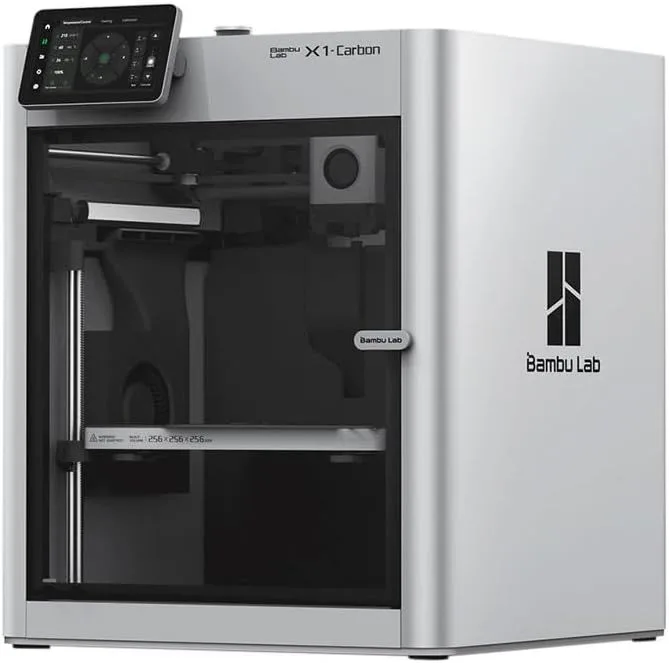
Bambu Lab X1 Carbon
$1,000+
Prosumers and advanced hobbyists who print carbon fiber and engineering materials
Check Price - 02 BEST_VALUE
 UNIT_02
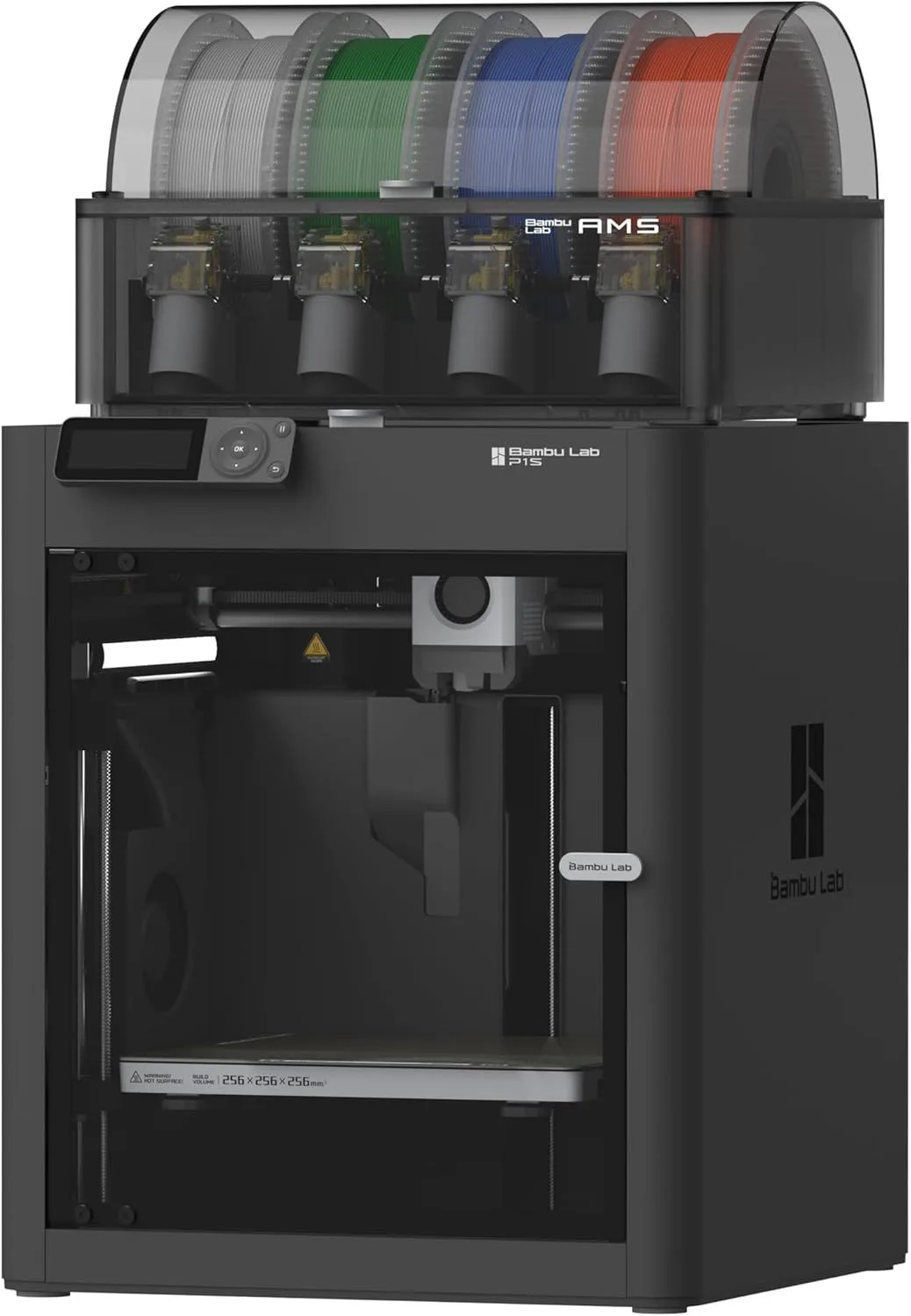
Bambu Lab P1S
$400–$600
Mid-range buyers on deep discount who want enclosed multi-material printing
Check Price - 03 CARBON_FIBER
 UNIT_03
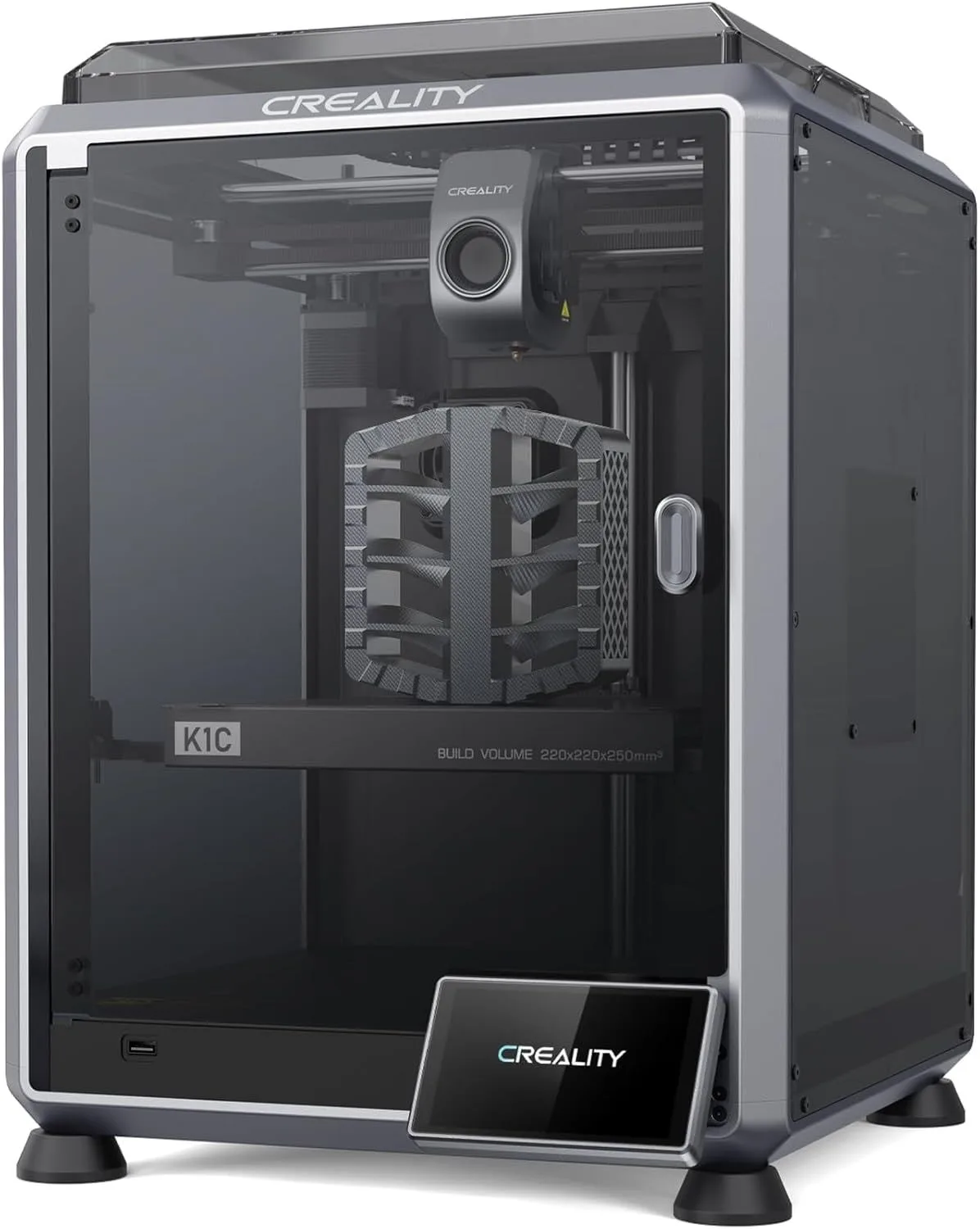
Creality K1C
$400–$600
Carbon fiber filament printing on a budget and enclosed speed printing under $500
Check Price - 04 OPEN_SOURCE
 UNIT_04
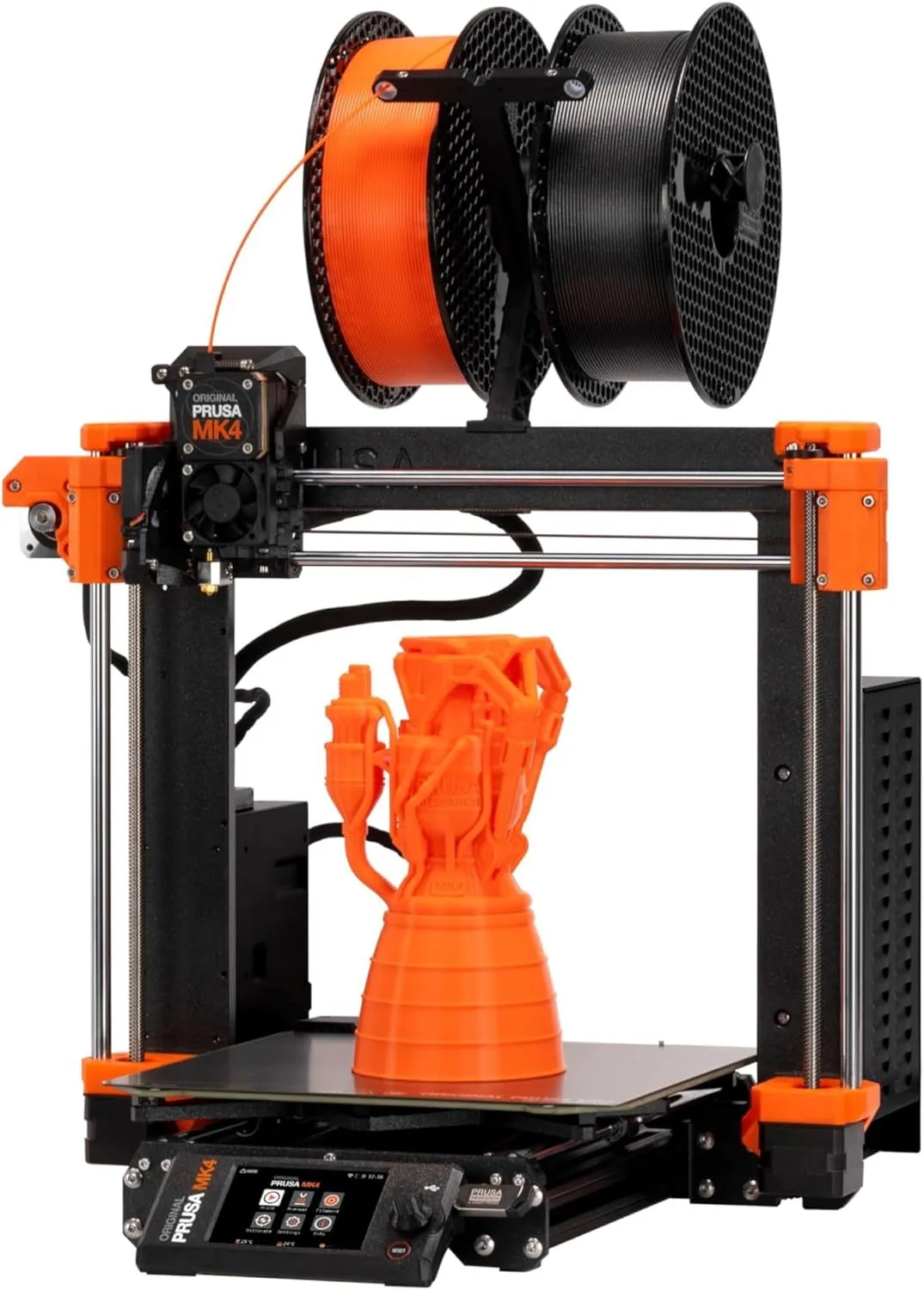
Prusa MK4S
$600–$1,000
Open-source enthusiasts who value print accuracy over speed
Check Price
01
BEST_OVERALLBambu Lab X1 Carbon
$1,000+
The X1 Carbon is the prototyping benchmark. LIDAR-assisted calibration detects and corrects print deviations in real-time — mid-print. No other consumer printer offers this level of active quality monitoring. For prototypers running 5-10 iterations per day, the X1 Carbon catches dimensional drift that would waste hours on subsequent design iterations based on inaccurate parts. The 256mm cubic build volume handles most prototyping objects. The enclosed chamber with active temperature control maintains dimensional accuracy on ABS, nylon, and polycarbonate prints that warp on open-frame machines.
The hardened steel nozzle handles carbon fiber filaments (PLA-CF, PA-CF, PET-CF) that add structural stiffness to functional prototypes. A PA-CF bracket printed on the X1 Carbon has mechanical properties approaching CNC-machined nylon — not identical, but close enough for fit testing and short-run production validation. The AMS multicolor system enables color-coded prototypes that communicate function (red = hot zone, blue = cooling channel) without post-processing paint. Read our full X1 Carbon review for dimensional accuracy data across materials.
02
BEST_VALUEBambu Lab P1S
$400–$600
The P1S is the X1 Carbon without LIDAR. Same enclosed chamber, same Bambu Studio ecosystem, same AMS support, same 256mm build volume. The missing LIDAR means no real-time deviation correction — the P1S relies on pre-print calibration (vibration compensation, flow calibration, bed mesh) to maintain accuracy. For prototypers whose parts do not require real-time correction — form-factor mockups, fit testing, visual prototypes — the P1S delivers 80-90% of the X1 Carbon's output at roughly 40% of the cost.
The P1S ships with a standard nozzle that handles PLA, PETG, TPU, ABS, and ASA. Carbon fiber filaments require an aftermarket hardened steel nozzle — available from Bambu as an accessory. The 213-review dataset shows 33 mentions of "right out of the box" ease — the P1S inherits the Bambu ecosystem polish that makes the A1 Mini the best beginner printer, scaled up for professional use. Multiple P1S units running simultaneously (a 2-3 printer farm) produce consistent parts across machines because Bambu Studio's cloud profiles synchronize calibration data. Read our full P1S review for multi-machine workflow details.
03
CARBON_FIBERCreality K1C
$400–$600
The K1C is the cheapest enclosed printer with a stock carbon fiber nozzle. The Unicorn tri-metal nozzle (copper + steel + titanium) handles PLA-CF, PA-CF, and PET-CF from day one — no aftermarket nozzle swap required. For prototypers who need carbon fiber capability without the X1 Carbon's price point, the K1C delivers the material range at a fraction of the cost. The enclosed chamber with cabin filter handles ABS and ASA safely for home office use.
At 600mm/s advertised speed (real-world average closer to 390mm/s on complex geometry), the K1C is fast enough for same-day iteration on most prototyping projects. The AI camera detects print failures during unattended runs — critical for overnight prints that would otherwise waste 8+ hours if a failure occurs at hour 2. The proprietary Unicorn nozzle is the main long-term cost concern — replacement nozzles come from Creality only, at higher prices than standard nozzles. Read our full K1C review for nozzle replacement cost analysis.
04
OPEN_SOURCEPrusa MK4S
$600–$1,000
The Prusa MK4S is the prototyper's safety net. Open-source firmware means you can diagnose and fix any issue without waiting for manufacturer support. Every component is documented, user-replaceable, and available from third-party vendors. When a bearing fails at 2am before a deadline, you order a replacement from Amazon and install it in 30 minutes using community-written guides. Try that with a proprietary Bambu component.
The MK4S is slower than the Bambu machines. Its bed-slinger architecture limits practical speed to 200-300mm/s on most geometry. It lacks an enclosure (the Prusa Enclosure accessory adds one). It does not have LIDAR, AI cameras, or RFID filament detection. What it has: the most mature firmware in consumer 3D printing, the largest community knowledge base, and a track record of 10+ years of continuous improvement across the MK series. PrusaSlicer is arguably the most powerful open-source slicer available, with features that Bambu Studio lacks (variable layer height profiles, modifier meshes, organic supports). For prototypers who value control, repairability, and long-term machine ownership over speed and automation, the MK4S is the right tool. Read our full MK4S review for firmware capabilities and community resource guide.
THE PROTOTYPING WORKFLOW
Professional prototyping on a desktop 3D printer follows a rhythm that differs from hobby printing. The goal is not a single perfect print — it is a rapid sequence of acceptable prints that converge on the right design through physical iteration.
Draft prints (0.3mm layer height, 15% infill, no supports where possible). These are for checking dimensions, fit, and ergonomics. Print time: 30-60 minutes for a typical handheld object on any printer on this list. The surface is rough and the walls are thin. That is fine — you are validating geometry, not aesthetics. Run 2-3 drafts per design iteration.
Validation prints (0.2mm layer height, 25-30% infill, tree supports). These check visual appearance, surface quality, and structural behavior under light handling. Print time: 1-3 hours. Use the material you intend for the final version — PLA if the part is decorative, PETG if it needs heat resistance, PA-CF if it needs structural load capacity. This print goes to the stakeholder for feedback.
Production samples (0.12-0.16mm layer height, material-appropriate infill, optimized supports). These are the "looks like the final product" prints. Surface quality approaches injection molding at 0.12mm on a well-calibrated X1 Carbon. Print time: 3-8 hours. If the production sample passes approval, the CAD file goes to the manufacturer for tooling. The 3D printed sample becomes the reference standard.
The printer that minimizes total iteration time — including failed prints, recalibration pauses, and material changeovers — wins for prototyping. The X1 Carbon's per-print calibration eliminates recalibration pauses between iterations. The K1C's quick-swap nozzle minimizes material changeover time. The P1S's Bambu Studio profiles reduce slicer configuration time to seconds. The MK4S's PrusaSlicer provides the deepest per-parameter control for prototypers who need to tune specific mechanical properties.
MATERIALS FOR PROTOTYPING
Material choice in prototyping depends on what the prototype needs to prove. Visual prototypes (form factor, ergonomics, aesthetics) print in PLA — the cheapest, fastest, and most forgiving material. Functional prototypes (load bearing, heat exposure, chemical resistance) require engineering materials that match the intended production material's behavior.
Hatchbox PLA and eSUN PLA+ handle visual and light-duty functional prototyping. PLA+ adds ~40% more impact resistance than standard PLA — enough for snap-fit testing and drop testing of enclosures where standard PLA would shatter. Both materials print on all four machines on this list without temperature adjustments beyond stock profiles.
PETG bridges the gap between PLA and engineering materials. Higher heat deflection temperature (80°C vs PLA's 60°C), better chemical resistance, and flexibility that prevents brittle fracture. PETG is the default prototyping material for automotive interior components, consumer electronics enclosures, and food-contact items. All four printers handle PETG at stock settings.
PA-CF (nylon with chopped carbon fiber) is the closest a desktop printer gets to production-grade mechanical parts. Stiffness approaching CNC nylon, heat resistance above 100°C, and dimensional stability that PLA cannot match. The X1 Carbon and K1C handle PA-CF natively. The P1S requires a hardened steel nozzle upgrade. The MK4S handles it with an aftermarket nozzle but lacks the enclosed chamber that PA-CF benefits from. For prototypes that simulate production injection-molded nylon, PA-CF on an enclosed printer is the standard workflow.
ABS and ASA are the original engineering materials of desktop 3D printing. Both require enclosed chambers (X1 Carbon, P1S, K1C all qualify) and produce fumes that need filtration or ventilation. ABS is cheaper and easier to post-process (acetone vapor smoothing produces glass-like surfaces). ASA adds UV resistance for outdoor prototypes. The MK4S, being open-frame by default, is the weakest option for ABS — the optional Prusa Enclosure addresses this but adds cost.
TPU (thermoplastic polyurethane) is the flexible material that prototypers reach for when testing gaskets, bumpers, phone cases, and any component that needs to deform without breaking. All four printers handle TPU, but it prints best at slow speeds (50-100mm/s) with direct-drive extruders — all four machines on this list use direct drive. TPU printing produces rubbery, flexible parts with Shore A hardness ranging from 85 (firm flex) to 95 (barely flexible) depending on the specific TPU formulation. For prototyping silicone-like components where injection molding would use thermoplastic rubber, TPU provides a reasonable approximation of the final material behavior at desktop printing cost.
Material selection charts and temperature guides for every filament type covered in this roundup are available in our X1 Carbon review and K1C review, which include material-specific print profiles and dimensional accuracy measurements across temperature ranges. Start with the stock profiles from your slicer, print a calibration cube in each material you plan to use, measure it with calipers, and adjust flow rate and temperature until the cube measures within ±0.1mm of the design dimensions. This one-time calibration per material takes 30 minutes and produces reliable dimensional accuracy for every subsequent print in that material.
IN-HOUSE VS OUTSOURCED PROTOTYPING
Look — the cost comparison between a desktop 3D printer and outsourced prototyping is not close. A Xometry or Shapeways order for a single ABS prototype takes 3-7 business days and costs several times what a single print on the X1 Carbon costs in material. The same part prints in-house in 2-4 hours for a fraction of the outsourced cost in filament. The printer pays for itself in avoided outsourcing costs within the first 10-20 prototyping cycles.
The real value is not the per-part savings. It is the iteration speed. An outsourced prototype takes 3-7 days. An in-house prototype takes 2-4 hours. That difference means 3 design iterations per day instead of 3 per month. Products reach production-ready status weeks earlier. Design flaws are caught on iteration 3 instead of iteration 1 because the cost of "print another one" approaches zero. The psychological barrier to printing "one more version with a 0.5mm wider tolerance" disappears when the marginal cost is pennies of filament and an hour of unattended print time.
When outsourcing still makes sense: production-quality surface finishes (vapor smoothing, SLS nylon, MJF), materials your desktop printer cannot handle (metals, high-temp plastics above 300°C, elastomers with specific Shore A hardness), and volumes above 50 units where injection molding becomes cost-effective. The desktop printer handles the design validation phase. The outsourced service handles the production validation phase. Both are necessary — the question is where the handoff happens.
For small businesses and independent product designers, a single P1S or K1C replaces the outsourcing budget for form-factor and fit prototypes entirely. The annual cost of filament (15-30 spools at Hatchbox PLA or eSUN PLA+ pricing) is a fraction of what 10-20 outsourced prototype orders would cost through a prototyping service. The printer also enables late-night iterations — the design change you think of at 11pm prints while you sleep and is ready for evaluation at 7am.
WHEN TO ADD A SECOND PRINTER
A single prototyping printer becomes a bottleneck when you need to print in two materials simultaneously, when print time exceeds the iteration window (you need results faster than the machine can produce them), or when a single machine failure halts all prototyping activity. The solution is a second printer — and the right configuration depends on your workflow.
The most common two-printer prototyping setup: one enclosed machine for engineering materials (X1 Carbon or K1C for ABS, PA-CF, and high-temp work) and one open-frame machine for rapid PLA drafts (the K2 SE or Bambu Lab A1). The draft printer runs fast PLA iterations while the engineering printer handles validation prints in production materials. Neither machine waits for the other. Total throughput doubles without doubling the investment in premium hardware.
For Bambu ecosystem users: two P1S machines running from a single Bambu Studio instance produce identical parts because cloud-synchronized calibration data standardizes output across machines. This matters for quality-controlled prototyping where dimensional consistency between machines is a requirement — aerospace, medical device, and automotive prototyping workflows all benefit from validated machine equivalence.
For Prusa ecosystem users: two MK4S machines running from PrusaSlicer with shared profiles achieve the same consistency through open-source calibration procedures documented in the Prusa knowledge base. The calibration is manual rather than cloud-synchronized, but the result — validated dimensional agreement between machines — is achievable with documented procedures.
The investment in a second printer pays for itself the first time both machines run overnight on different design iterations and you arrive to two validated prototypes in the morning instead of one. For time-sensitive product development, the second printer is not a luxury — it is a production capacity investment with a measurable return in reduced development timeline. The redundancy also provides a backup when one machine needs maintenance — nozzle changes, belt tensioning, and firmware updates happen without halting all prototyping activity.
WHICH MACHINE FITS YOUR WORKFLOW
The X1 Carbon wins for prototypers who need the highest consistency per hour of operation. LIDAR calibration, hardened steel nozzle, and the Bambu ecosystem combine to produce the most reliable output across engineering materials. The price premium pays for itself in reduced rework within the first month of daily use.
The P1S wins for prototypers on a budget who primarily work in PLA and PETG. 80% of the X1 Carbon's capability at 40% of the cost. Add a hardened steel nozzle for occasional CF work. The K1C wins for carbon fiber users who want the cheapest enclosed printer with a stock CF-capable nozzle. The Prusa MK4S wins for prototypers who need full machine control, open-source firmware, and the ability to diagnose and repair the machine without manufacturer intervention.
For prototypers running 2+ printers simultaneously: the Bambu ecosystem (X1 Carbon or P1S fleet) provides the best multi-machine management through cloud-synchronized profiles. For single-printer prototyping environments: any machine on this list handles the workflow. The deciding factor is material range — if you need CF and ABS, you need an enclosed machine with a hardened nozzle (X1 Carbon or K1C). If PLA and PETG cover your validation needs, the P1S or MK4S save money without sacrificing iteration speed.
The prototyping printer you buy today will be running for 3-5 years. In that timeframe, you will print hundreds of iterations across multiple product lines. The per-part cost approaches zero as utilization increases — the machine is a fixed cost amortized across every prototype it produces. At 5 iterations per week for 3 years, a P1S produces roughly 780 prototypes. Divide the printer cost by 780 and the per-prototype machine cost is under a dollar. The filament cost per part is a few dollars. The outsourcing cost per part is orders of magnitude higher. The math makes the investment case for in-house prototyping overwhelming for anyone who iterates more than once per month.
A note on filament inventory for prototyping: keep 2-3 spools each of PLA (for drafts), PETG (for functional testing), and your primary engineering material (PA-CF, ABS, or ASA). Switching materials mid-project because you ran out is the number one workflow interruption in prototyping environments. Hatchbox PLA for draft prints and eSUN PLA+ for functional PLA prototypes are the cost-effective defaults. Keep the engineering filaments sealed in dry storage until needed — PA-CF is especially moisture-sensitive and degrades noticeably after 48 hours of ambient exposure in humid environments.
PROTOTYPING_FAQ
Is Bambu x1 Carbon discontinued? expand_more
What is the best 3D printer for rapid prototyping? expand_more
Can the Prusa MK4S compete with Bambu Lab printers? expand_more
What filament can the Creality K1C print? expand_more
Is 3D printing good for product prototyping? expand_more
Rankings are based on 11,400+ combined user reviews with a prototyping-weighted scoring model: Bambu Lab X1 Carbon (7,800+ ecosystem reviews), Bambu Lab P1S (213+ reviews), Creality K1C (2,800+ reviews), and Prusa MK4S (580+ reviews). Scoring weights: dimensional consistency (30%), iteration speed (25%), material range (20%), reliability and uptime (15%), long-term serviceability (10%). No manufacturer provided units or compensation for this roundup. Rankings are updated when firmware updates or new hardware revisions change the prototyping capability assessment. We evaluate prototyping printers differently from beginner printers — iteration speed, dimensional consistency, and material range are weighted above ease of use and noise level because professional prototypers prioritize output quality and throughput over consumer experience metrics.
